
1-DIN Touchscreen Car Stereo Options Compared by Fit

For a 1-DIN touchscreen car stereo, Single-DIN Wireless CarPlay Stereo is the most broadly equipped option here because it combines wireless Apple CarPlay and Android Auto with camera inputs and dual subwoofer outputs. Choose 6.9-Inch Single-DIN Stereo, Driauto 9-Inch Single-DIN Stereo, or PLZ 10.1-Inch Single-DIN Stereo instead if screen size is your priority, but check that the larger display clears your dash controls and vents.
The named 1-DIN touchscreen category is represented by four single-DIN models; the double-DIN unit is not a match.
We earn a commission if you buy through links on this page. As an Amazon Associate I earn from qualifying purchases. Products are compared on manufacturer specifications, not hands-on testing.
- Best overall: Single-DIN Wireless CarPlay Stereo – Combines wireless Apple CarPlay and Android Auto with front and backup camera support.
- Best for 6.9-inch screen: 6.9-Inch Single-DIN Stereo – Pairs a 6.9-inch touchscreen with wireless phone integration and a 1080p backup camera.
- Best for 9-inch screen: Driauto 9-Inch Single-DIN Stereo – Offers a 9-inch display with wireless CarPlay and Android Auto.
- Best for 10.1-inch screen: PLZ 10.1-Inch Single-DIN Stereo – Has the largest touchscreen and works with most single- or double-DIN dash openings.
| Product | Best for | Screen size | Camera support | Shop |
|---|---|---|---|---|
| Single-DIN Wireless CarPlay Stereo | Camera connections | — | Front and backup | Check Price on Amazon |
| 6.9-Inch Single-DIN Stereo | Compact display | 6.9 in | Backup | Check Price on Amazon |
| Driauto 9-Inch Single-DIN Stereo | Large screen | 9 in | Backup | Check Price on Amazon |
| PLZ 10.1-Inch Single-DIN Stereo | Largest display | 10.1 in | Backup | Check Price on Amazon |
1-DIN Touchscreen Car Stereo Options
Compare screen size and connectivity, then measure your dash for display clearance before choosing.
Single-DIN Wireless CarPlay Stereo
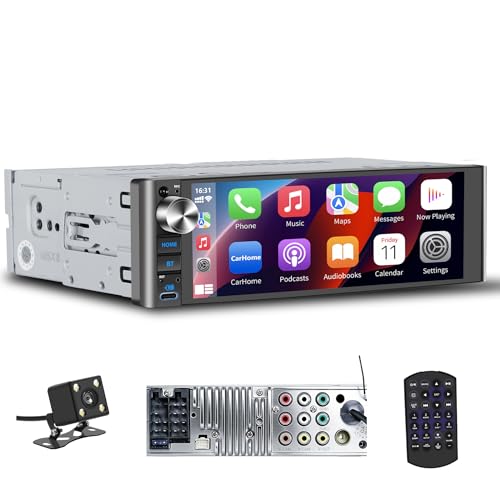
Camera connectivity distinguishes this single-DIN stereo: its features include front and backup camera support alongside wireless Apple CarPlay and Android Auto. It also has Bluetooth 5.3, USB and Type-C ports, steering-wheel control support, and two subwoofer outputs. The maker claims 5G Wi-Fi and faster, smoother touchscreen response than comparable models; those are performance claims, not a screen-size specification. Choose it if audio connections and camera options matter more than a named display size. The lack of a screen measurement makes it harder to compare display area with the 6.9-, 9-, and 10.1-inch alternatives.
Bottom line: Choose this if camera inputs and dual subwoofer outputs matter more than a specified screen size.
6.9-Inch Single-DIN Stereo

A 6.9-inch display sets this model apart from the larger-screen alternatives, while wireless Apple CarPlay and Android Auto provide phone integration. Its features also name a 1080p backup camera, mirror link, USB Type-C fast charging, FM/AM radio, and steering-wheel controls. The maker offers 10-year free replacement support and limits compatibility to 12V automotive DC, not 24V systems. That voltage restriction matters for vehicles using 24V electrical systems. The maker also warns that a single-DIN installation can block vents or buttons in some vehicles, so measure the dash area and check control clearance before ordering.
Bottom line: Choose this if a 6.9-inch screen and wireless phone integration suit your dash.
Driauto 9-Inch Single-DIN Stereo
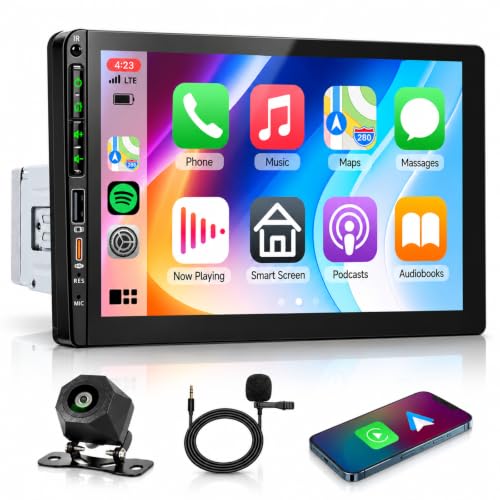
The 9-inch screen gives this model a larger stated display than the 6.9-inch alternative, with wireless and wired CarPlay and Android Auto. It also supports mirror link, Bluetooth, AM/FM/RDS radio, steering-wheel controls, and a backup camera. The screen’s size is the key tradeoff: a large display can be difficult to accommodate where the dash has nearby vents, buttons, or trim, so check its movement and clearance before selecting it. Choose this model when a large screen is the priority and the dash has room; buyers seeking a smaller display may prefer the 6.9-inch option.
Bottom line: Choose this if you want a 9-inch display and have room around the dash opening.
PLZ 10.1-Inch Single-DIN Stereo
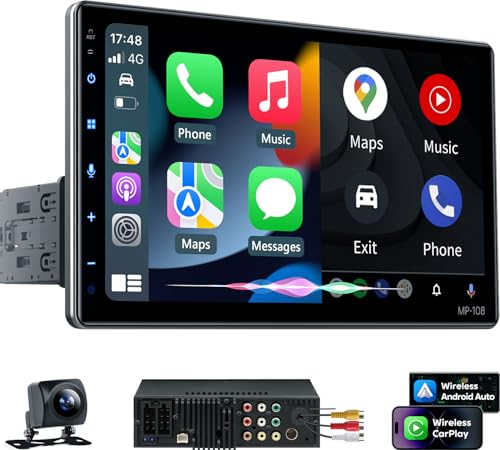
The 10.1-inch IPS touchscreen is the largest display among the single-DIN choices. The maker says it fits most single- and double-DIN dash openings and has multi-angle adjustment, but the display still needs physical room to sit and move without blocking nearby controls. Phone features include wired and wireless Apple CarPlay and Android Auto with voice control; the model also includes a backup camera, Bluetooth 5.3, and two subwoofer outputs. Choose it for a large adjustable display, not for a flush, compact installation. Its screen size makes careful clearance checks especially important.
Bottom line: Choose this if a 10.1-inch adjustable screen fits your dash and is your priority.
How to choose a 1-DIN touchscreen car stereo
Start with the dash opening and the screen’s clearance, then compare phone integration and audio connections. A single-DIN opening is nominally about 7 inches wide by 2 inches high; a touchscreen can extend beyond the chassis, so the opening alone does not establish fit. Measure nearby vents, buttons, trim, and the screen’s intended movement. For example, if the display would cover a vent or essential control, choose a smaller-screen design or another installation arrangement. Then decide whether wired or wireless CarPlay and Android Auto, camera inputs, or subwoofer outputs are requirements. The four matching choices differ in screen size and features, so prioritize only connections you will use.
What screen size fits a single-DIN dash
A single-DIN chassis fits a standard opening around 7 inches wide and 2 inches tall, but an oversized screen can occupy much more dash space. The 6.9-inch screen is the smallest of these stated displays; the 9-inch and 10.1-inch screens need more visible and moving clearance. A diagonal screen measurement does not tell you its exact width or height, so do not use diagonal size alone to decide fit. Measure from the opening to the nearest vent, button, and trim edge, including the screen’s tilt or slide path.
Single-DIN screen choices compared
Choose by the need that changes your installation or connection requirements. The chart summarizes the screen sizes and features named for these matching single-DIN models.
| Need | Choice | Why |
|---|---|---|
| Smallest specified screen | 6.9-inch model | Smallest diagonal |
| Middle screen size | 9-inch model | Larger than 6.9 inches, below 10.1 inches |
| Largest adjustable screen | 10.1-inch model | IPS display with multi-angle adjustment |
| Front and backup cameras | Model with unspecified screen size | Features include both camera connections |
Screen size is not the only distinction: check whether the stereo supports the camera and audio connections your setup needs.
Installation and safe use
Check vehicle voltage and dash clearance before wiring a stereo. One model is explicitly limited to 12V automotive DC, and the maker warns that its installation can block vents or buttons in some vehicles; a 24V vehicle is not compatible with that unit. Use a vehicle-specific wiring harness where appropriate, and disconnect the battery before working on wiring to reduce the risk of a short. Route camera and power wiring away from pedals, steering components, and sharp edges. Set navigation and audio before driving; do not handle a touchscreen while the vehicle is moving. If the wiring diagram or vehicle harness is unfamiliar, have an installer handle the connections.
Frequently Asked Questions
Does a single-DIN stereo always have a small screen?
No; single-DIN describes the chassis opening, not the screen diagonal. These options include stated screens from 6.9 to 10.1 inches, so check the dash clearance separately.
Will a 10.1-inch screen fit a single-DIN opening?
A 10.1-inch diagonal does not guarantee fit around the dash. Measure the screen’s width, height, and movement area against vents, buttons, and trim before choosing it.
Can I use a 24V vehicle with these stereos?
The 6.9-inch model is limited to 12V automotive DC and is not compatible with 24V systems. Confirm your vehicle’s electrical system before selecting a stereo.
Can wireless CarPlay work without a phone cable?
The 6.9-, 9-, and 10.1-inch options explicitly support wireless CarPlay, so a cable is not required for that connection mode. Wired phone connections are also identified for the 9- and 10.1-inch models.
Should I use a touchscreen while driving?
No; set navigation and audio before moving, and avoid handling the screen while driving. Distracted-driving rules vary by state, so use voice controls or pull over before changing settings.