
Kindle Model Number DP75SDI: 4 Cases Compared

For a Kindle with model number DP75SDI, Fintie Slimshell Folio is the best all-around fit here because it is a slim folio with a magnetic closure and auto wake/sleep. Choose Clear TPU Back Case instead if you want a clear back case that leaves the screen uncovered, or another folio if you prefer its material or color.
We earn a commission if you buy through links on this page. As an Amazon Associate I earn from qualifying purchases. Products are compared on manufacturer specifications, not hands-on testing.
- Best overall: Fintie Slimshell Folio – A slim synthetic-leather folio pairs auto wake/sleep with a magnetic closure.
- Best for screen protector bundle: Smart Case with Screen Protector – This folio includes a screen protector as well as auto wake/sleep.
- Best for book-style access: Flyorigin PU Leather Folio – Its cover opens like a book and has precise cutouts for device access.
- Best for a clear back: Clear TPU Back Case – The flexible TPU back is transparent and has reinforced corner bumpers.
| Product | Best for | Cover style | Material | Auto wake/sleep | Shop |
|---|---|---|---|---|---|
| Fintie Slimshell Folio | Slim folio cover | Front-cover folio | Synthetic leather | Yes | Check Price on Amazon |
| Smart Case with Screen Protector | Protector included | Front-cover folio | PU leather | Yes | Check Price on Amazon |
| Flyorigin PU Leather Folio | Book-style opening | Front-cover folio | PU leather and plastic | Yes | Check Price on Amazon |
| Clear TPU Back Case | Clear back shell | Back-only case | Soft TPU | No | Check Price on Amazon |
Cases for Kindle model number DP75SDI
All four options are designed for the 6-inch Kindle Paperwhite family that includes DP75SDI; compare how each covers the screen and back.
Fintie Slimshell Folio
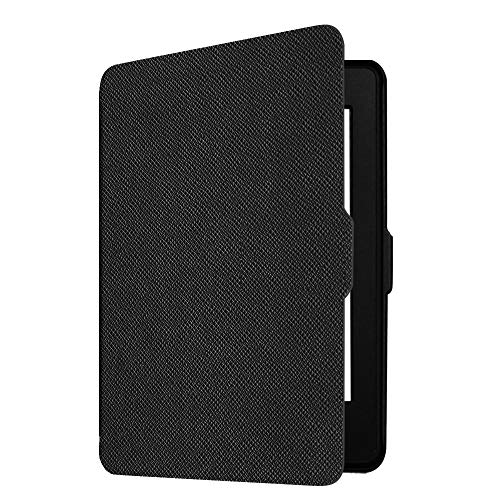
Fintie Slimshell Folio combines a front-cover folio with a magnetic clasp, unlike the open-back case styles in this group. Its synthetic-leather exterior and soft interior cover the device, and opening or closing the cover wakes or sleeps the Kindle. The slim, lightweight design suits readers who want front-and-back coverage without a strap over the screen. The tradeoff is that the front cover must be opened for reading, so it is less convenient than a back-only case for anyone who prefers an exposed screen.
Bottom line: Pick this if you want a magnetic folio that also triggers wake and sleep.
Smart Case with Screen Protector

Smart Case with Screen Protector is the only option here that pairs its folio with a screen protector. The PU-leather cover is designed for the 6-inch Paperwhite DP75SDI and EY21, and its automatic wake/sleep feature responds when the cover opens or closes. Its dark-green finish is a straightforward alternative to the black, navy, and clear options. The case weighs 0.24 pounds, but the added screen protector may not suit readers who prefer a bare display or already use another protector.
Bottom line: Choose this if you want a folio and screen protector together.
Flyorigin PU Leather Folio

Flyorigin PU Leather Folio opens and closes like a book and has precise cutouts for device access, distinguishing it from the magnetic-clasp folio and the clear back case. Its construction combines PU leather and plastic, with automatic wake/sleep when the cover is opened or shut. This navy option is intended for the DP75SDI or EY21 6-inch Paperwhite generations named by the maker. The limitation is its full front cover: readers who want an always-exposed screen may prefer a back-only shell.
Bottom line: Pick this for a book-opening folio with device cutouts.
Clear TPU Back Case

Clear TPU Back Case is the only back-only case in this group, so it leaves the screen uncovered rather than adding a hinged front cover. Its clear, flexible TPU lets you place photos or stickers behind the case, and reinforced corner bumpers are intended to protect the corners when set on a flat surface. The thin shell suits readers who want to personalize the back and avoid a folio. It does not have a front cover or an auto wake/sleep feature, so it offers a different kind of coverage from the other three.
Bottom line: Choose this if you want a clear back shell and an uncovered screen.
How to confirm a Kindle DP75SDI case fits
Confirm the model number, not just the Kindle brand name, before choosing a case. DP75SDI is paired with EY21 in the compatibility descriptions for 6-inch Paperwhite devices, while newer 10th- and 11th-generation Paperwhites are explicitly excluded from some options. A familiar screen size alone is not enough to establish a match: cases are shaped for a particular device body and its openings. Check the model number on the device itself, as one maker advises, and compare it with the compatibility wording for the case you want. If the number is DP75SDI, choose one of the cases in this comparison; if it differs, confirm the fit before ordering rather than relying on the word “Kindle.”
Folio versus back-only Kindle cases
A folio covers the screen when closed; a back-only case covers the rear and edges while leaving the display exposed. That difference decides whether you want a cover to close over the screen or prefer an unobstructed display. In this group, the three folios offer auto wake/sleep, and one has a magnetic closure; the clear TPU case is a back-only shell without that feature. The table summarizes the practical distinction. Auto wake/sleep is a convenience feature, not a substitute for checking that the cover closes securely. If you carry the Kindle alongside objects that could scratch the display, a front-cover style is the more relevant choice; if quick access and a visible back matter more, consider the shell.
| Need | Case style | Tradeoff |
|---|---|---|
| Cover the screen when closed | Folio | Requires opening the cover to read |
| Keep the screen exposed | Back-only shell | No front-cover protection |
| Automatic wake/sleep | Folio with the feature | Feature depends on cover opening and closing |
What to compare on a Paperwhite case
Start with the device fit, then decide between full-cover and back-only construction; material and closure are secondary preferences. The three folios here use synthetic leather or PU leather, while the open-back shell uses soft TPU. These materials create distinct case styles, but the maker does not establish comparative drop protection, so do not treat any one material as a protection rating. Look for a front cover if you want the screen enclosed, and check whether the case uses a magnetic clasp or simply opens and closes. Color can narrow the choice after fit and coverage are settled. A screen protector is bundled with one folio, which matters if you want that extra accessory rather than a case alone.
Frequently Asked Questions
Does DP75SDI mean a 6-inch Paperwhite?
The cases here identify DP75SDI as a 6-inch Kindle Paperwhite model, and pair it with EY21. Confirm the number on your device before choosing a case, since newer Paperwhite generations are excluded by some of these case makers.
Will a DP75SDI case fit a 2018 Paperwhite?
Do not assume it will: the compatibility wording excludes the 10th-generation 2018 Paperwhite from some cases. Choose a case that explicitly matches the model number and generation of your device.
Do folio cases wake a Kindle automatically?
The three folios in this comparison specify auto wake/sleep when their covers are opened or closed. The clear TPU back-only case does not include that feature.
Does a clear Kindle case cover the screen?
A back-only clear case covers the rear rather than adding a front flap, so the display remains exposed. Choose a folio if you want a cover over the screen when the Kindle is closed.