
Laptop Anti Reflective Screen: 3 Filters Compared

For most people, F FORITO 15.6-inch Matte Protector is the best fit because its matte anti-glare film is sized for common 15.6-inch 16:9 laptops. Choose Peslv 15.6-inch 3-Pack if you want a three-pack, or ANTOGOO V MacBook Neo 13-inch Film if your laptop is a MacBook Neo 13-inch.
An anti-reflective screen protector is a thin film that diffuses reflections; confirm your screen’s visible width and height before choosing, since diagonal size alone can hide a mismatch.
We earn a commission if you buy through links on this page. As an Amazon Associate I earn from qualifying purchases. Products are compared on manufacturer specifications, not hands-on testing.
- Best overall: F FORITO 15.6-inch Matte Protector – Its matte anti-glare film is made for 15.6-inch 16:9 screens.
- Best for a three-pack: Peslv 15.6-inch 3-Pack – It includes three protectors for 15.6-inch 16:9 screens.
- Best for MacBook Neo: ANTOGOO V MacBook Neo 13-inch Film – It is specifically sized for the 13-inch MacBook Neo.
| Product | Best for | Screen fit | Dimensions | Pack count | Shop |
|---|---|---|---|---|---|
| F FORITO 15.6-inch Matte Protector | Common 16:9 laptops | 15.6-inch, 16:9 | 13.6 × 7.6 in | 2 | Check Price on Amazon |
| Peslv 15.6-inch 3-Pack | Spare protectors | 15.6-inch, 16:9 | 13.57 × 7.64 in | 3 | Check Price on Amazon |
| ANTOGOO V MacBook Neo 13-inch Film | MacBook Neo owners | MacBook Neo, 13-inch | 11.5 × 7.3 in | 2 | Check Price on Amazon |
Laptop Anti Reflective Screen Protectors
Match the protector’s visible-area dimensions to your laptop before comparing finish and pack size.
F FORITO 15.6-inch Matte Protector
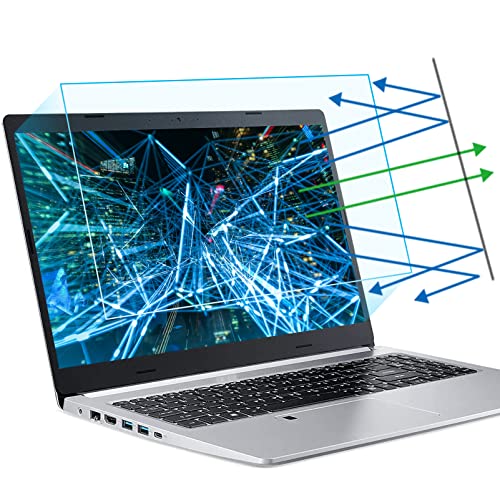
For a 15.6-inch 16:9 laptop, this two-pack combines a matte anti-glare film with blue-light filtering. The fit covers several common laptop brands, but the panel’s visible area still needs to match the film. Matte finishes scatter reflected light rather than acting like a mirror; that diffusion can make an image look less crisp than a glossy screen. Choose this set if you want two films for the same screen size. Its fit is limited to the 16:9 dimensions, so it is not the right choice for a differently shaped panel.
Bottom line: Choose it for a 15.6-inch 16:9 laptop if you want two matte films.
Peslv 15.6-inch 3-Pack

The three-pack is the main distinction here: it supplies more replacement films than the two-pack options. Each protector is described as an anti-glare, anti-blue-light film for a 15.6-inch 16:9 laptop, with dimensions of 13.57 by 7.64 inches. A matte surface can reduce the sharpness of fine text by spreading light across the panel, so consider that tradeoff if crisp detail matters more than reflections. This set suits someone who wants spares, but the screen fit is limited to its aspect ratio and size.
Bottom line: Pick it when you want spare films for a matching 15.6-inch 16:9 panel.
ANTOGOO V MacBook Neo 13-inch Film

Unlike the 15.6-inch universal-size films, this two-pack is made specifically for the 13-inch MacBook Neo. Its five-layer film is described as reducing glare and reflections while resisting fingerprints and smudges. That narrow device fit makes it a better match for the named MacBook than a generic diagonal-size selection. The package dimensions may not match the product dimensions, so use the screen fit rather than package measurements to decide. This is not a general-purpose pick for other 13-inch laptops, whose panel dimensions and cutouts can differ.
Bottom line: Choose it for the 13-inch MacBook Neo rather than a similarly sized laptop.
How to Choose a Laptop Anti Reflective Screen
Start with panel measurements, then decide whether reducing reflections is worth a possible loss of image crispness. Measure the visible screen area from edge to edge, excluding the bezel; a 15.6-inch 16:9 panel is roughly 13.6 inches wide and 7.6 inches tall. A diagonal measurement alone is insufficient because a 16:10 panel is taller relative to its width than a 16:9 panel. Matte films diffuse light, while glossy screens tend to preserve a sharper-looking image but show more direct reflections. If you work with small text or color-sensitive images, prioritize clarity; if bright windows or overhead lights cause distracting reflections, a matte finish may be the better tradeoff.
Measure Screen Fit Before Ordering
Match both visible width and height to the film, and verify the aspect ratio. A film that matches the diagonal but is designed for a different ratio may cover the wrong area or leave edges exposed. For a 15.6-inch 16:9 display, use approximately 13.6 by 7.6 inches as a rough reference, then measure the actual visible panel because bezel and manufacturer dimensions vary. A measurable decision rule is simple: if either screen dimension differs from the protector by more than about 1/8 inch, do not assume it will fit flush. Clean the screen carefully before applying a film; dust trapped underneath can create visible bubbles or specks.
Matte Films Versus Privacy Filters
Matte anti-glare films and privacy filters solve different problems, so choose by the main distraction. Matte films scatter reflections across the screen surface, while privacy filters restrict what people can see from off-center angles. A privacy screen is not automatically a good anti-reflective replacement, even when its surface also reduces glare. The table separates the choice by need.
| Need | Type to choose |
|---|---|
| Reduce visible reflections | Matte anti-glare film |
| Limit side viewing | Privacy filter |
| Keep a glossy, crisp image | No matte film |
For privacy filters, viewing-angle performance and screen brightness matter: a restricted angle can make the display appear dimmer when viewed from the side, which is by design.
Apply and Care for a Screen Film
Apply a screen film in a clean, low-dust room and align it before pressing it down. Even a small dust particle can cause a persistent blemish, and lifting a film repeatedly can introduce more dust or bend its edge. Turn off the laptop and let the display cool before cleaning; use a clean microfiber cloth and avoid spraying liquid directly onto the panel. Follow the film’s own application method if it includes adhesive strips or mounting tabs. Keep pressure gentle around the display because laptop panels can be damaged by concentrated force, especially near the edges.
Frequently Asked Questions
Does a matte screen protector reduce reflections?
Yes, a matte finish diffuses reflected light instead of reflecting it as a sharp image. That diffusion can also make fine text or high-contrast details look slightly less crisp.
How do I measure my laptop screen for a film?
Measure the visible display width and height, excluding the bezel, and compare both with the protector’s dimensions. A diagonal measurement cannot confirm aspect ratio or edge-to-edge fit.
Will a 15.6-inch film fit every laptop?
No; 15.6 inches is only the diagonal, and panels can have different aspect ratios. A 16:9 screen is roughly 13.6 by 7.6 inches, but confirm the actual visible width and height.
Can a screen protector affect touch input?
A film adds a layer between your finger and the display, so touchscreen compatibility depends on the product and device. Confirm that the protector supports touch use before fitting it to a touchscreen laptop.
Can I use a privacy filter to cut glare?
Some privacy filters can reduce glare, but their main purpose is to limit side viewing rather than diffuse reflections like a matte film. Choose a matte anti-glare protector when reflection reduction is the priority.