
Insignia Fire TV 32 Inch: Models Compared by Resolution

For most buyers, Insignia FE Series 32-Inch Fire TV is the stronger Insignia Fire TV 32-inch choice because its 1080p resolution is sharper than the 720p resolution of Insignia F20 Series 32-Inch Fire TV. Choose Insignia F20 Series 32-Inch Fire TV if 720p meets your needs; the Roku and Hisense alternatives use different streaming platforms.
A 32-inch TV suits a bedroom, kitchen, or other compact viewing area, but check your seating distance and mounting fit before choosing.
We earn a commission if you buy through links on this page. As an Amazon Associate I earn from qualifying purchases. Products are compared on manufacturer specifications, not hands-on testing.
- Best overall: Insignia FE Series 32-Inch Fire TV – Its 1080p resolution has more pixels than the 720p screen on the other Insignia model.
- Best for Alexa control: Insignia F20 Series 32-Inch Fire TV – Its feature set includes an Alexa Voice Remote and DTS Virtual-X sound.
- Best for Roku: Roku Select Series 32-Inch TV – It pairs a 1080p screen with Roku TV and Bluetooth headphone mode.
| Product | Best for | Resolution | Smart platform | Width | Shop |
|---|---|---|---|---|---|
| Insignia FE Series 32-Inch Fire TV | Sharper HD picture | 1080p | Fire TV | 28.1 in | Check Price on Amazon |
| Insignia F20 Series 32-Inch Fire TV | Alexa voice control | 720p | Fire TV | 28.31 in | Check Price on Amazon |
| Roku Select Series 32-Inch TV | Roku platform | 1080p | Roku TV | 28.3 in | Check Price on Amazon |
| Hisense QD4 Series 32-Inch Roku TV | QLED color | HD (unspecified) | Roku TV | 28.5 in | Check Price on Amazon |
Insignia 32-Inch Fire TVs and Alternatives
Compare resolution and platform first, then check that the TV’s dimensions suit your space.
Insignia FE Series 32-Inch Fire TV
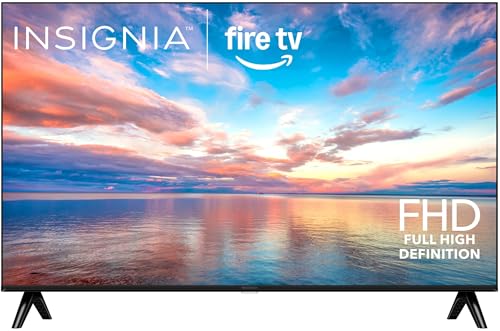
The FE Series stands apart from the other Insignia model with a 1080p screen, rather than 720p. Its LED-backlit LCD display and Fire TV platform combine streaming apps, live TV, and games; subscription fees may apply. The feature set includes Alexa voice functionality and DTS TruSurround. This is the better fit if you watch close enough to notice the extra resolution or want a sharper image for text and detailed scenes. Its 28.1-inch width also makes measuring the intended surface worthwhile before purchase.
Bottom line: Choose this if you want the higher-resolution Insignia screen.
Insignia F20 Series 32-Inch Fire TV

The F20 Series differs from the FE Series by using a 720p screen and DTS Virtual-X sound. Its Alexa Voice Remote supports voice searches, app launching, and input switching, while Fire TV brings streaming apps and channels together. Brand says Fire TV offers access to more than 1.5 million movies and TV episodes. This model suits buyers who prioritize voice control and a familiar streaming interface over full HD resolution. At 28.31 inches wide, it needs slightly more horizontal space than the other Insignia option.
Bottom line: Pick this if Alexa voice control matters more than 1080p.
Roku Select Series 32-Inch TV
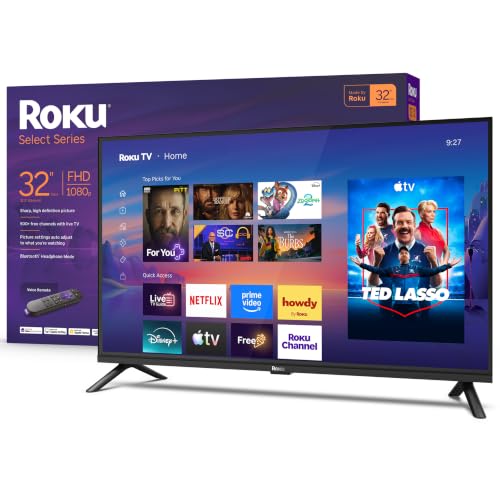
The Roku Select Series is the 1080p alternative for buyers who prefer Roku TV over Fire TV. Roku’s features include a simplified home screen, voice remote, and Bluetooth headphone mode; the 32-inch screen is suited to bedrooms and kitchens. The 1080p resolution matches the Insignia FE Series on pixel count, while the platform and remote features differ. Choose it if Roku’s interface is the priority. Its dimensions include a 7.1-inch depth, so account for that when planning a stand or shelf placement.
Bottom line: Choose this for Roku’s interface and headphone mode.
Hisense QD4 Series 32-Inch Roku TV
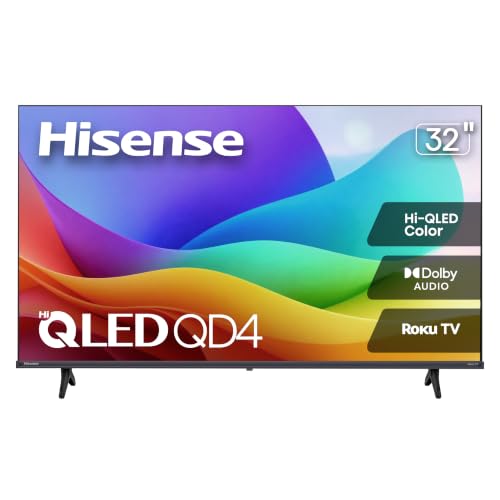
The Hisense QD4 is the Roku alternative with Hi-QLED color technology and a Full Array LED backlight. Its Roku OS offers streaming, live channels, and a grid-based interface, unlike the Fire TV platform on the Insignia models. This option suits viewers who want the QLED label and Roku navigation in a 32-inch set. The resolution wording identifies the screen as HD but does not give a pixel count, so compare that specification with your needs before deciding. At 28.5 inches wide, it is the widest model in this group.
Bottom line: Consider it if QLED and Roku are your priorities.
How to choose a 32-inch Insignia Fire TV
Choose between the two Insignia sets mainly by resolution: 1080p is 1,920 × 1,080 pixels, while 720p is 1,280 × 720. That gives 1080p 2.25 times as many pixels, which can make fine text and close-up viewing look more detailed. Screen size alone does not determine picture quality; source resolution, viewing distance, and the program’s encoding also matter. A 32-inch 16:9 screen has an image area about 15.7 inches tall, so roughly 4 to 6 feet is a practical starting point for seating. If you sit closer than 4 feet or use the TV as a monitor, favor 1080p. Choose by platform too: both Insignia choices use Fire TV, while the alternatives here use Roku.
Where a 32-inch TV fits best
A 32-inch TV is commonly suited to a bedroom, kitchen, dorm room, or compact den, but measure the whole placement rather than the diagonal alone. The screen’s 32-inch measurement runs corner to corner; the widths in this group cluster around 28 to 28.5 inches, and the cabinet adds depth. Allow clearance for the power cable, ventilation, and any stand feet, which may extend beyond the screen’s width. For wall mounting, confirm the TV’s VESA hole pattern and weight limit against the mount before ordering; screen size by itself does not establish mount compatibility. For a stand, check both the stand’s usable top width and the distance between the TV’s feet. Keep the set stable and away from edges where it could be knocked over.
Fire TV and Roku compared
Fire TV and Roku are separate smart-TV platforms, so choose based on the interface and voice features you want rather than assuming their app menus are identical. Fire TV is the shared platform on both Insignia models here; the F20 feature set specifically includes Alexa voice search and input switching. The Roku choices provide Roku OS, and the Select Series feature set includes Bluetooth headphone mode. App catalogs change over time, and streaming subscriptions may require separate fees. A streaming stick can add a different platform to a TV, but it cannot increase the panel’s native resolution. Use this comparison to narrow the choice by feature; resolution still matters if you sit close to a 32-inch screen.
| Need | Feature to prioritize | Choice in this group |
|---|---|---|
| More screen detail | 1080p resolution | Insignia FE or Roku Select |
| Alexa voice remote | Voice control | Insignia F20 |
| Roku interface | Roku TV platform | Roku Select or Hisense QD4 |
| Bluetooth headphone mode | Headphone feature | Roku Select |
Measure before placing or mounting the TV
Measure the width, height, and depth of the installation area, then compare those numbers with the cabinet dimensions and stand footprint. The screen’s advertised diagonal does not include the stand, and a TV can have a wider foot spacing than expected. Leave several inches around the set for airflow, especially if it sits inside a cabinet; blocked vents can contribute to overheating. If mounting above a dresser or kitchen counter, position the screen so the center is near seated eye level and avoid a location exposed to splashes or direct heat. Use a mount rated for the TV’s weight and confirm its VESA pattern rather than relying on a 32-inch size match alone.
Frequently Asked Questions
Is 1080p noticeably better than 720p on a 32-inch TV?
At close viewing distances, 1080p can show finer detail because it has 2.25 times as many pixels as 720p. The difference is less obvious from farther away or with lower-resolution video.
How far away should I sit from a 32-inch TV?
About 4 to 6 feet is a useful starting range for a 32-inch 16:9 screen. Sit nearer if you want a more immersive view, and favor 1080p when watching close enough to see pixel-level detail.
Can I use a 32-inch TV as a computer monitor?
Yes, but 1080p is generally more suitable than 720p for desktop text at typical desk distances. Check that the computer can output a compatible resolution and that the screen can sit at a comfortable viewing height.
Do I need a separate streaming subscription for apps?
Some streaming services require paid subscriptions, while some platforms also carry free channels. Check each service’s terms before relying on a particular show or channel being included.
What should I check before wall mounting a 32-inch TV?
Match the TV’s VESA hole pattern and weight to the mount’s supported pattern and capacity. Use appropriate anchors for the wall type and secure the mount into studs or approved masonry fixings.