
BSIDE A1X Digital Multimeter: Models Compared

For most people, BSIDE A1X is the straightforward BSIDE A1X digital multimeter choice because it offers automatic and manual measurement of AC/DC voltage, resistance, and continuity. Choose BSIDE A1X with Bag instead if you want the A1X with a carrying case; consider another model if you need a color screen or a different feature set.
A digital multimeter measures electrical quantities through test leads, so confirm the meter and lead safety ratings cover your intended circuit before ordering.
We earn a commission if you buy through links on this page. As an Amazon Associate I earn from qualifying purchases. Products are compared on manufacturer specifications, not hands-on testing.
- Best overall: BSIDE A1X – Offers automatic and manual AC/DC voltage, resistance, and continuity measurement.
- Best for carrying: BSIDE A1X with Bag – Pairs the A1X feature set with a carrying case.
- Best for current tests: BSIDE A2X with Bag – Its maker says the current-test function activates when a lead is plugged into the amp port.
| Product | Best for | Model or variant | Display | Distinguishing feature | Shop |
|---|---|---|---|---|---|
| BSIDE A1X | Core A1X functions | A1X | LCD; red/green backlight | Rechargeable; smart and manual modes | Check Price on Amazon |
| BSIDE A1X with Bag | A1X with storage | A1X with bag | LCD; red/green backlight | Carrying case; rechargeable | Check Price on Amazon |
| MAXRIENY Smart Digital Multimeter | Adjustable NCV alerts | MAXRIENY | LCD; red/green backlight | Adjustable-sensitivity NCV | Check Price on Amazon |
| BSIDE A2X with Bag | Automatic amp activation | A2X with bag | Color LCD | Auto current-test activation; VFC | Check Price on Amazon |
| BSIDE S11 Rechargeable | Multiple readings display | S11 | Color LCD | Three-result display; 9999 counts | Check Price on Amazon |
BSIDE A1X Digital Multimeter Options
Compare the A1X variants with related meters by their measurement functions, display, and included accessories.
BSIDE A1X
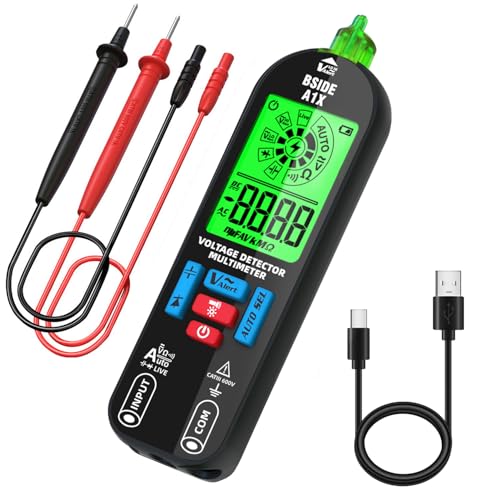
BSIDE A1X is the A1X option without a carrying case in its name, with automatic and manual modes for AC/DC voltage, resistance, and continuity. Its features also include capacitance, diode, and V-alert functions, plus a rechargeable battery and charging cable. The LCD has red and green backlighting. This combination suits buyers who want the core A1X functions without selecting the bag variant. The maker does not establish a safety category rating or measurement limits, so confirm those ratings match the circuits you plan to test.
Bottom line: Choose this if you want the A1X’s core smart-meter functions.
BSIDE A1X with Bag
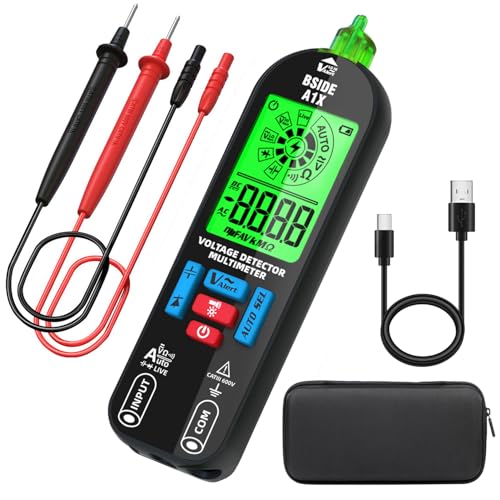
BSIDE A1X with Bag distinguishes itself from the other A1X option by including a carrying case in its variant name. It shares automatic and manual AC/DC voltage, resistance, and continuity modes, along with capacitance, diode, and V-alert functions. The rechargeable battery and cable are also included, and its LCD has red and green backlighting. The case makes this variant a practical match for buyers who want to keep the meter and accessories together. A carrying case does not establish electrical safety ratings; verify the meter and lead ratings before using it on mains circuits.
Bottom line: Pick this if keeping the A1X and its accessories together matters.
MAXRIENY Smart Digital Multimeter

MAXRIENY Smart Digital Multimeter is a related smart multimeter rather than a BSIDE A1X, and its standout listed feature is adjustable-sensitivity NCV with audible and visual alerts. The description also gives automatic and manual AC/DC voltage, resistance, and continuity modes, plus capacitance and diode functions. Red backlighting with a sharp beep signals high voltage, while green backlighting with a gentle beep signals low voltage, according to the product features. This is a fit for shoppers who specifically want those NCV alert behaviors. The maker does not establish a CAT rating, so verify ratings for the circuit before use.
Bottom line: Choose this if adjustable NCV sensitivity and alert cues are priorities.
BSIDE A2X with Bag
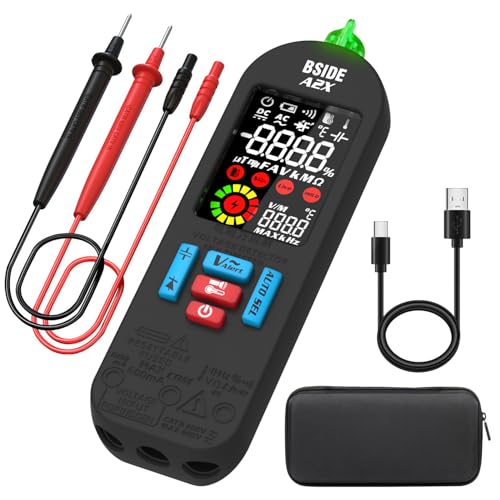
BSIDE A2X with Bag is the A2X alternative, not an A1X, and adds current-test activation when a lead is inserted into the amp port. Its functions include automatic AC/DC voltage, resistance, and continuity measurement, plus VFC, capacitance, and diode modes. The color LCD and carrying case distinguish it from the A1X variants. This model suits buyers who want a current-test workflow feature and a color screen. Current measurement requires the meter to be connected in series with the circuit, not across a voltage source; check the meter’s current and safety ratings for the intended task.
Bottom line: Pick this if automatic current-test activation and a case suit your work.
BSIDE S11 Rechargeable

BSIDE S11 Rechargeable is a related BSIDE model with a color display that can show three test results at once, such as voltage, frequency, and an analog bar. Its name and features specify 9999 counts, rechargeable power, and smart measurement modes; capacitance, diode, duty cycle, resistance, frequency, and V-alert are also listed. Unlike the A1X variants, it emphasizes the multi-result screen. It can suit someone who wants several readings visible together, but the specifications do not establish a safety category or input limits. Verify those ratings before choosing it for electrical work.
Bottom line: Choose this if viewing three measurement results together is useful.
How to Choose a Digital Multimeter
Choose a meter by matching its functions and safety ratings to the work, not by the word “smart.” Automatic ranging selects a measurement range for you; manual ranging lets you select one. Continuity mode checks whether a circuit path conducts, while resistance mode measures opposition to current. For current measurement, a meter is generally inserted in series; voltage is measured across two points. Before using a meter on mains or other hazardous circuits, verify the meter and probe CAT ratings and voltage limits cover the circuit. A measurable rule: if you cannot confirm those ratings for the circuit, do not use the meter on it. Also check that the required functions—such as frequency, capacitance, or current—are specifically included.
What Smart and Manual Modes Change
Smart mode can simplify routine checks by automatically selecting among supported measurements, while manual mode gives the user more control over function selection. Automatic mode does not make an incorrect lead connection safe: voltage and resistance use different measurement setups, and current measurement normally requires a series connection. Disconnect power and discharge capacitors before measuring resistance or capacitance; stored charge can damage a meter or cause injury. Continuity is useful for checking an unpowered path, but a beep alone does not prove a circuit is safe or suitable for service. Check the selected function and lead sockets before every measurement, especially when switching from voltage to current.
How to Compare Meter Displays and Alerts
Display features affect how readings are presented, not the meter’s electrical limits. A backlit LCD can improve visibility in dim spaces, while a color screen can distinguish information visually. A three-result display can place multiple values on screen at once, but verify which values it can show together for the measurement you need. NCV alerts are for detecting voltage without direct electrical contact; they are not a substitute for a properly rated meter and contact measurement when confirming a circuit condition. Adjustable sensitivity can affect detection behavior, so use the meter’s proper procedure and do not treat a lack of alert as proof that wiring is de-energized.
Digital Multimeter Safety and Common Mistakes
Use the correct input socket and function before touching probes to a circuit. A common damaging mistake is leaving a lead in a current socket and then measuring voltage across a source; current mode has a different connection path and may create a short. Never measure resistance or continuity on an energized circuit, and discharge capacitors first. Inspect probe insulation and tips for damage, keep fingers behind probe guards, and avoid working in wet conditions. Before buying, confirm CAT ratings, maximum voltage and current, and included probe ratings suit the task. If the task involves household mains and the rating cannot be verified, use a properly rated meter or have a qualified electrician perform the measurement.
Frequently Asked Questions
What does automatic ranging do on a multimeter?
Automatic ranging selects a measurement range for a supported function, reducing the need to choose a range manually. Manual ranging lets you pick the range yourself and may be useful when you need a stable range for repeated readings.
Can I test a live circuit with a multimeter?
Only use a meter and probes whose CAT ratings and voltage limits cover that circuit. Never use resistance or continuity mode on an energized circuit, and do not proceed if the ratings are unclear.
How do I measure current with a digital multimeter?
Current is generally measured with the meter connected in series, using the correct current input and range. Check the meter’s current and safety limits first; placing a current-mode meter across a voltage source can cause a short.
When should I use continuity instead of resistance?
Use continuity mode for a quick check of an unpowered conductive path; resistance mode gives a numerical measurement. Disconnect power and discharge capacitors before either check, since an energized circuit can produce misleading readings or damage the meter.
What does an NCV alert tell me?
Non-contact voltage detection can indicate that voltage may be present without touching a conductor directly. Treat it as a preliminary alert, not proof that a circuit is de-energized; use a properly rated meter and safe verification procedure.