
Computer Screen Covers for Eyes: 4 Filters Compared

The MOSISO filter is the best match for a general computer screen cover for eyes because it specifies blue-light and UV filtering for 23- to 24-inch desktop screens. The phrase does not identify one particular model; choose a different option if you need a matte glare-reducing surface or a 15.6-inch laptop film.
We earn a commission if you buy through links on this page. As an Amazon Associate I earn from qualifying purchases. Products are compared on manufacturer specifications, not hands-on testing.
- Best overall: MOSISO Blue Light Filter, 23–24 Inch – Designed for 23–24-inch 16:9 desktop monitors and specifies blue-light and UV filtering.
- Best for glare: F FORITO Matte Anti-Glare, 24 Inch – A matte 24-inch 16:9 cover focused on minimizing glare and reflections.
- Best for touch-sensitive laptops: F FORITO Anti-Blue-Light, 15.6 Inch – A 15.6-inch 16:9 laptop protector described as touch sensitive.
| Product | Best for | Screen fit | Filter type | Pack size | Shop |
|---|---|---|---|---|---|
| MOSISO Blue Light Filter, 23–24 Inch | Desktop blue-light filtering | 23–24 in, 16:9 | Blue light and UV | 1 film | Check Price on Amazon |
| F FORITO Matte Anti-Glare, 24 Inch | Reducing screen glare | 24 in, 16:9; 20.9 × 11.8 in | Matte anti-glare | 2 covers | Check Price on Amazon |
| Peslv Blue-Light Film, 15.6 Inch | Laptop multi-pack | 15.6 in, 16:9; 13.57 × 7.64 in | Blue light and UV | 3 films | Check Price on Amazon |
| F FORITO Anti-Blue-Light, 15.6 Inch | Touch-sensitive laptops | 15.6 in, 16:9; 13.6 × 7.6 in | Blue-light filtering, matte | 2 covers | Check Price on Amazon |
Computer Screen Covers for Eyes
Start with your screen’s measured width and height, then choose the filter type that matches your main concern.
MOSISO Blue Light Filter, 23–24 Inch
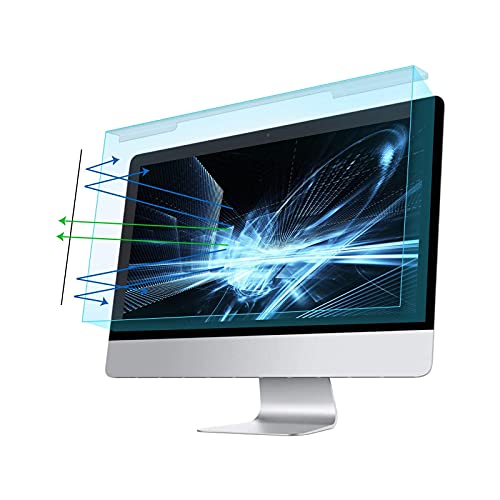
The MOSISO film is the desktop option here that gives a blue-light reduction figure: the maker says it reduces 420–460 nm blue-light by 45% and filters 99% of harmful UV. Its dimensions are 21.26 by 13.39 inches, and it is intended for 23- to 24-inch 16:9 LED monitors. Measure the visible screen rather than relying only on the diagonal, since monitor frames and aspect ratios affect fit. This is the broadest fit range among the desktop options, but the large panel size makes it unsuitable for a laptop or a smaller monitor.
Bottom line: Choose this for a 23–24-inch 16:9 desktop if blue-light and UV filtering are priorities.
F FORITO Matte Anti-Glare, 24 Inch
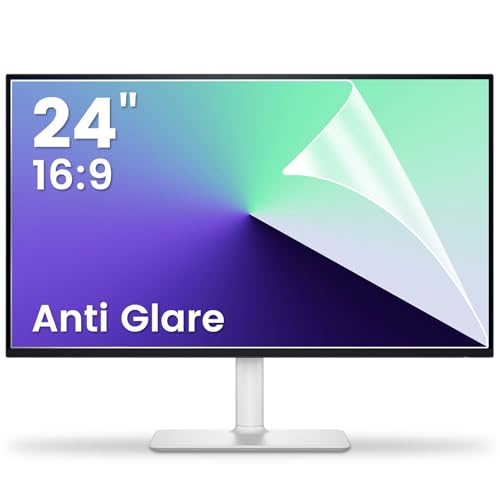
The F FORITO cover is the glare-focused desktop choice, with a matte surface intended to minimize reflections rather than a quantified blue-light reduction claim. The two-pack is sized for a 24-inch 16:9 screen at about 20.9 by 11.8 inches; it is explicitly not for 16:10 displays. The maker also describes scratch and smudge resistance. Choose it when reflected light is the main annoyance and your panel matches those measurements. Its narrow aspect-ratio fit is a drawback for anyone with a 16:10 monitor or a screen whose active area differs from the dimensions.
Bottom line: Choose this for a measured 24-inch 16:9 monitor when matte glare reduction is the goal.
Peslv Blue-Light Film, 15.6 Inch

The Peslv set provides three laptop films, unlike the single-panel desktop filter and the two-cover alternatives. Each is sized for a 15.6-inch 16:9 screen, about 13.57 inches wide by 7.64 inches high, and the maker identifies it as an anti-blue-light and UV-blocking shield. Its dimensions make it a laptop-specific option, not a fit for a similarly sized desktop monitor or a 16:10 laptop. Measure the active display before choosing; diagonal size alone can be misleading when aspect ratios differ. The three-piece pack is useful when matching several compatible laptops, but does not suit larger desktop screens.
Bottom line: Choose this for a 15.6-inch 16:9 laptop when you need a three-film pack.
F FORITO Anti-Blue-Light, 15.6 Inch
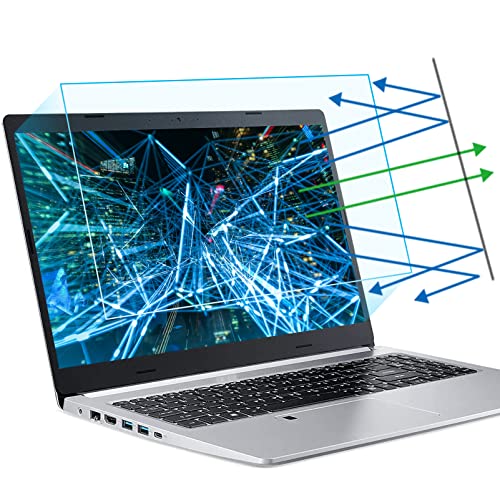
The F FORITO laptop protector stands out by identifying touch sensitivity, making it the relevant pick for a compatible touch-screen laptop. Its two films fit 15.6-inch 16:9 displays, with dimensions around 13.6 by 7.6 inches, and the maker describes a nine-layer blue-light filtering design intended to reduce fatigue and discomfort. Check both the laptop’s aspect ratio and the screen’s width and height before ordering. The limitation is the specified 16:9 size: a 15.6-inch diagonal alone does not guarantee fit on a different panel shape or active display area.
Bottom line: Choose this for a 15.6-inch 16:9 laptop when touch sensitivity matters.
How to choose a computer screen cover for eyes
Choose by the problem you want the surface to address: a matte film is intended to reduce reflections, while blue-light and UV filters target specific parts of light. These are different functions, so do not assume an anti-glare film also filters blue-light or that a blue-light film is matte. Screen covers also cannot correct poor screen positioning or long uninterrupted viewing. A useful starting rule is to identify whether reflections or the type of filtering is your priority, then match the product’s purpose and dimensions. Treat maker claims as product-specific claims, not as a guarantee that a film will prevent eye strain.
How to measure your screen for a cover
Measure the active display width and height, not the monitor’s outside frame; aspect ratio determines whether a nominal diagonal will match. A 16:9 screen is wider relative to its height than a 16:10 screen, so covers for one shape can leave gaps or overlap on the other. For example, the 24-inch matte option is specifically sized around 20.9 by 11.8 inches and excludes 16:10 displays. Use a ruler across the visible panel and compare both dimensions with the intended cover. If either measurement differs substantially, confirm fit before ordering rather than relying on the diagonal alone.
Screen filter types and their tradeoffs
Matte anti-glare covers diffuse reflected light; blue-light films target a wavelength band; privacy filters use a different design to limit side viewing. One type does not automatically provide the others. Here, the desktop blue-light option specifies a reduction claim for the 420–460 nm band, while the matte desktop option emphasizes glare and reflections. The laptop films are also described as blue-light filters, with one identified as touch sensitive. Select by the attribute that matters instead of assuming every “eye” or “protection” label means the same thing.
Use this comparison to narrow the choice by screen class and stated purpose.
| Need | Filter category | Fit rule |
|---|---|---|
| Less reflected glare | Matte anti-glare | Match width, height, and aspect ratio |
| Blue-light filtering | Blue-light film | Match laptop or desktop screen dimensions |
| Side-view privacy | Privacy filter | Verify its viewing and screen fit requirements |
Ways to ease screen-related eye strain
A screen filter is only one part of comfortable viewing; the American Academy of Ophthalmology’s 20-20-20 rule advises looking about 20 feet away for 20 seconds every 20 minutes. Keep the display roughly 20–28 inches from your eyes and position its top at or slightly below eye level so you are not craning upward. Reduce reflections by placing the screen perpendicular to windows where practical, and adjust brightness to suit the room. These habits address viewing conditions that a cover cannot change, and they remain useful whether or not you add a filter.
Frequently Asked Questions
Can a screen cover stop computer eye strain?
A cover may address glare or filter selected wavelengths, but it does not eliminate every cause of eye strain. Take a 20-second break to look roughly 20 feet away every 20 minutes and adjust screen distance and brightness.
How do I know if my 24-inch monitor is 16:9?
Measure the active screen width and height and compare their ratio; 16:9 is about 1.78 times as wide as it is high. A 24-inch diagonal by itself does not establish the aspect ratio or guarantee a cover will fit.
Do matte screen covers block blue-light?
A matte surface is designed to diffuse reflections, not necessarily to filter blue-light. Choose a product that specifically identifies blue-light filtering if that is the function you want.
What size screen cover fits a 15.6-inch laptop?
The laptop films here are made for 15.6-inch 16:9 screens, with dimensions around 13.6 by 7.6 inches. Measure the active display because a 15.6-inch diagonal with another aspect ratio may not fit.
How often should I take breaks from a computer screen?
Use the 20-20-20 approach: every 20 minutes, look at something about 20 feet away for 20 seconds. This gives your eyes a brief change in focus during extended screen sessions.