
Fire Tablet Screen Replacement Parts Compared by Fit

For a Fire tablet screen replacement, match the tablet’s model and generation first: Fire HD 8 10th Gen Touch Glass and Fire HD 8 12th Gen Touch Glass replace touch glass only, while Fire HD 10 11th Gen LCD Assembly and Fire HD 10 13th Gen LCD Assembly are full LCD assemblies for specific 10-inch models. Choose a different part if your tablet is a 7-inch model, a different generation, or needs only an LCD rather than a digitizer.
A digitizer is the touch-sensitive front layer; an LCD produces the image. Confirm the model number before ordering, because similar screen sizes do not guarantee parts compatibility.
We earn a commission if you buy through links on this page. As an Amazon Associate I earn from qualifying purchases. Products are compared on manufacturer specifications, not hands-on testing.
- Best overall: Fire HD 8 10th Gen Touch Glass – Covers the 2020 Fire HD 8 generation and specifies that it replaces front glass, not the LCD.
- Best for 2022/2024 HD 8: Fire HD 8 12th Gen Touch Glass – Fits the 12th-generation Fire HD 8 family and replaces touch glass only.
- Best for 2023 HD 10: Fire HD 10 13th Gen LCD Assembly – A full LCD and touch-screen assembly for the 13th-generation 10.1-inch Fire HD 10.
| Product | Best for | Compatible model | Screen part | Screen size | Shop |
|---|---|---|---|---|---|
| Fire HD 8 10th Gen Touch Glass | 2020 HD 8 | HD 8 10th gen; K72LL3/K72LL4 | Touch glass only | 8 in. | Check Price on Amazon |
| Fire HD 8 12th Gen Touch Glass | 2022/2024 HD 8 | HD 8 12th gen; R2SP8T/R24SB8 | Touch glass only | 8 in. | Check Price on Amazon |
| Fire HD 10 11th Gen LCD Assembly | 2021 HD 10 | HD 10 11th gen; T76N2B/T76N2P | LCD and touch panel assembly | 10.1 in. | Check Price on Amazon |
| Fire HD 10 13th Gen LCD Assembly | 2023 HD 10 | HD 10 13th gen; TG425K | LCD and touch-screen assembly | 10.1 in. | Check Price on Amazon |
| Fire HD 7 12th Gen Touch Digitizer | 2022 HD 7 | Fire HD 7 12th gen | Touch digitizer only | 7 in. | Check Price on Amazon |
Fire Tablet Screen Replacement Parts
Start with the exact model and generation, then choose between a touch-glass digitizer and a full display assembly.
Fire HD 8 10th Gen Touch Glass

This kit is for the 2020 Fire HD 8 generation, including the HD 8 and HD 8 Plus model codes. It replaces the front touch glass only; the LCD display is not included. That distinction matters when the image itself is damaged or missing, since a glass-only part does not replace the LCD. The manufacturer says a tutorial video is available, but screen separation and reassembly can be delicate work. Choose this part only after confirming the tablet is an 8-inch 10th-generation model; it will not fit the 2022 generation.
Bottom line: Choose this for a confirmed 2020 Fire HD 8 with damaged touch glass and a working LCD.
Fire HD 8 12th Gen Touch Glass

Unlike the 2020-generation glass part, this digitizer is intended for the 12th-generation Fire HD 8 family, including the R2SP8T and R24SB8 codes. The front glass is the touch-screen component; no LCD display is included. The maker says a tutorial video is available, but that does not make a glass-only repair suitable for a broken image panel. The product name also mentions Tecno Tablet T805S, so verify the exact device model before choosing it. Do not use it for the 2020 Fire HD 8 generation.
Bottom line: Pick this for a matching 12th-generation Fire HD 8 when only the touch glass needs replacement.
Fire HD 10 11th Gen LCD Assembly
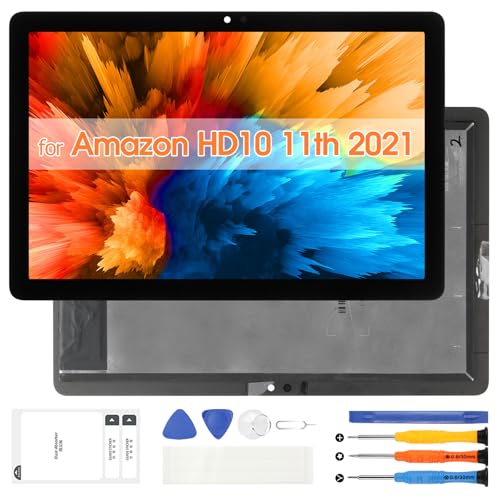
This 2021 Fire HD 10 part is a full LCD display and touch-panel assembly, unlike the glass-only HD 8 digitizers. It is specified for the 11th-generation T76N2B and T76N2P models and measures 10.1 inches. The manufacturer recommends watching installation videos and says repair experience is strongly suggested to reduce the risk of device damage. That makes this a better match for someone comfortable with internal tablet repair than for a first-time glass-only fix. Confirm the model code before disassembly; the screen size alone is not enough to establish compatibility.
Bottom line: Choose this for the specified 2021 Fire HD 10 models when the LCD and touch panel need replacement.
Fire HD 10 13th Gen LCD Assembly
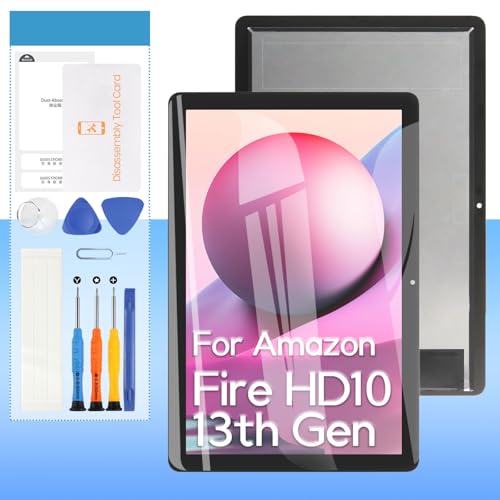
This part targets the 2023 13th-generation Fire HD 10, model TG425K, and combines the LCD with the touch screen. The package includes replacement tools, unlike the two HD 8 glass-only kits. A complete assembly is the relevant type when the display panel also needs replacement, but fitting it still involves opening the tablet and handling delicate components. Do not substitute it for the 11th-generation HD 10 assembly just because both screens are 10.1 inches. Check the model code on the tablet before starting work.
Bottom line: Pick this for a confirmed TG425K Fire HD 10 that needs a full display assembly.
Fire HD 7 12th Gen Touch Digitizer

This is the only 7-inch option among these parts: a touch digitizer for the 12th-generation Fire HD 7. Its name explicitly says it is not an LCD, so it is aimed at touch-glass damage when the image display remains usable. The product text advises checking the device model and recommends installation videos and prior repair experience. A digitizer-only replacement will not resolve a damaged LCD panel. Verify that the tablet is the 12th-generation 2022 HD 7 before choosing it, rather than relying only on the Fire HD 7 family name.
Bottom line: Choose this for a matching 2022 Fire HD 7 when only its touch digitizer needs replacement.
How to Choose a Fire Tablet Screen Replacement
Match the model number and generation before comparing screen size or appearance. Fire HD 8 parts can differ by generation even though both devices have 8-inch displays, and the two listed HD 10 assemblies are for different generations. Check Settings under Device Options and About Fire Tablet for the model information when the tablet still turns on; if it does not, use its identifying label or original device records. Then decide whether the fault is in touch input, image output, or both. A digitizer handles touch, while the LCD creates the picture. A glass-only part is not a substitute for a full assembly when the image panel is damaged.
Digitizer or Full LCD Assembly
A digitizer-only part replaces the touch-sensitive front layer, while a full assembly pairs touch input with the image display. A cracked glass surface with a normal, consistent picture may point toward a touch-glass repair; black areas, lines, or no image suggest the LCD also needs attention. Those symptoms are practical clues, not a diagnosis, because loose connectors or internal damage can produce similar problems. Before buying, compare exactly what the replacement contains: the HD 8 parts here say no LCD, while the HD 10 options identify an LCD and touch-screen assembly. Never assume a screen is a complete assembly just because the product is called a screen replacement.
| Need | Part type to consider | Key check |
|---|---|---|
| Touch glass only | Digitizer | LCD image still works |
| Image panel and touch layer | Full LCD assembly | Generation and model code match |
Fire Tablet Model and Size Fit
Screen dimensions do not prove compatibility: the parts cover 7-inch, 8-inch, and 10.1-inch tablets, but each is tied to particular model codes or generations. For instance, the HD 8 10th-generation glass part is explicitly not compatible with the 12th-generation model, and the 2021 and 2023 HD 10 assemblies are distinct. Use the model code as the deciding condition, not a visual resemblance or diagonal measurement. A wrong-generation part can fail to align with the device even when its nominal size looks right. If the model number cannot be confirmed, pause before opening the tablet and check it first.
Screen Repair Safety and Common Mistakes
Tablet screen repair involves fragile glass and a lithium-ion battery, so avoid bending, puncturing, or prying against the battery. Power the tablet down, disconnect charging, and use plastic opening tools around the case; damaged or swollen batteries should not be handled as part of an ordinary screen repair. A common mistake is ordering a digitizer for a tablet whose LCD is also broken, or selecting a part by screen size without checking generation. Another is beginning disassembly before confirming that the replacement matches the model code. If you lack experience separating bonded display layers, a complete assembly or professional repair may reduce the amount of delicate work.
Frequently Asked Questions
How can I identify my Fire tablet model number?
When the tablet powers on, open Settings, then Device Options and About Fire Tablet to look for its model information. Match the model code and generation, since two 8-inch Fire HD tablets can use different screen parts.
Can touch glass be replaced without replacing the LCD?
Yes, a digitizer-only replacement is meant for touch glass while the LCD remains usable. If the picture has lines, dark patches, or no image, a glass-only part will not replace the damaged display panel.
Does a cracked Fire tablet screen always need a full assembly?
No, a crack with a normal image may involve only the digitizer, while image damage can require an LCD assembly. Symptoms can overlap with connector or internal faults, so do not choose solely by the appearance of the crack.
What should I do before opening a Fire tablet?
Power the tablet off and disconnect its charger before beginning. Use care around the lithium-ion battery; puncturing or bending it can cause a fire, so stop if the battery appears swollen or damaged.
Will an 8-inch Fire screen fit every HD 8 generation?
No, screen size does not establish generation compatibility. The 2020 and 2022/2024 HD 8 touch-glass parts explicitly target different generations, so match the tablet’s model code first.