
Nintendo Wii Sensor Bar: 4 Wired and OEM Options

For most Wii or Wii U setups, Wired Wii Sensor Bar with Stand is the most versatile pick because its 6.6-foot cable and adhesive stand allow flexible placement. Choose Nintendo OEM Wii and Wii U Sensor Bar instead if you specifically want a genuine Nintendo bar; choose another wired option if its cable length or included stand better suits your setup.
A Wii sensor bar emits infrared light that the Wii Remote uses to determine its position relative to the screen; it does not detect motion on its own.
We earn a commission if you buy through links on this page. As an Amazon Associate I earn from qualifying purchases. Products are compared on manufacturer specifications, not hands-on testing.
- Best overall: Wired Wii Sensor Bar with Stand – A 6.6-foot cable, 9.5-inch bar and adhesive stand provide flexible placement.
- Best for OEM preference: Nintendo OEM Wii and Wii U Sensor Bar – Identified as a genuine first-party Nintendo Wii and Wii U sensor bar.
- Best for longer cable: LA NREUCETS Wired Wii Sensor Bar – Its 8.2-foot cable is the longest among the standalone wired replacements.
| Product | Best for | Connection | Cable length | Bar length | Shop |
|---|---|---|---|---|---|
| Wired Wii Sensor Bar with Stand | Flexible placement | Wired | 6.6 ft | 9.5 in | Check Price on Amazon |
| JINHEZO Wired Wii Sensor Bar | Simple replacement | Wired | Over 6.5 ft | 9.4 in | Check Price on Amazon |
| Nintendo OEM Wii and Wii U Sensor Bar | Genuine Nintendo part | — | — | — | Check Price on Amazon |
| LA NREUCETS Wired Wii Sensor Bar | Longer cable reach | Wired | 8.2 ft | 9.4 in | Check Price on Amazon |
Nintendo Wii Sensor Bars Compared
Compare the bar type and stated dimensions to match a replacement to your console setup and screen placement.
Wired Wii Sensor Bar with Stand
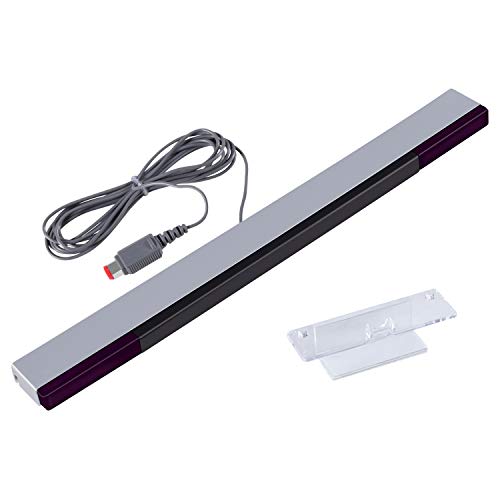
Wired Wii Sensor Bar with Stand combines a 6.6-foot cable with a 9.5-inch bar and an adhesive clear stand. It is described as compatible with Wii and Wii U consoles and their remotes, and its plug-and-play design makes it a straightforward replacement option. The longer cable gives more positioning flexibility than a short reach allows, while the stand is intended for attachment to a TV, monitor or smooth surface. Choose it when those mounting options matter. The limitation is that the cable is shorter than LA NREUCETS Wired Wii Sensor Bar’s stated 8.2-foot reach, which may matter when the console and screen are farther apart.
Bottom line: Choose this if you want a standalone wired bar with an adhesive stand and 6.6 feet of cable.
JINHEZO Wired Wii Sensor Bar
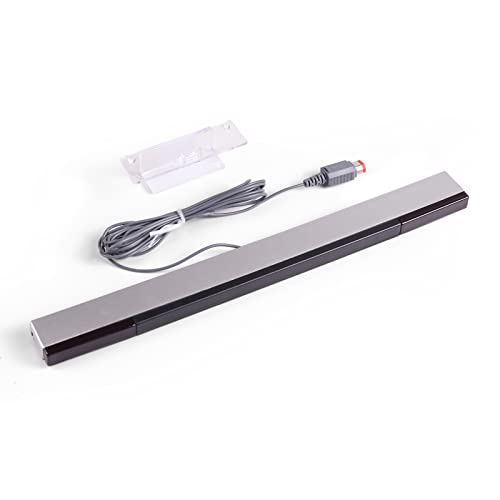
JINHEZO Wired Wii Sensor Bar is a wired replacement with a 9.4-inch bar, an adhesive stand and a cable longer than 6.5 feet. The maker says it works with Wii and Wii U consoles and compatible controllers, and that it needs no batteries or power adapter. Its bar length is close to Wired Wii Sensor Bar with Stand’s, but its cable length is given as a lower bound rather than an exact measurement. That distinction matters if the bar must reach a particular spot across a room; measure the route and allow slack before choosing. The bar is suited to a basic wired replacement where the included stand is useful.
Bottom line: Pick this for a simple wired replacement when a cable longer than 6.5 feet meets your setup.
Nintendo OEM Wii and Wii U Sensor Bar
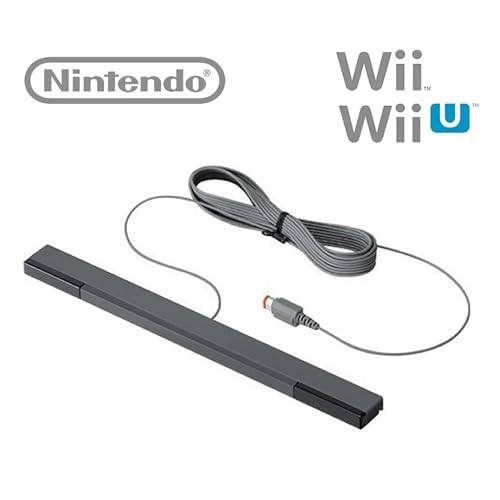
Nintendo OEM Wii and Wii U Sensor Bar is the only option identified as a genuine first-party Nintendo bar, making it the direct choice for buyers who prioritize an OEM component. Its product name identifies it for Wii and Wii U, and its weight is 0.11 pound. Unlike the other standalone options here, no cable or bar length is provided, so this choice is less useful when a particular reach or bar size is essential. A sensor bar works with the Wii Remote’s infrared tracking, so placement relative to the screen matters regardless of brand. Choose this bar for the OEM identity rather than a cable or mounting advantage.
Bottom line: Choose this when genuine first-party Nintendo identity matters more than comparing cable reach.
LA NREUCETS Wired Wii Sensor Bar
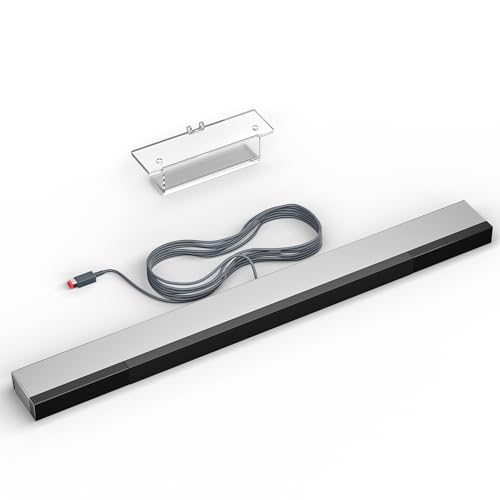
LA NREUCETS Wired Wii Sensor Bar has the longest cable among these standalone wired replacements: 8.2 feet, paired with a 9.4-inch bar and an adhesive stand. The maker describes it as a plug-and-play replacement for Wii and Wii U consoles. That extra reach can help when the console is not close to the display, though cable routing and available mounting surface still determine whether it fits a particular room. The product is a wired bar, not a wireless option. Choose it over Wired Wii Sensor Bar with Stand or JINHEZO Wired Wii Sensor Bar when the longer stated cable is the deciding factor; its bar is slightly shorter than Wired Wii Sensor Bar with Stand’s.
Bottom line: Choose this if the 8.2-foot cable best fits the distance to your screen.
How to choose a Wii sensor bar
Choose by connection, cable reach and mounting position; the bar does not need to match a specific Wii Remote model to do its infrared-tracking job. A Wii Remote’s camera reads infrared points from the bar, while the console processes the remote’s motion data separately. Place the bar centered above or below the display, then select the corresponding position in the Wii’s Sensor Bar Position setting. If the cable route needs more than 8.2 feet, none of the standalone options establishes that reach, so measure the route and confirm the required cable length before ordering. Do not assume that a bar’s appearance or brand changes the console’s position setting.
Where to place the sensor bar
Place the bar near the display’s centerline and select “Above TV” or “Below TV” in the Wii settings to match its physical position. The two infrared points give the remote a reference for aiming, so an off-center or obstructed bar can make cursor movement feel misaligned. Keep the bar facing the playing area and avoid blocking its ends, where infrared emitters sit. If pointer behavior is erratic, first check that the selected position matches the actual placement and that bright infrared sources such as direct sunlight are not overwhelming the remote’s view. A stand can attach to a smooth surface, but the chosen spot must still leave the emitters visible from the play area.
Wired bars and OEM replacements
Wired replacements are the practical match when the original bar is missing or damaged and the console’s sensor bar port is available. An OEM option is preferable when genuine Nintendo part identity matters; a third-party wired replacement can instead be compared by its cable length, bar length and stand. The sensor bar itself does not carry gameplay data or power the Wii Remote; it supplies infrared reference points, while the remote communicates with the console separately. Use this quick distinction when choosing the type.
| Need | Choice | Reason |
|---|---|---|
| Genuine Nintendo part | OEM bar | Identified as first-party |
| More stated cable reach | Wired replacement | Compare cable measurements |
| Flexible positioning | Bar with stand | Mount near or below the display |
Common sensor bar setup mistakes
The most common setup mistake is treating the sensor bar as a motion sensor; it provides infrared points for the Wii Remote’s camera, while the remote’s accelerometers and gyroscope detect movement. Another mistake is selecting the wrong “Sensor Bar Position” setting after moving the bar from above to below the screen. If the pointer drifts, verify placement and setting before replacing hardware. A cable that is pulled taut can shift the bar, so leave slack and secure the stand on a smooth surface. Keep the bar’s emitters unobstructed and aimed toward the play area; placement and clear line of sight matter more than small differences in bar appearance.
Frequently Asked Questions
Does a Wii sensor bar detect motion by itself?
No, the bar provides infrared reference points that the Wii Remote camera uses for aiming. The remote’s internal sensors detect motion, so the bar alone cannot track a controller.
Can a Wii U use a standard Wii sensor bar?
Yes, the Wii U uses the same style of infrared sensor bar for Wii Remote pointer tracking. The wired replacement options here identify Wii U compatibility; ensure the console has its sensor bar connection available.
Should the sensor bar go above or below the TV?
Either position works when the Wii setting matches the physical placement. Choose the “Above TV” or “Below TV” position setting accordingly and keep the bar centered and unobstructed.
Why is my Wii Remote pointer not accurate?
A mismatched sensor bar position setting or blocked infrared view can throw off pointer aiming. Check that the bar faces the playing area, then confirm the setting matches whether it sits above or below the screen.
Does a wired Wii sensor bar need batteries?
A wired bar connects to the Wii console through its sensor bar port rather than using batteries. One replacement maker also says its bar needs no separate power adapter.