
Routers With 2 SIM Cards: 5 Models Compared

The Hitron D60 is the closest match for a router with 2 SIM cards because it supports a nano SIM and eSIM for cellular failover. Choose another option if you need a battery-powered travel router or a 4G-only device; the other models have a single SIM slot rather than the dual-failover capability.
Dual-SIM-style routers can use separate cellular connections as backups, but failover is different from combining two connections at once. Confirm whether your carrier supports the router’s SIM format and network bands before choosing.
We earn a commission if you buy through links on this page. As an Amazon Associate I earn from qualifying purchases. Products are compared on manufacturer specifications, not hands-on testing.
- Best overall: Hitron D60 5G Router – Supports a nano SIM and eSIM for cellular failover, plus 5G and 4G LTE.
- Best for travel: GL.iNet MUDI 4G LTE Travel Router – Portable 4G LTE router with a 7,000 mAh battery and built-in VPN support.
- Best for wired devices: Dionlink LT216J 4G LTE Router – Offers two Ethernet ports and automatic switching to 4G LTE.
| Product | Best for | Cellular | SIM / failover | Wi-Fi | Shop |
|---|---|---|---|---|---|
| Hitron D60 5G Router | Dual-SIM failover | 5G, 4G LTE | Nano SIM, eSIM; failover | AX3000 Wi-Fi 6 | Check Price on Amazon |
| 4G LTE 300 Mbps Router | Multi-user home | 4G LTE | SIM slot; not dual-SIM | 300 Mbps Wi-Fi | Check Price on Amazon |
| GL.iNet MUDI 4G LTE Travel Router | Battery-powered travel | 4G LTE | SIM slot; not dual-SIM | 300 + 433 Mbps Wi-Fi | Check Price on Amazon |
| Dionlink LT216J 4G LTE Router | Ethernet connections | 4G LTE | SIM slot; not dual-SIM | 300 Mbps Wi-Fi | Check Price on Amazon |
| 4G LTE Router with Four Antennas | Asia LTE bands | 4G LTE | SIM slot; not dual-SIM | 300 Mbps Wi-Fi | Check Price on Amazon |
Routers With 2 SIM Cards
Compare SIM support and connectivity features to find the router that suits your use.
Hitron D60 5G Router
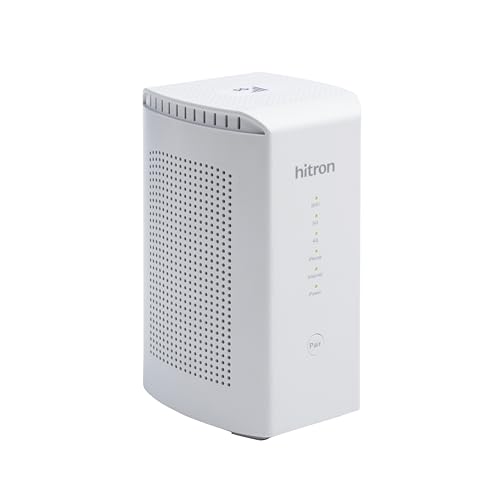
The Hitron D60 is the only model here whose features pair a nano SIM with eSIM and cellular failover. It supports 5G standalone and non-standalone networks as well as 4G LTE, and includes Wi-Fi 6 with AX3000 branding. The maker says its 5G download speeds can reach 3.4 Gbps; that is a network-dependent peak, not a guaranteed connection speed. This router suits a home or small office where a cellular backup matters. Its failover capability does not establish that it can combine both connections for higher throughput, so confirm that distinction if simultaneous use is essential.
Bottom line: Choose this if you want nano SIM and eSIM failover with 5G support.
4G LTE 300 Mbps Router
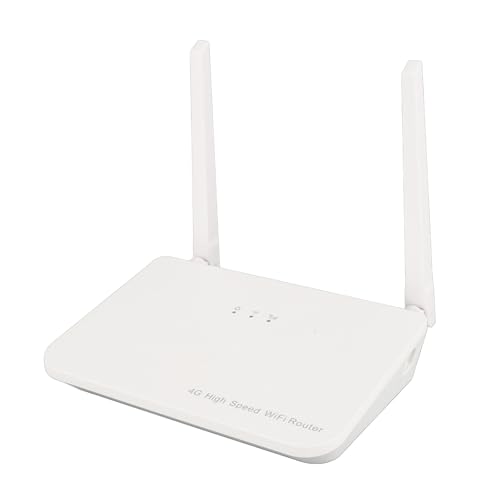
The 4G LTE 300 Mbps router emphasizes a larger connected group rather than dual-SIM backup: its features say it supports up to 32 users and includes LAN and WAN ports. It converts a compatible cellular connection into Wi-Fi, making it relevant where fixed broadband is unavailable. The band coverage includes LTE FDD B1, B3, B5 and B40, plus WCDMA B1; carrier and region compatibility still depends on the network band matching. It is a 4G-only alternative to the 5G-capable dual-failover model. Choose it for a compatible single-SIM setup, not for switching between two SIMs.
Bottom line: Choose this for a compatible 4G connection shared by multiple users.
GL.iNet MUDI 4G LTE Travel Router

The GL.iNet MUDI stands apart as a portable, battery-powered option: it has a 7,000 mAh battery and a 8-hour runtime. Its 4G LTE connection uses a SIM card slot, while Wi-Fi combines 300 Mbps on 2.4 GHz and 433 Mbps on 5 GHz. OpenVPN and WireGuard support make it relevant for travelers who want VPN capability built in; the maker gives maximum VPN speeds of 10 Mbps for OpenVPN and 50 Mbps for WireGuard. The tradeoff is 4G LTE rather than 5G and no stated second SIM, so it does not provide the dual-SIM failover requested.
Bottom line: Choose this for portable 4G connectivity and built-in VPN options.
Dionlink LT216J 4G LTE Router
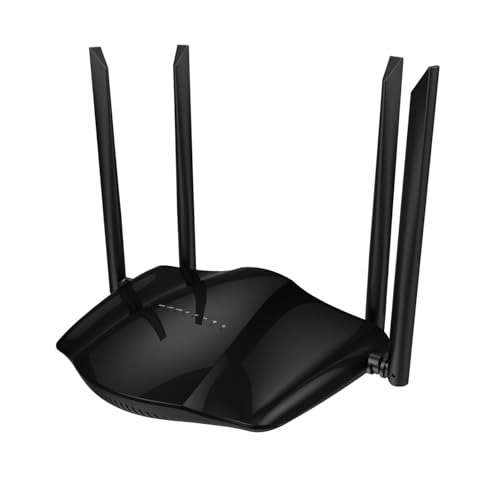
The Dionlink LT216J is the wired-device alternative, with two Ethernet ports and a WAN port alongside its 4G LTE SIM slot. It supports up to 32 wireless devices, and the maker gives cellular maximums of 150 Mbps download and 50 Mbps upload. Its carrier compatibility includes AT&T and T-Mobile, but not Verizon or Sprint, so it fits only when both the carrier and network bands match. Select it for a compatible connection plus Ethernet, not dual-SIM service.
Bottom line: Choose this when Ethernet ports and compatible-carrier 4G are priorities.
4G LTE Router with Four Antennas
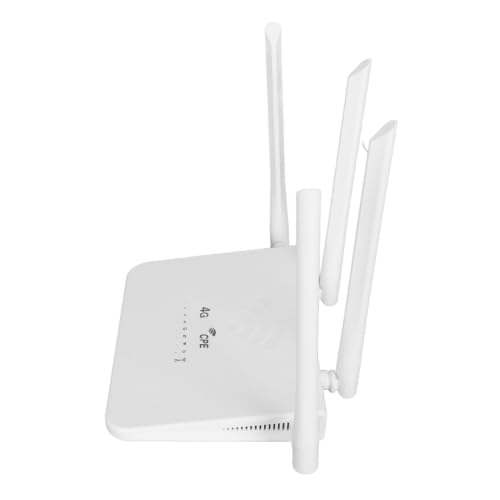
The four-antenna 4G LTE router is differentiated by its band support for Asia: LTE B1, B3, B5, B8, B38, B40 and B41. It has four non-removable 5 dBi antennas and a SIM slot, so it is a single-SIM option rather than a router with two SIM connections. The instructions mention that a compatible SIM may require its PIN disabled and the APN configured through the router interface. That setup can matter when a SIM does not connect. This model is a fit only when its regional bands match the carrier; it does not meet the dual-SIM requirement.
Bottom line: Choose this for a compatible LTE network using one of its bands.
How to Choose a Router With 2 SIM Cards
Start by deciding whether you need SIM failover or simultaneous use. Failover switches the connection to a backup when the primary link drops; load balancing distributes traffic across connections, and bonding can combine them. These are different capabilities, so a dual-SIM label alone does not guarantee all three. The Hitron’s features specifically describe nano SIM and eSIM for failover, not combined throughput.
Next, match the cellular generation and bands to your carrier. A router that supports 5G can still use 4G LTE, but actual service depends on coverage, compatible bands, and the carrier plan. If you need a battery-powered device, check for a built-in battery: among these options, the MUDI has a 7,000 mAh battery and a 8-hour runtime. For wired equipment, count Ethernet ports before selecting a model.
SIM Formats, Bands, and Carrier Fit
SIM shape and network compatibility are separate checks: a correctly sized SIM will not connect if the router lacks a band used by the carrier. The products here name nano SIM and eSIM for the Hitron, and LTE band lists for some 4G alternatives. Compare those band numbers against carrier requirements for the place where the router will operate, especially when using it abroad.
For dual-SIM buying, check the supported format for each connection and whether failover is automatic or requires a setting. A nano SIM plus eSIM is not the same physical arrangement as two removable card slots. If you need two physical SIM cards, confirm the slot arrangement before ordering. For the Asia-band router, the bands include LTE B1, B3, B5, B8, B38, B40 and B41; regional compatibility still must match the network you plan to use.
Cellular Router Types Compared
These routers fall into three useful groups: 5G home or office hardware, portable 4G travel devices, and 4G routers with wired ports or region-specific band support. Choose based on the connection and setup you need, not Wi-Fi speed figures alone; cellular and Wi-Fi speeds describe different parts of the network path.
| Need | Router type | What to verify |
|---|---|---|
| Cellular backup | 5G with nano SIM and eSIM failover | Failover behavior and carrier support |
| Battery-powered travel | Portable 4G LTE router | Battery runtime and supported bands |
| Wired equipment | 4G LTE router with Ethernet | Port count and carrier compatibility |
| Regional LTE use | Router with regional bands | Band match for the destination network |
With a requirement for two removable SIM cards, do not assume an eSIM counts as a physical slot. Confirm the required arrangement and whether the router switches connections automatically.
Setting Up a SIM Router Safely
Before powering up a SIM router, check that the SIM is activated for data and that its size and supported network bands match the device. Some SIMs have a PIN enabled, and the four-antenna model’s setup instructions mention disabling the PIN and configuring the APN if the connection does not work. APN settings are carrier-specific, so use the values supplied by the carrier rather than guessing.
Place indoor routers where cellular reception is strongest, then connect Wi-Fi devices and wired equipment within the router’s capacity and port limits. A router’s advertised Wi-Fi rate is a local wireless maximum, not a promise of cellular internet speed. For reliable failover, test the backup path before relying on it for work or other continuous connectivity.
Frequently Asked Questions
Can a router use two SIM cards at once?
Some routers can switch between SIM connections, while others support load balancing or bonding; the terms are not interchangeable. Check the exact operating mode, because failover alone does not mean traffic is combined.
Does eSIM count as a second SIM card?
An eSIM is a digital SIM profile, not a second physical card slot. If your setup requires two removable cards, confirm that the router has two physical SIM slots.
Will a 5G SIM work in a 4G LTE router?
A 5G-branded SIM may connect through LTE when the carrier and router support that network and the SIM plan permits it. A 4G-only router cannot provide a 5G radio connection.
Why does a SIM router fail to connect?
Common checks include data activation, supported carrier bands, SIM PIN settings, and the carrier’s APN. Some routers require the PIN to be disabled or the APN entered in network settings.
Is Wi-Fi speed the same as cellular speed?
No. Wi-Fi speed is the local link between a device and the router, while cellular speed depends on the mobile network, coverage, and congestion. A high Wi-Fi rating cannot guarantee a matching internet speed.