
S22 Ultra Wired Headphones: 4 USB-C Picks Compared

BENEWY USB-C Earbuds is the best fit for most Galaxy S22 Ultra owners because its compatibility list names both the S22 Ultra and its mic and volume control. These USB-C wired earbuds connect through the phone’s USB-C port, so choose a different option if you need over-ear headphones or a 3.5 mm plug.
All four options are described as USB-C earbuds or headphones compatible with the S22 Ultra.
We earn a commission if you buy through links on this page. As an Amazon Associate I earn from qualifying purchases. Products are compared on manufacturer specifications, not hands-on testing.
- Best overall: BENEWY USB-C Earbuds – Names the S22 Ultra in its compatibility list and includes a mic and volume control.
- Best for magnetic earbuds: AILZPXX Magnetic USB-C Earbuds – Its name identifies a magnetic in-ear design and its features mention a built-in DAC.
- Best for size options: USB-C Samsung Wired Earbuds – The size options are S, M and L.
- Best for remote control: Samsung USB-C Wired Earbuds – Its maker identifies a microphone and remote control.
| Product | Best for | Mic or remote | Notable feature | Shop |
|---|---|---|---|---|
| BENEWY USB-C Earbuds | Mic and volume | Mic, volume control | DAC chip | Check Price on Amazon |
| AILZPXX Magnetic USB-C Earbuds | Magnetic in-ear | Microphone | Magnetic earbuds; DAC chip | Check Price on Amazon |
| USB-C Samsung Wired Earbuds | Size choices | Microphone, volume control | S, M or L | Check Price on Amazon |
| Samsung USB-C Wired Earbuds | Remote control | Microphone, remote | In-ear stereo | Check Price on Amazon |
S22 Ultra Wired Headphones
These USB-C wired earbuds differ mainly in their controls and design details.
BENEWY USB-C Earbuds
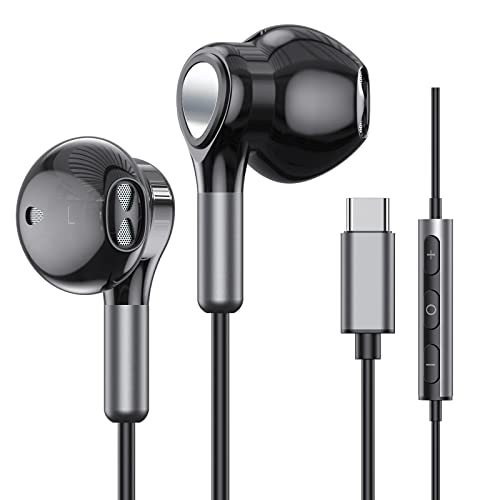
BENEWY USB-C Earbuds combines an S22 Ultra compatibility claim with a microphone and volume control, making it a direct match for calls and playback adjustments without handling the phone. Its compatibility list spans other USB-C phones and tablets, useful if you switch devices. This is an in-ear USB-C option, not a 3.5 mm headphone set; buyers who need an over-ear fit or a different connector should choose another type.
Bottom line: Choose this if you want USB-C earbuds with a mic and volume control.
AILZPXX Magnetic USB-C Earbuds
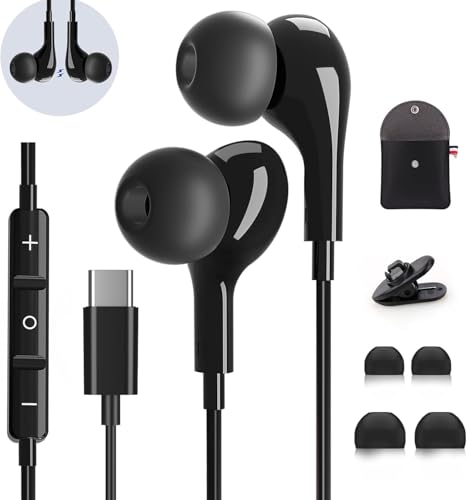
AILZPXX Magnetic USB-C Earbuds stands apart with magnetic earbuds and a built-in DAC chip, while its compatibility text specifically includes the Galaxy S22 Ultra. The magnetic design is the distinguishing feature for listeners who want the earpieces to attach together when not worn. The maker mentions a microphone and stereo sound. It does not establish volume or playback controls, so choose another option if those controls are a must-have. Its USB-C connection is for devices with Type-C audio support.
Bottom line: Pick this if magnetic in-ear earbuds are your priority.
USB-C Samsung Wired Earbuds
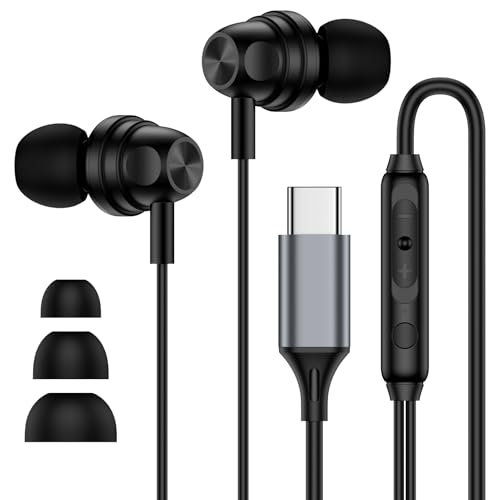
USB-C Samsung Wired Earbuds is differentiated by three size choices—S, M and L—along with a built-in microphone and volume control. Its compatibility text names the S22 Ultra among a broad mix of Samsung and other USB-C devices. That range makes it a practical choice when fit options matter more than a distinctive design feature. The maker does not identify a DAC chip or a magnetic earpiece design, so buyers seeking either specific feature should compare those needs before choosing.
Bottom line: Choose this if having S, M and L size options matters.
Samsung USB-C Wired Earbuds

Samsung USB-C Wired Earbuds identifies a microphone and remote control, with an in-ear stereo USB-C design and S22 Ultra compatibility. Its broad device list also includes other Galaxy phones, iPads and Pixel devices, suiting a household with several USB-C devices. If you need a particular remote function or a precise fit size, verify that feature before ordering rather than assuming every remote behaves the same.
Bottom line: Pick this if a remote control is the deciding feature.
How to choose S22 Ultra wired headphones
Choose a USB-C connector for a direct wired connection to the Galaxy S22 Ultra; the phone does not have a 3.5 mm headphone jack. A microphone alone does not confirm volume buttons or playback controls. If the earpieces’ fit is your priority, select an option with size choices rather than assuming all in-ear tips fit alike. A USB-C plug alone is not a guarantee of audio compatibility across every phone, so check for USB-C audio support when considering use with another device.
This need-to-choice table separates the features that matter for daily use.
| Need | Feature to prioritize |
|---|---|
| Calls and adjustments | Microphone and volume control |
| Magnetic earpieces | Magnetic in-ear design |
| More fit choices | Named S, M and L sizes |
USB-C audio and adapters
USB-C headphones use the phone’s charging/data connector for audio, while 3.5 mm headphones use a separate analog plug. With an under-3.5 mm plug, a 3.5 mm headset cannot connect directly to a USB-C port; use a compatible USB-C audio adapter or choose USB-C headphones. USB-C audio accessories may rely on digital-to-analog conversion in the phone or in the accessory, so a built-in DAC is a specific feature rather than something to assume from the connector shape. If you plan to use the same earbuds on another phone, confirm that device supports USB-C audio output.
Fit and controls for in-ear headphones
In-ear fit is individual: a tip that seals comfortably can help keep sound from leaking, while an oversized tip can feel uncomfortable during longer listening. If an option gives S, M and L size choices, try the smallest size that stays seated without pressure; do not force an eartip into the ear canal. Inline remotes can differ, so a remote does not establish which playback or call commands it supports.
Using wired headphones safely
Keep listening volume low enough to hear nearby warnings, and reduce it if you need to raise your voice to speak to someone beside you. Wired earbuds can snag on a bag strap, door handle or exercise equipment, so disconnect them before activities where a cord could catch. Keep the USB-C plug dry and free of lint; debris can interfere with a secure connection. Never pull the cord to remove the headset—grip the connector instead to reduce strain at the plug and cable.
Frequently Asked Questions
Does the Galaxy S22 Ultra have a headphone jack?
No; the Galaxy S22 Ultra has no 3.5 mm headphone jack. Use USB-C headphones or a compatible USB-C audio adapter for wired 3.5 mm headphones.
Can USB-C earbuds work while charging the phone?
Not through the phone’s single USB-C port without an adapter that supports both charging and audio. If simultaneous use matters, check that the adapter explicitly supports both functions.
Do USB-C headphones need a DAC?
Digital USB-C audio needs digital-to-analog conversion, either in the phone or in the accessory. A built-in DAC is a feature named for some USB-C earbuds, not something to assume for every model.
How should in-ear headphone tips fit?
The tip should stay seated without pain or pressure, and the smallest comfortable size is a sensible starting point. Change tip size if the earbud slips out or feels tight; never force it into the ear canal.
Can I use these earbuds with another phone?
USB-C earbuds can work with other devices that support USB-C audio output, but a matching connector alone does not guarantee compatibility. Confirm audio support on each additional device before relying on one pair across phones.