
XXL XXXXL Mouse Pad Sizes and Fits Compared

For the most desk coverage, choose Gorilla Stimpack 4XL 60 x 30: its 60-by-30-inch surface is the largest of these extended mouse pads. Choose another size if that footprint would overhang your desk or leave too little room for other gear.
XXL and XXXXL are informal size labels, so compare the actual dimensions rather than relying on the label.
We earn a commission if you buy through links on this page. As an Amazon Associate I earn from qualifying purchases. Products are compared on manufacturer specifications, not hands-on testing.
- Best overall: Gorilla Stimpack 4XL 60 x 30 – Its 60-by-30-inch surface provides the most coverage among these options.
- Best for compact desks: Cmhoo XXL 35.4 x 15.7 – At 35.4 by 15.7 inches, it takes up less desk depth than the other mats.
- Best for cushioning: LifeTrim 46 x 17, 5 mm – Its 5 mm thickness is the greatest thickness in this group.
| Product | Best for | Dimensions | Thickness | Surface | Shop |
|---|---|---|---|---|---|
| Gorilla Stimpack 4XL 60 x 30 | Maximum desk coverage | 60 x 30 in | 0.12 in | Smooth surface | Check Price on Amazon |
| Cmhoo XXL 35.4 x 15.7 | Shallower desks | 35.4 x 15.7 in | 0.12 in | Smooth surface | Check Price on Amazon |
| LifeTrim 46 x 17, 5 mm | Extra cushioning | 46 x 17 in | 0.2 in | Cushioned surface | Check Price on Amazon |
| 3XL 48 x 24, Black | Full desk coverage | 48 x 24 in | 0.12 in | Anti-fray cloth | Check Price on Amazon |
| 3XL 48 x 24, Starry Space | Printed desk style | 48 x 24 in | — | Microfiber fabric | Check Price on Amazon |
XXL and XXXXL mouse pads compared
Compare each mat’s footprint and thickness against the usable desk space you have.
Gorilla Stimpack 4XL 60 x 30

Gorilla Stimpack 4XL 60 x 30 covers the most desk area here, with a 60-by-30-inch footprint for a keyboard and broad mouse movement. The maker says its smooth surface supports precise tracking and that stitched edges help resist peeling; it also says its production process is designed to reduce smells or fumes. This size suits a desk with enough clear surface to keep the mat flat. Measure the usable area first: at 60 inches long, it may crowd smaller desks or overlap equipment.
Bottom line: Choose it when maximum surface area matters and your desk can accommodate a 60-by-30-inch mat.
Cmhoo XXL 35.4 x 15.7
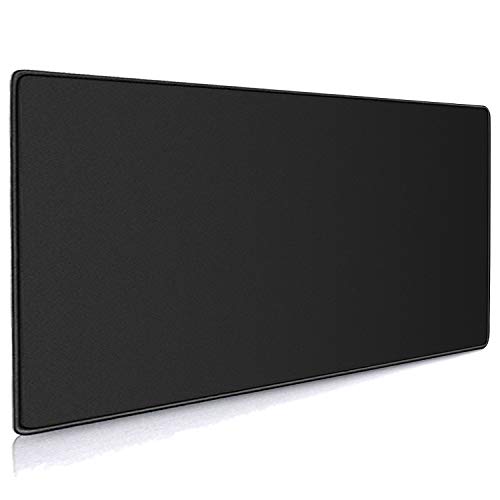
Cmhoo XXL 35.4 x 15.7 is the compact choice in this group: its 15.7-inch depth leaves more desk space behind or in front of the mat than the deeper options. Its smooth surface is made for optical and laser mouse tracking, while the maker says stitched edging helps limit fraying and a rubber base grips the desk. It can suit a keyboard-and-mouse setup where desk depth is limited. Its narrower surface gives less room for wide mouse sweeps, so check your available movement space before choosing it.
Bottom line: Choose it for a keyboard-and-mouse area where a shallower footprint is important.
LifeTrim 46 x 17, 5 mm

LifeTrim 46 x 17, 5 mm stands out for its 5 mm thickness, which is greater than the 3 mm thickness stated for Cmhoo XXL 35.4 x 15.7 and 3XL 48 x 24, Black. Its 46-by-17-inch surface provides more length and depth than a compact keyboard mat while stopping short of a full 24- or 30-inch depth. The maker says the cushioned surface is intended to add comfort during long sessions. This suits someone prioritizing a thicker feel; the extra height may feel different under a low-profile keyboard or at a desk edge.
Bottom line: Pick it if a thicker, cushioned mat matters more than maximum depth.
3XL 48 x 24, Black

3XL 48 x 24, Black offers a 48-by-24-inch footprint, adding substantially more depth than Cmhoo XXL 35.4 x 15.7 while staying smaller than the 60-by-30-inch mat. Its features include anti-fray cloth and stitched edges, plus a nonslip rubber base and waterproof desktop surface. The maker also says the mat is made to avoid rubber or chemical smells. This is a sensible middle size for a keyboard, mouse and some surrounding space. If your desk has a raised edge or monitor stand, confirm that the mat’s full 24-inch depth will lie flat.
Bottom line: Choose it for broad keyboard-and-mouse coverage without the largest footprint.
3XL 48 x 24, Starry Space

3XL 48 x 24, Starry Space pairs a 48-by-24-inch surface with a multicolor starry space design, unlike the black mats in this comparison. The maker describes its top as microfiber fabric for smooth mouse tracking and its underside as rubber to help prevent sliding and protect the desk surface. Its dimensions match 3XL 48 x 24, Black, making it an option for the same broad desk footprint with a different appearance. Choose it when the printed design is part of the setup; verify that the mat’s dimensions fit your clear desk area before settling on this size.
Bottom line: Pick it when you want a printed design on a 48-by-24-inch mat.
How to choose an XXL mouse pad
Choose by measured desk space, not the XXL or XXXXL label: those size names are not a consistent dimensional standard across mouse pads. Measure the clear tabletop and compare both length and depth; allow for monitor stands, desk edges and other equipment. A useful rule is to leave at least 1 inch of clear tabletop around the mat so its edge is not forced over a bevel or obstruction. For a keyboard-and-mouse setup, prioritize depth if the keyboard is broad or you make long mouse sweeps; prioritize length if you want the keyboard and mouse side by side. Thickness is a separate choice: thicker foam changes the height and feel under your hands and keyboard.
Desk fit and dimensions
Measure the flat, usable part of the desk before selecting an extended mat. These options range from 35.4 by 15.7 inches to 60 by 30 inches, so the biggest mat needs nearly 5 feet of length and 2.5 feet of depth. A mat should sit flat rather than curl over the desk edge; an overhanging edge can catch wrists or shift during movement. If a keyboard has feet that tilt it upward, test whether the front edge of a thick mat still feels comfortable. A quick paper or cardboard template cut to the intended footprint can reveal conflicts with desk hardware before you commit to a size.
Thickness and surface feel
Mouse mats commonly use a fabric top over a rubber or foam base; the fabric provides the tracking surface while the base helps grip the desk. Thickness affects cushioning and how high the keyboard and hands sit, not just softness. Here, stated thicknesses span 0.12 to 0.2 inches, with one option at 5 mm. A difference of 0.08 inch can be noticeable where the mat meets a desk edge or when a keyboard sits partly on it. Smooth fabric can work with optical or laser mice, but surface texture and mouse settings affect cursor feel; match the mat to the way you move the mouse rather than assuming a larger mat changes sensor accuracy.
XXL size labels versus actual coverage
XXL, 3XL and 4XL are marketing labels rather than a reliable cross-brand sizing system. Use the dimensions and your desk layout to make the decision. The table below maps common needs in this selection to a practical measurement range; it is a way to narrow the footprint, not a universal classification.
| Need | Useful footprint in this group |
|---|---|
| Shallow keyboard area | 35.4 x 15.7 in |
| Broad keyboard and mouse coverage | 46 x 17 to 48 x 24 in |
| Maximum desk coverage | 60 x 30 in |
Leave room for cables and desk accessories outside the mat’s footprint. If a setup changes often, a smaller mat can make repositioning easier while preserving more bare desk area.
Frequently Asked Questions
How big is an XXL mouse pad usually?
XXL is not a fixed measurement across brands. In this selection, an XXL-labeled mat measures 35.4 by 15.7 inches, while other extra-large options extend to 60 by 30 inches.
Will a 60 by 30 inch mat fit my desk?
It needs at least 60 inches of clear length and 30 inches of clear depth to lie flat. Measure the usable tabletop, excluding monitor stands, beveled edges and other obstructions.
Does a thicker mouse pad change keyboard height?
Yes, when the keyboard sits on the mat, its height rises by the mat’s thickness. A 5 mm mat raises it more than a 3 mm mat, so consider desk-edge comfort and keyboard tilt.
Can I use a fabric mouse pad with a laser mouse?
Many fabric mouse mats are intended for optical and laser tracking; the Cmhoo mat specifically describes support for both. Mouse sensor performance can vary with surface texture and settings, so check your mouse guidance if tracking is erratic.
How much room should I leave around a desk mat?
Leave about 1 inch of clear tabletop around the mat when possible, and keep its edges on a flat surface. Extra clearance helps prevent curling over a desk bevel or crowding nearby equipment.