
Best Thermal Pads for GPU: 5 Options Compared

For most GPU replacements, the OwlTree 4 Pack is the most flexible choice because it includes four thicknesses from 0.5 to 2 mm in 100 x 100 mm sheets. Choose a different pad if you already know the required thickness or want a phase-change material instead.
GPU thermal pads fill gaps between components such as memory chips and a cooler; thickness must match the card’s original pad stack so the heatsink makes proper contact.
We earn a commission if you buy through links on this page. As an Amazon Associate I earn from qualifying purchases. Products are compared on manufacturer specifications, not hands-on testing.
- Best overall: OwlTree Thermal Pad 4-Pack – Four 100 x 100 mm sheets cover thicknesses from 0.5 to 2 mm.
- Best for thicker gaps: Frienda Thermal Pads, 6-Piece Set – Includes a 3 mm option among six 100 x 100 mm sheets.
- Best for phase-change use: Thermal Grizzly PhaseSheet PTM – A cuttable 50 x 40 mm PTM sheet is designed for GPU use.
| Product | Best for | Format | Thicknesses | Material / type | Shop |
|---|---|---|---|---|---|
| OwlTree Thermal Pad 4-Pack | Multiple thicknesses | 100 x 100 mm sheets | 0.5, 1, 1.5, 2 mm | Silicone, 6.0 W/mK | Check Price on Amazon |
| Frienda Thermal Pads, 6-Piece Set | Thicker gap options | 100 x 100 mm sheets | 0.5 to 3 mm, six sizes | Silicone, 6.0 W/mK | Check Price on Amazon |
| Thermal Grizzly PhaseSheet PTM | Phase-change material | 50 x 40 mm sheet | — | Phase-change PTM | Check Price on Amazon |
| ARCTIC TP-3, 1 mm 4-Pack | Soft 1 mm pads | 120 x 20 mm strips | 1 mm | Silicone, electrically insulating | Check Price on Amazon |
| Thermal Grizzly Minus Pad 8, 1 mm 2-Pack | Targeted 1 mm swaps | 120 x 20 mm strips | 1 mm | Non-curing, non-conductive | Check Price on Amazon |
GPU Thermal Pads Compared
Match the pad thickness to the original gap before choosing sheet size or material.
OwlTree Thermal Pad 4-Pack
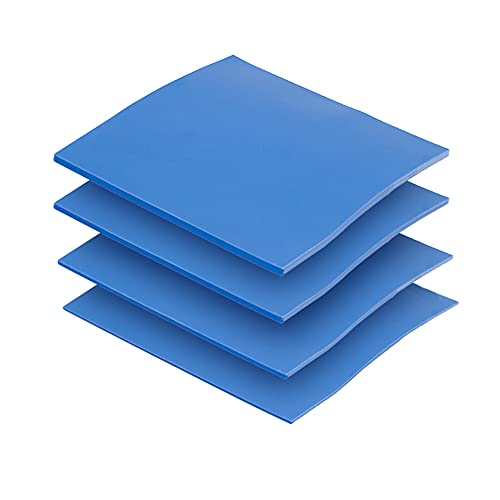
The OwlTree pack covers four thicknesses in large sheets, making it the broadest thickness range among these silicone options up to 2 mm. Each 100 x 100 mm sheet can be cut to shape, and the product gives a 6.0 W/mK conductivity figure. It suits repairs where the correct thickness is already known but several component shapes need coverage. The limitation is that it does not include 2.5 or 3 mm material, so it will not suit a gap that requires those sizes.
Bottom line: Choose this set when the card needs one of its four included thicknesses and generous sheet area.
Frienda Thermal Pads, 6-Piece Set
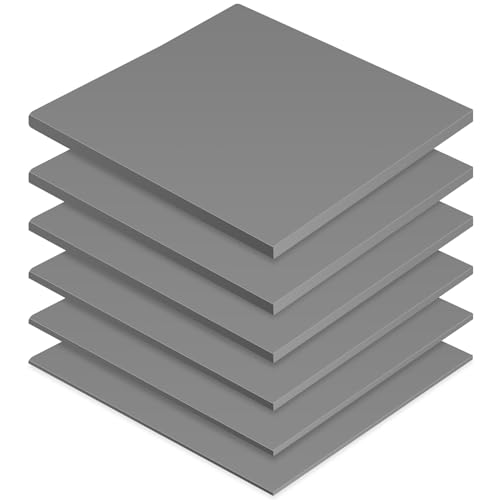
The Frienda set reaches 3 mm and includes six separate thicknesses, extending farther than the other multi-thickness set here. Each piece measures 100 x 100 mm, and the silicone material is rated at 6.0 W/mK conductivity. The range suits GPU maintenance when the card uses a thicker gap or when several thicknesses are needed across different components. Its tradeoff is that a broad selection does not identify which thickness a particular graphics card requires; confirm the required pad thickness before cutting.
Bottom line: Pick this set when you need a 2.5 or 3 mm pad option.
Thermal Grizzly PhaseSheet PTM

The PhaseSheet uses phase-change material rather than a conventional silicone gap-filling pad, setting it apart from the other choices. Its 50 x 40 mm format can be cut for compatible GPU contact surfaces, and its non-conductive design supports careful handling around electronics. It is intended as a paste alternative, so it suits a flat, direct-contact interface rather than a large uneven gap that needs a thick pad. The size is smaller than the 100 x 100 mm sheets, which limits coverage for broad or multiple replacement areas.
Bottom line: Choose this for a compatible flat GPU interface where phase-change material is desired.
ARCTIC TP-3, 1 mm 4-Pack

The ARCTIC TP-3 is a very soft 1 mm pad in four narrow 120 x 20 mm strips, unlike the larger cut-to-size sheets in this group. Its maker says the soft material compresses to accommodate height differences between closely spaced chips, and the material is electrically insulating. This suits a known 1 mm gap where close component spacing matters. The limitation is the single thickness and narrow strip format; the maker also cautions that the low hardness can make installation more demanding.
Bottom line: Select this when the GPU calls for a 1 mm pad and the narrow strip format fits.
Thermal Grizzly Minus Pad 8, 1 mm 2-Pack
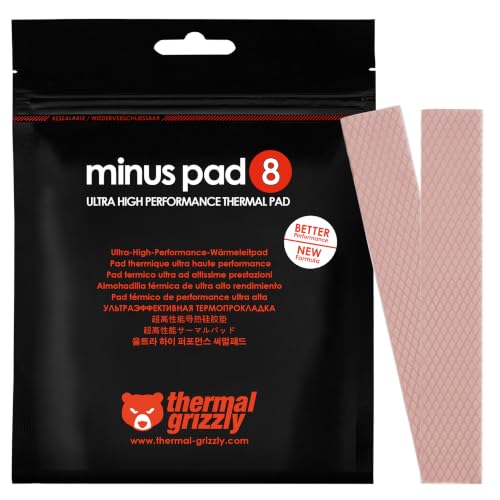
The Minus Pad 8 comes as two 120 x 20 mm strips at a fixed 1 mm thickness, making it a targeted replacement rather than a multi-size kit. The material is non-curing and electrically non-conductive, and the product is intended for components including GPU memory and SSD controllers. It works for a small repair when the required thickness is 1 mm and the strip dimensions cover the contact area. Because it offers only one thickness and two strips, it is less adaptable when a card uses several pad heights or broad areas.
Bottom line: Use this for a limited 1 mm replacement where two strips provide enough coverage.
How to choose GPU thermal pad thickness
Match the replacement thickness to the original gap, not to the thickest pad that will fit. GPU coolers often use different thicknesses for memory, voltage-regulation components, and other contact points; compressing an oversized pad can lift the cooler away from the GPU die. For an older card with intact pads, measure an undamaged pad with calipers and avoid compressing it while measuring. A pad is for a gap; thermal paste is for a thin, direct interface between flat surfaces.
Check the exact graphics-card model’s service documentation or carefully measure the original pads before removing them. Use the smallest thickness that fills the intended gap and preserves firm contact across the cooler. A pad that is too thin can leave components without contact; one that is too thick can impair contact elsewhere.
Sheet size and coverage for GPU repairs
Choose sheet area based on the shape and number of contact points, then leave a clean edge when cutting. A 100 x 100 mm sheet offers more area for irregular shapes than a 120 x 20 mm strip, while a 50 x 40 mm sheet is more suited to limited coverage. Measure the pad footprint before cutting and keep protective films in place until the piece is ready to install.
Build a simple map of the card before removing old material: note each component’s pad location and thickness separately. Do not assume every memory chip or regulator uses the same height. Avoid stretching or stacking scraps to fill gaps; a continuous piece with the correct thickness is easier to seat evenly.
Silicone pads and phase-change material
Silicone thermal pads fill component-to-heatsink gaps, while phase-change material is intended to soften or adapt under operating heat at a close-contact interface. Those are different jobs, so a phase-change sheet should not be treated as a thick gap filler. Match the material to the surface geometry and intended contact rather than comparing conductivity claims alone.
The choice can be summarized by use case:
| Need | Suitable type | Decision point |
|---|---|---|
| Uneven component gap | Silicone thermal pad | Exact gap thickness |
| Flat, close-contact interface | Phase-change sheet | Compatible surface and coverage |
| Several component heights | Multi-thickness pack | Available thickness range |
Safe installation and common mistakes
Power the computer off, disconnect it from power, and let the card cool before opening it. Thermal pads are electrically insulating in the products that claim this property, but keep pads and tools clear of connectors and avoid leaving conductive debris on the board. Remove both protective films from a new pad before assembly, and use clean, dry surfaces.
The most common mistake is selecting thickness by guesswork: excess thickness can prevent the cooler from seating, while too little leaves a gap. Cut pads to cover the intended component surface without overhanging onto nearby parts. Tighten cooler screws gradually in a cross pattern so pressure is distributed evenly.
Frequently Asked Questions
Can I use thermal paste instead of a GPU pad?
No, not when the cooler relies on a pad to bridge a gap. Paste is intended for a thin interface between close, flat surfaces; measure the original pad thickness for component gaps.
How do I know what thickness my GPU needs?
Use the exact graphics-card model’s service guidance or measure intact original pads with calipers. Different parts of one card can use different thicknesses, so record each location separately.
Can thermal pads be stacked to make them thicker?
Avoid stacking pads for a GPU repair because the layers can shift and may not compress uniformly. Choose a single pad at the required thickness, especially where cooler pressure must remain even.
Does thermal pad conductivity determine GPU performance?
Conductivity is only one factor; thickness, compression, contact area, and cooler pressure also affect heat transfer. A pad that is too thick can disrupt contact even if its conductivity figure is higher.
Should thermal pads cover GPU memory chips completely?
A replacement should cover the component’s intended contact surface without reaching adjacent parts. Follow the original footprint and thickness for each memory location rather than using one oversized strip across the board.