
Charger for Old iPad: 30-Pin Cables Compared

For an original iPad, iPad 2 or iPad 3, choose a 30-pin USB cable; the deciding factor is matching the wide dock connector on the tablet. sarmert 30-Pin USB Cable is the best fit for most people because it explicitly supports all three generations and measures 4 feet.
These are cables, not complete wall chargers, so pair one with a compatible USB power adapter.
We earn a commission if you buy through links on this page. As an Amazon Associate I earn from qualifying purchases. Products are compared on manufacturer specifications, not hands-on testing.
- Best overall: sarmert 30-Pin USB Cable – Explicitly supports iPad 1, 2 and 3 and has a 4-foot cable.
- Best for braided construction: 30-Pin Nylon-Braided Cable – Its 3-foot cable has a nylon-braided exterior and supports iPad 1, 2 and 3.
- Best for extra reach: ZLONXUN 30-Pin Cable – The 1-meter cable supports iPad 1, 2 and 3.
| Product | Best for | Cable length | Connector | Construction | Shop |
|---|---|---|---|---|---|
| sarmert 30-Pin USB Cable | Most old iPads | 4 ft | 30-pin to USB-A | Copper core, TPE | Check Price on Amazon |
| 30-Pin Nylon-Braided Cable | Braided exterior | 3 ft | 30-pin to USB | Nylon braided | Check Price on Amazon |
| ZLONXUN 30-Pin Cable | One-meter reach | 3.3 ft | 30-pin to USB | Metal mesh | Check Price on Amazon |
30-pin chargers for old iPad
These are USB charging and sync cables; match the dock connector and choose a length that reaches your outlet comfortably.
sarmert 30-Pin USB Cable
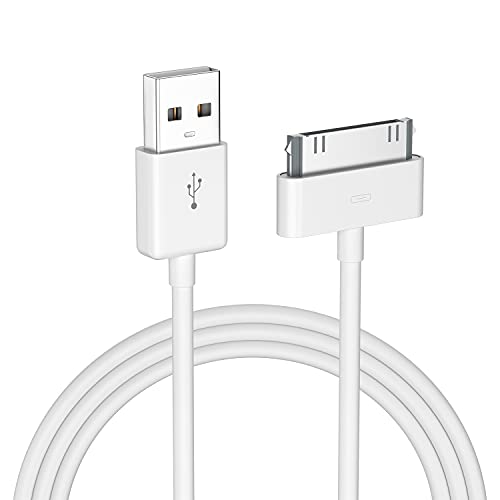
For the clearest fit across the earliest iPads, this 4-foot cable explicitly supports iPad 1, iPad 2 and iPad 3. Its 30-pin dock connector plugs into those tablets, while the USB-A end connects to a compatible USB power adapter or computer. The cable supports charging and data transfer, which is useful when syncing with a computer. Its slim connector is designed to fit without removing a case. The 4-foot reach is shorter than the 1-meter option but longer than the 3-foot braided cord, so consider your outlet placement before choosing.
Bottom line: Pick this if you want a 30-pin cable with explicit compatibility across iPad 1, 2 and 3.
30-Pin Nylon-Braided Cable

A nylon-braided outer layer sets this 3-foot cable apart from the other options. It is compatible with iPad 1, 2 and 3 and also supports several older iPhone, iPod and dock-device models. The 30-pin end connects to the tablet, and the USB end is for a suitable power source or computer; the cable supports charging and data transfer. Choose it when the outlet is nearby and a braided exterior is your priority. Its 3-foot length gives less reach than the 4-foot and 1-meter cables, which can make it awkward when an outlet is farther away.
Bottom line: Choose this when a braided cable matters more than extra reach.
ZLONXUN 30-Pin Cable
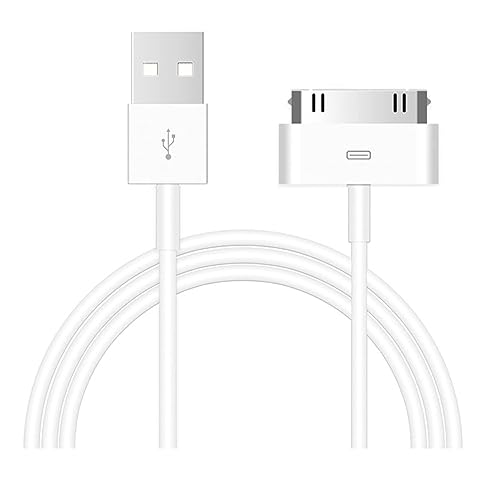
This 1-meter cable has a metal-woven mesh exterior and supports the original iPad, iPad 2 and iPad 3, along with older iPhone and iPod models. The 30-pin connector fits the tablet’s dock port; its USB end needs a compatible USB power adapter or computer. The maker says the cable supports up to 2.1A current output and charging and data transfer. At about 3.3 feet, it reaches slightly farther than a 3-foot cable, but less far than the 4-foot option. Choose it for the mesh construction and a modest amount of extra length.
Bottom line: Pick this if you want a mesh-covered cable around 3.3 feet long.
How to choose a charger for an old iPad
Match the cable connector to the iPad port first: iPad 1, iPad 2 and iPad 3 use the wide 30-pin dock connector. A cable with a USB end still needs a separate power source, such as a compatible USB wall adapter, or it can connect to a computer for syncing. Cable length is the next practical choice: measure the route from the outlet to where the iPad will rest, then leave some slack so the connector is not under tension. For a desk with an outlet within 3 feet, a shorter cord may be enough; if the cable must cross a table or reach around furniture, choose a longer one.
Old iPad connector and cable fit
The connector is wide and flat, so check the tablet’s port rather than relying only on the word “iPad” on a cable package. A case can also affect fit: bulky openings around the port may prevent a wide connector shell from seating fully. Measure the available opening or remove the case if the plug cannot sit flush. USB-A is the rectangular connector typically used on the power-source end of older cables; it is not the connector that goes into the iPad. This distinction avoids the common mistake of buying a cable for a newer tablet generation.
USB cable versus wall charger
A charging cable carries power from a wall adapter or computer; it does not supply power by itself. Older iPads can be charged from a suitable USB power adapter, while charging from a computer may be slower depending on the port and whether the computer is awake. A 30-pin cable with a USB-A end pairs with a USB-A adapter, not a USB-C-only adapter unless a compatible conversion setup is used. Inspect the adapter’s output rating and the cable for damaged insulation, bent contacts or a loose fit before charging. Stop using a cable that becomes unusually hot or has exposed conductors, and avoid charging near liquids.
Choose cable length and care for the connector
Choose the shortest cable that comfortably reaches the charging location without pulling on the port: a taut cable can stress the connector when the iPad shifts. A 3- to 4-foot cord suits many desk or bedside setups, while a longer route may require a longer cable than these compact options. Store the cord in loose loops rather than tight bends, especially near the plug where repeated flexing concentrates strain. Disconnect by holding the plug housing, not by yanking the wire. Keep lint and debris out of the iPad’s dock port; do not insert metal tools, which can damage contacts.
Frequently Asked Questions
Which connector does an original iPad charger use?
An original iPad uses Apple’s 30-pin dock connector. iPad 1, iPad 2 and iPad 3 also use 30-pin, while iPad 4 switched to Lightning.
Can a USB cable charge an old iPad by itself?
No, a USB cable needs a power source. Connect its USB end to a compatible USB wall adapter or computer, and its 30-pin end to the iPad.
How long should an iPad charging cable be?
A 3- to 4-foot cable works for many nearby desk or bedside outlets. Measure the actual route and allow slack so the cord does not pull on the dock connector.
Is it safe to charge an old iPad overnight?
Use an undamaged cable and compatible adapter, and keep the device and charging setup dry and uncovered enough to dissipate heat. Stop charging if the adapter, cable or iPad becomes unusually hot.