
30-Pin Bluetooth Connector Options Compared by Features

For a 30-pin dock that needs wireless pairing with two devices and a claimed 70-foot open-air range, start with INVERY DockLinQ Pro. Choose another option if you need an auxiliary jack, a Bluetooth 5.3 specification, or an OLED screen.
A 30-pin Bluetooth receiver plugs into a compatible older speaker dock and receives audio from a paired Bluetooth device; dock compatibility is the key deciding factor.
We earn a commission if you buy through links on this page. As an Amazon Associate I earn from qualifying purchases. Products are compared on manufacturer specifications, not hands-on testing.
- Best overall: INVERY DockLinQ Pro – The maker says it supports pairing two devices and a 70-foot range in open air.
- Best for auxiliary input: ZIOCOM Premium 30-Pin + AUX – It has a built-in 3.5 mm auxiliary jack for connection.
- Best for codec display: LEZIRLOA 30-Pin OLED Receiver – Its OLED screen shows connection status, paired device, and active audio codec.
| Product | Best for | Dimensions (in.) | Connection feature | Bluetooth feature | Shop |
|---|---|---|---|---|---|
| INVERY DockLinQ Pro | Two-device pairing | 1.77 × 1.77 × 0.39 | 30-pin dock plug | 70-ft open-air range claim | Check Price on Amazon |
| I-Wave 30-Pin Bluetooth Receiver | Simple pairing | 5 × 3 × 1 | 30-pin dock plug | Bluetooth pairing | Check Price on Amazon |
| ZIOCOM Premium 30-Pin + AUX | Auxiliary connection | 2.02 × 1.42 × 0.35 | Built-in 3.5 mm AUX jack | Low-latency claim | Check Price on Amazon |
| Fanxoo DockPro Bluetooth 5.3 Adapter | Bluetooth 5.3 | 2.04 × 1.66 × 0.44 | 30-pin dock plug | Bluetooth 5.3 | Check Price on Amazon |
| LEZIRLOA 30-Pin OLED Receiver | Codec display | 2.37 × 0.46 × 1.74 | 30-pin dock plug | OLED; SBC, AAC, aptX, aptX HD | Check Price on Amazon |
30-pin Bluetooth connector options
Compare the dock fit and connection features first, then choose the extras that matter for your setup.
INVERY DockLinQ Pro
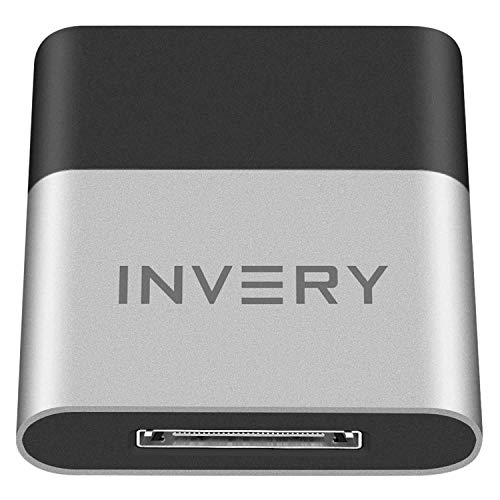
INVERY DockLinQ Pro stands out for pairing two Bluetooth devices, a useful distinction if more than one person will stream to the same dock. It plugs into compatible Bose SoundDock models and other 30-pin music docking stations, and supports iOS and Android devices. The maker claims a 70-foot range in open air. Check that your particular dock is compatible before choosing this receiver; its compatibility excludes cars and motorcycles, so it is meant for speaker docks rather than vehicle audio systems.
Bottom line: Pick this if two-device pairing and the claimed open-air range suit your dock setup.
I-Wave 30-Pin Bluetooth Receiver
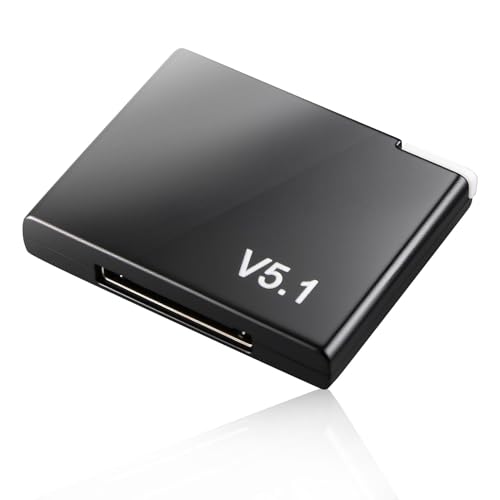
I-Wave 30-Pin Bluetooth Receiver uses a simple pairing flow: insert the receiver, enable Bluetooth on the source device, search for “I-Wave,” and connect. Its compatibility includes Apple 30-pin-compatible speakers, home-theater systems, and other 30-pin docking stations, with streaming from phones, tablets, PCs, and other Bluetooth-enabled devices. The larger stated dimensions—5 × 3 × 1 inches—set it apart from the smaller adapters here, so check the space around your dock before selecting it. The product name excludes car and motorcycle use.
Bottom line: Choose this for its named I-Wave pairing flow and broad stated dock categories.
ZIOCOM Premium 30-Pin + AUX

ZIOCOM Premium 30-Pin + AUX is the option with a built-in 3.5 mm auxiliary jack, which distinguishes it from receivers focused only on a dock plug. It is described for Bose SoundDock models and other 30-pin music docking stations, including Sony, JBL, Yamaha, and Philips docks. The maker claims low-latency audio. The auxiliary jack is a specific connection feature, not a guarantee that every speaker or cable arrangement will work, so choose this model when that input is useful and confirm the dock itself is compatible.
Bottom line: Pick this when the built-in auxiliary jack is a deciding connection feature.
Fanxoo DockPro Bluetooth 5.3 Adapter

Fanxoo DockPro Bluetooth 5.3 Adapter is the only option here whose name specifies Bluetooth 5.3. It is intended for Bose SoundDocks and other 30-pin docking stations, and can receive audio from Bluetooth-enabled phones, tablets, MP3 players, PCs, or laptops. The maker describes it as a low-latency, stable audio solution. Its 2.04 × 1.66 × 0.44-inch dimensions may matter where neighboring dock components limit clearance; confirm the available space and the compatibility of your specific dock before selecting it.
Bottom line: Choose this if Bluetooth 5.3 is the feature you want to prioritize.
LEZIRLOA 30-Pin OLED Receiver

LEZIRLOA 30-Pin OLED Receiver separates itself with an OLED display that shows connection status, the paired device, and the active audio codec. Its codec support includes SBC, AAC, aptX, and aptX HD, with availability depending on the connected device. It is intended for Bose SoundDock models and other 30-pin music docking stations, and supports iOS and Android sources. At 2.37 × 0.46 × 1.74 inches, its dimensions differ from the other compact receivers; choose it for screen feedback, not on the assumption that every source can use every codec.
Bottom line: Pick this if visible connection and codec status are important to you.
How to choose a 30-pin Bluetooth connector
Start with the dock, not the phone: the receiver must fit the dock’s 30-pin port, and the dock must support audio input through that port. A Bluetooth receiver acts as the wireless audio source for the dock; it does not turn a dock into a Bluetooth transmitter. Check the dock’s model and the receiver’s compatibility wording, especially for older systems with model-specific behavior. Then compare the feature that changes your use: a screen for connection status, an auxiliary jack for another wired connection, or a Bluetooth version. Dimensions matter when a case, dock stand, or nearby shelf crowds the connector. If the adapter’s body has less clearance than its height or width, choose a differently shaped option.
What a 30-pin receiver does and does not do
A 30-pin Bluetooth receiver sends audio from a paired Bluetooth source into a compatible dock’s audio path. Pairing is between the source device and the receiver; the dock itself is not thereby made wireless for every function. Audio streaming is distinct from charging, remote-control support, and device playback control, so do not assume those features follow from a 30-pin plug. Bluetooth range claims generally refer to open space and can shrink around walls, furniture, and radio interference; a claimed long range is not a promise for every room. For a dock in a vehicle, verify that the model is explicitly intended for that use: several products here expressly exclude cars or motorcycles.
Check compatibility and clearance before pairing
Confirm the exact speaker-dock model and the physical room around its port before choosing a receiver. The connector can fit while dock electronics still fail to recognize an adapter, so a model-level compatibility check is more useful than relying on the 30-pin shape alone. Compare the adapter’s height, width, and length with nearby surfaces, especially if the dock sits in a tight shelf or has a raised surround. After inserting it, pair from the phone, tablet, or computer’s Bluetooth settings and select the receiver’s displayed name. If the source offers multiple audio codecs, playback uses only a codec supported by both ends; codec names on a receiver do not guarantee that every phone supports them.
Frequently Asked Questions
Will a 30-pin Bluetooth connector work with every iPod dock?
No; a matching 30-pin plug does not guarantee that every dock supports audio through a receiver. Check compatibility for the exact dock model before choosing an adapter.
Can a 30-pin Bluetooth receiver charge an iPhone?
A Bluetooth audio receiver’s 30-pin connection does not by itself establish charging support. Treat audio streaming and charging as separate functions, and verify charging compatibility for both the dock and receiver.
How far can a 30-pin Bluetooth adapter reach?
Range depends on the adapter and the environment; walls and interference can reduce it. One option claims 70 feet in open air, which should not be taken as an indoor guarantee.
Can I use a 30-pin Bluetooth adapter in a car?
Only use one if its compatibility specifically includes vehicle audio. Some adapters expressly exclude cars and motorcycles, so confirm the intended use before connecting it.
Do Bluetooth codecs affect sound from a dock?
The source device and receiver must both support a codec for that codec to be used. A receiver that supports SBC, AAC, aptX, and aptX HD does not ensure a phone supports all four.