
30 Pin Bluetooth Adapter: 5 Dock Options Compared

For a broad range of Bose SoundDock and other 30-pin speakers, ZIOCOM 30 Pin Adapter with AUX stands out for its built-in 3.5 mm auxiliary jack and stated low-latency support. Choose another adapter if your exact dock model is outside its compatibility range or if you need a feature such as two-device pairing.
A 30-pin Bluetooth adapter plugs into an older dock’s connector so it can receive audio wirelessly from a phone or other Bluetooth device.
We earn a commission if you buy through links on this page. As an Amazon Associate I earn from qualifying purchases. Products are compared on manufacturer specifications, not hands-on testing.
- Best overall: ZIOCOM 30 Pin Adapter with AUX – Includes a built-in 3.5 mm auxiliary jack and names several Bose and other 30-pin docks as compatible.
- Best for two-device pairing: INVERY DockLinQ Pro 30 Pin Adapter – Its maker says it can pair two devices and claims a 70-foot range in open air.
- Best for select Bose systems: 30 Pin Bluetooth 5.0 Bose Adapter – Names SoundDock II, SoundDock 10, Lifestyle V35, and Lifestyle 135 compatibility, with specific exclusions.
| Product | Best for | Dock compatibility | Bluetooth feature | Shop |
|---|---|---|---|---|
| ZIOCOM 30 Pin Adapter with AUX | Auxiliary connection | Bose SoundDock I, II, 10; other 30-pin docks | Low-latency support (maker claim) | Check Price on Amazon |
| INVERY DockLinQ Pro 30 Pin Adapter | Two-device pairing | Bose SoundDock models; other 30-pin docks | 70 ft open-air range (maker claim) | Check Price on Amazon |
| Fanxoo DockPro 30 Pin Bluetooth 5.3 | Bluetooth 5.3 | Bose SoundDocks; other 30-pin docks | Bluetooth 5.3 (maker claim) | Check Price on Amazon |
| I-Wave 30 Pin Bluetooth Receiver | Simple pairing | Apple 30-pin-compatible speakers; other docks | — | Check Price on Amazon |
| 30 Pin Bluetooth 5.0 Bose Adapter | Select Bose systems | SoundDock II, 10; Lifestyle V35, 135 | Bluetooth 5.0 (maker claim) | Check Price on Amazon |
30 pin Bluetooth adapters
Compare dock fit and adapter features before choosing a wireless receiver for an older speaker.
ZIOCOM 30 Pin Adapter with AUX

Among these options, this adapter is the one with a built-in 3.5 mm auxiliary jack, adding a wired connection option alongside its 30-pin dock plug. Its maker says it supports Bose SoundDock I, SoundDock II, Portable SoundDock, SoundDock 10, and other 30-pin music docks; the maker also claims low-latency audio. The adapter suits buyers who want to leave a jack-equipped receiver connected to the dock. Compatibility is not universal: the product names particular Bose models, so check the exact speaker model before choosing it.
Bottom line: Choose this if the auxiliary jack matters and your dock is among the supported models.
INVERY DockLinQ Pro 30 Pin Adapter
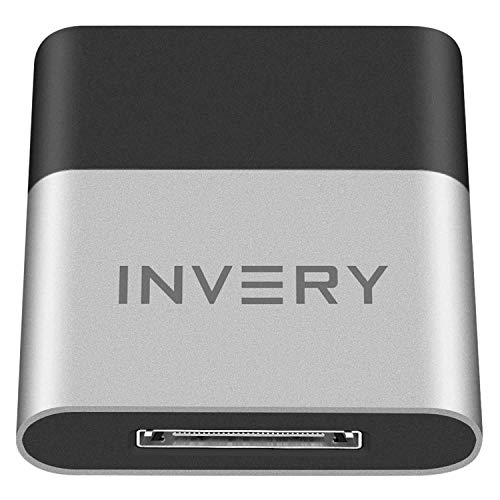
For switching between two paired devices, this adapter is the only option here whose maker explicitly describes two-device pairing. The maker says DockLinQ works with Bose SoundDock, SoundDock I, SoundDock II, Portable SoundDock, SoundDock 10, and other 30-pin music docks, and claims a 70-foot range in open air. It is intended for speaker docks, not cars or motorcycles. Choose it when pairing flexibility is the priority, but verify your dock model first; the maker cautions buyers to check compatibility.
Bottom line: Pick this when you want two-device pairing and use a compatible home dock.
Fanxoo DockPro 30 Pin Bluetooth 5.3

This adapter distinguishes itself with its Bluetooth 5.3 audio chip, rather than an auxiliary jack or a multi-device pairing feature. Its maker says it works with Bose SoundDocks and other 30-pin docking stations and can receive audio from Bluetooth-enabled phones, tablets, MP3 players, PCs, and laptops. It suits someone who wants to stream from a range of device types to a compatible dock. The compatibility claim is broad rather than tied to a list of specific SoundDock generations, so confirm the fit for your exact speaker.
Bottom line: Choose this for Bluetooth 5.3 on a compatible 30-pin dock.
I-Wave 30 Pin Bluetooth Receiver
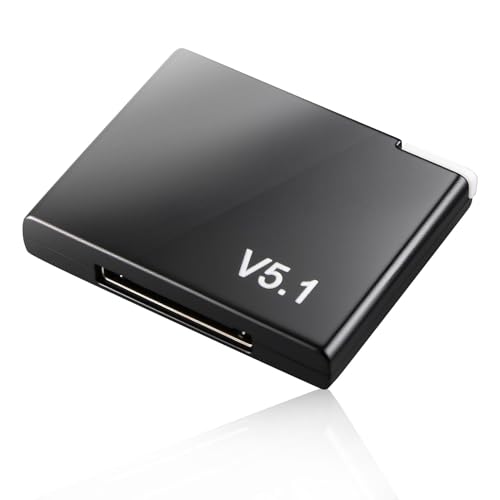
This receiver identifies its Bluetooth connection name as “I-Wave,” a useful distinction when pairing among nearby devices. Its maker says the 30-pin male connector works with Apple 30-pin-compatible speakers, home-theater systems, and other docking systems, and describes a plug-in-and-pair setup. It suits buyers whose dock matches that broad compatibility description and who want to stream from Bluetooth phones, tablets, or computers. The maker does not identify a Bluetooth version or a specific Bose SoundDock generation, so confirm your dock’s fit before selecting it.
Bottom line: Pick this if your speaker uses a compatible Apple 30-pin dock.
30 Pin Bluetooth 5.0 Bose Adapter

This adapter is the most explicit about both supported and excluded Bose models: its maker names SoundDock II, SoundDock 10, Lifestyle V35, and Lifestyle 135, while excluding Bose SoundDock Digital Music System. The maker also claims Bluetooth 5.0 and says the dock powers the receiver, so the adapter has no battery. It suits owners of the named systems who want to avoid guessing from a general “30-pin” label. The exclusions make model matching especially important; do not assume every Bose 30-pin dock will work.
Bottom line: Choose this only if your Bose model is among the named compatible systems.
How to choose a 30 pin Bluetooth adapter
Start with the speaker model, because sharing a 30-pin connector does not guarantee that every adapter works with every dock. Apple’s 30-pin dock connector is a legacy interface; the adapter must fit the physical dock and be compatible with its audio implementation. Then compare practical extras: an auxiliary jack, stated simultaneous pairing, or a named Bluetooth version can distinguish models. Bluetooth audio from a phone typically uses the A2DP profile, while controls and profile support can vary by adapter and source device. If your dock model is not named in an adapter’s compatibility claim, confirm compatibility before ordering rather than inferring it from the connector alone.
Check dock fit and Bose model exclusions
Check the exact model label on the speaker before choosing an adapter; “Bose SoundDock” covers multiple generations and does not establish universal compatibility. One adapter here explicitly excludes the Bose SoundDock Digital Music System while naming SoundDock II and SoundDock 10, illustrating why model-specific fit matters. A 30-pin plug can also be oriented or housed differently across accessories, so compare the product’s fit claim with the dock’s connector location and surrounding clearance. If your system is a home-theater dock or portable speaker rather than a standard SoundDock, rely on a specifically named compatible system, not a broad brand match.
Bluetooth features that change the choice
Bluetooth audio range depends on obstacles, radio interference, and the transmitting device; an open-air range claim is not a guarantee through walls. A2DP is the common Bluetooth profile for stereo music streaming, and both the phone and receiver need compatible audio-profile support. Multipoint pairing is different from simply remembering multiple devices: a claim to pair two devices does not by itself tell you whether both can play simultaneously. Choose a dual-pair option only if switching between paired sources matters, and check whether the maker’s wording describes simultaneous connections or saved pairings.
Connect and troubleshoot an older dock
Begin with the dock powered and the adapter seated firmly, then put the receiver into pairing mode and select its Bluetooth name on the phone. Keep the phone within a few feet for initial pairing; after connection is established, move it to the intended listening location and check for dropouts. A dock that powers an adapter through its connector may behave differently from one that expects accessory controls or charging functions, so audio compatibility does not guarantee every old dock feature will work. If sound is absent, verify the phone’s audio output selection and the dock’s input mode before repeating pairing.
| Need | Adapter feature to prioritize | Fit check |
|---|---|---|
| Wired connection option | Built-in 3.5 mm auxiliary jack | Confirm dock compatibility |
| Use with two paired sources | Explicit two-device pairing claim | Clarify whether connections are simultaneous |
| Specific Bose system | Named model compatibility | Check exclusions against exact model |
| General Bluetooth streaming | Receiver compatible with the dock | Check the exact dock generation |
Frequently Asked Questions
Will a 30 pin Bluetooth adapter work with every Bose SoundDock?
No, compatibility can differ by SoundDock generation. Match the exact model name and check exclusions; one adapter here specifically excludes Bose SoundDock Digital Music System.
Can a 30 pin adapter connect to an iPhone?
A Bluetooth receiver can receive audio from a Bluetooth-enabled iPhone when the dock and adapter are compatible. A 30-pin plug is the dock-side connector, not a direct wired connection to a modern iPhone.
Does a Bluetooth adapter need its own battery?
Some receivers draw power from the dock, while power arrangements can differ by model. One adapter here is explicitly described by its maker as having no battery and drawing power from the 30-pin speaker dock.
How far away can I use a Bluetooth dock adapter?
Range is affected by walls, interference, and the phone’s Bluetooth radio, so an open-air claim should not be treated as an indoor guarantee. One adapter’s maker claims 70 feet in open air.
Can two phones play music through one adapter?
Some receivers support pairing with two devices, but pairing does not necessarily mean both can stream at once. Confirm whether the adapter supports simultaneous connections if concurrent playback is essential.