
Computer Screen Guards for Eyes: 4 Fits Compared

A computer screen guard for eyes should match the display’s viewable dimensions and aspect ratio; the right fit matters more than the screen’s diagonal alone. F FORITO 15.6-inch Laptop Protector is the named 15.6-inch, 16:9 laptop style, while desktop users or 16:10 laptop owners should choose a different size and format.
We earn a commission if you buy through links on this page. As an Amazon Associate I earn from qualifying purchases. Products are compared on manufacturer specifications, not hands-on testing.
- Best overall: F FORITO 15.6-inch Laptop Protector – The 15.6-inch, 16:9 laptop protector is the broadest fit among the laptop options.
- Best for desktop monitors: MOSISO 23–24-inch Desktop Filter – It is sized for 23–24-inch, 16:9 desktop monitors and claims UV and blue-light filtering.
- Best for added privacy: Mamol 24-inch Privacy Filter – The 24-inch, 16:9 privacy filter combines viewing privacy with anti-glare and light-filtering features.
- Best for 16:10 laptops: 14-inch 16:10 Laptop Blue-Light Protector – Its 14-inch format is intended for 16:10 displays rather than the more common 16:9 shape.
| Product | Best for | Screen fit | Aspect ratio | Added function | Shop |
|---|---|---|---|---|---|
| F FORITO 15.6-inch Laptop Protector | 15.6-inch laptops | 15.6-inch laptop | 16:9 | Matte, touch-sensitive | Check Price on Amazon |
| MOSISO 23–24-inch Desktop Filter | Desktop monitors | 23–24-inch monitor | 16:9 | UV and blue-light filtering | Check Price on Amazon |
| Mamol 24-inch Privacy Filter | Shared workspaces | 24-inch monitor | 16:9 | Privacy, anti-glare | Check Price on Amazon |
| 14-inch 16:10 Laptop Blue-Light Protector | 14-inch 16:10 laptops | 14-inch laptop | 16:10 | Anti-glare, blue-light filtering | Check Price on Amazon |
Computer Screen Guards for Eyes
Match the filter to the display’s viewable area and ratio before weighing its added functions.
F FORITO 15.6-inch Laptop Protector
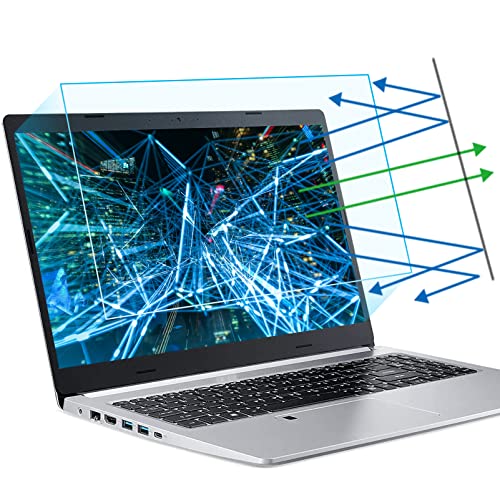
F FORITO 15.6-inch Laptop Protector is the laptop-focused option among these guards, with a matte finish and touch-sensitive design. It is intended for 15.6-inch displays with a 16:9 ratio, and the maker says its nine-layer filtering is designed to reduce blue-light exposure. The two-pack suits someone who wants a spare as well as a primary film. The limitation is the fixed format: a 15.6-inch diagonal alone does not guarantee a fit, so compare the display’s visible width and height with the protector before choosing it.
Bottom line: Choose it for a 15.6-inch, 16:9 laptop when a matte, touch-sensitive film suits your screen.
MOSISO 23–24-inch Desktop Filter
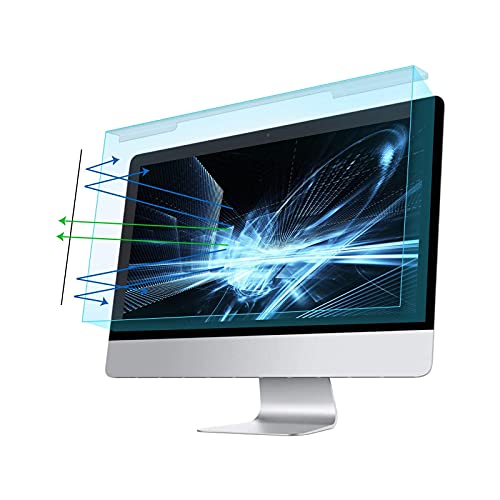
MOSISO 23–24-inch Desktop Filter is designed for larger desktop displays, rather than laptop screens, and its coverage is 23–24 inches at 16:9. The maker claims it filters 99% of UV and reduces 45% of blue light in the 420–460 nm range. Its dimensions are 21.26 by 13.39 inches, which gives buyers a useful check beyond the diagonal. The main limitation is the narrow shape range: measure the active screen area and confirm the monitor is 16:9, since similar diagonals can have different proportions.
Bottom line: Choose it for a 23–24-inch, 16:9 desktop monitor if its dimensions match the visible screen.
Mamol 24-inch Privacy Filter

Mamol 24-inch Privacy Filter adds privacy to eye-focused filtering, making it distinct from the clear laptop and desktop films. The 24-inch panel is designed for 16:9 monitors and measures 20.9 inches wide by 11.8 inches high; its name also identifies it as a two-pack. The maker describes the filter as removable and reusable, with anti-glare and anti-blue/UV features. Privacy filters narrow the view from the sides, so the trade-off is reduced visibility for people sitting off-center; consider that before using it for shared viewing.
Bottom line: Choose it for a 24-inch, 16:9 monitor when side-view privacy is also a priority.
14-inch 16:10 Laptop Blue-Light Protector

14-inch 16:10 Laptop Blue-Light Protector is the only option here built for a 14-inch, 16:10 laptop display, so it fills a different shape niche from the 16:9 laptop protector. The product name specifies 1920×1200 resolution, and the film is described as multi-layered with anti-glare and blue-light filtering. It comes as a two-pack. Its key limitation is format compatibility: the maker explicitly excludes 16:9 displays, even when they are also 14 inches. Check the screen’s aspect ratio as well as its diagonal before selecting this style.
Bottom line: Choose it for a 14-inch 16:10 laptop, not a 14-inch 16:9 display.
How to choose a computer screen guard
Match the guard to the active display area and aspect ratio before considering filter claims. Screen diagonal is measured corner to corner, but a 16:9 display and a 16:10 display have different shapes even when their diagonals match. Measure the visible panel rather than including the bezel, then compare width and height with the guard’s fit. A practical rule: if either visible dimension differs from the filter by more than a small margin, do not assume the diagonal makes it compatible. Anti-glare, privacy, and blue-light filtering are separate functions; decide which matters for your setting rather than treating one as proof of the others.
Screen size and aspect ratio fit
Common laptop filters cover 14- or 15.6-inch diagonals, while desktop monitor filters in this set target 23–24 inches. A 16:9 ratio is widespread on widescreen monitors, whereas 16:10 displays are taller relative to their width. Use the display’s resolution or manufacturer specifications to identify its ratio, then verify the visible panel dimensions. The table gives a quick match by display type; the actual viewable area still needs to line up.
| Display | Format to match | Guard style |
|---|---|---|
| 15.6-inch laptop | 16:9 | Matte touch-sensitive film |
| 14-inch laptop | 16:10 | Blue-light film |
| 23–24-inch monitor | 16:9 | Desktop filter |
Blue-light, anti-glare, and privacy functions
Blue-light filtering changes the light transmitted through a screen film, while anti-glare finishes diffuse reflections; they are different functions and neither corrects poor screen placement. A privacy filter uses a directional viewing design that limits what people beside the user can see, often at the cost of side-angle visibility. Some products combine these functions, but the feature label alone does not tell you how much brightness or color appearance changes. If accurate color matters for photo, video, or design work, a tinted or diffusing layer may be a poor fit. Keep room lighting and screen brightness comfortable as well.
Eye comfort beyond the screen guard
A screen guard is only one part of comfortable computer use. The 20-20-20 habit—look about 20 feet away for 20 seconds every 20 minutes—offers a simple regular break from close focus. A monitor commonly sits roughly 20–28 inches from the eyes, adjusted so text is readable without leaning forward; glare and very small text can prompt squinting. Place the screen so you can view it without craning your neck, and adjust brightness to suit the room. A filter cannot replace breaks, readable text, or a comfortable viewing distance.
Frequently Asked Questions
How do I measure a screen for a protector?
Measure the visible display width and height, excluding the bezel, and measure the diagonal corner to corner. Compare all three with the protector dimensions because matching diagonals can still have different aspect ratios.
Can a 16:9 screen protector fit a 16:10 laptop?
Usually not as a full-screen match, because 16:10 is taller relative to its width than 16:9. Confirm the visible panel dimensions and ratio rather than relying on the diagonal size.
Does an anti-glare screen guard block blue light?
Not necessarily; anti-glare describes reduced reflections, while blue-light filtering is a separate feature. Choose a product that explicitly claims both if both functions matter.
How far should I sit from a computer screen?
A common viewing distance is about 20–28 inches, adjusted until text is readable without leaning in. Increase text size or change placement if you find yourself squinting or moving forward.
How often should I take a break from a screen?
A widely used reminder is the 20-20-20 rule: every 20 minutes, look at something about 20 feet away for 20 seconds. Also blink normally and pause longer during extended work.