
Stylus for Kindle Fire: 5 Options Compared by Fit

For Fire Max 11 (2023) or Fire HD 10 (13th generation, 2023), Made for Amazon Fire Stylus Pen is the clearest match because it is made for those tablets and supports USI 2.0. Choose a different option if you have another Fire model, since stylus compatibility depends on the tablet and pen technology.
Passive capacitive styluses use a conductive tip like a fingertip, while an active pen may offer features such as pressure sensitivity on compatible devices.
We earn a commission if you buy through links on this page. As an Amazon Associate I earn from qualifying purchases. Products are compared on manufacturer specifications, not hands-on testing.
- Best overall: Made for Amazon Fire Stylus Pen – Made for Fire Max 11 (2023) and Fire HD 10 (13th generation, 2023), with USI 2.0 and 4096 pressure sensitivity.
- Best for three colors: Three-Pack Capacitive Stylus Pens – Includes three 5.3-inch capacitive pens and explicitly lists Kindle Fire HD compatibility.
- Best for two tip styles: Bopomofo 2-in-1 Capacitive Stylus – Has both a disc tip and a rubber tip, and its features identify it as a passive capacitive stylus.
| Product | Best for | Tip or technology | Fire compatibility | Power | Shop |
|---|---|---|---|---|---|
| Made for Amazon Fire Stylus Pen | USI 2.0 features | USI 2.0 active | Fire Max 11 (2023); Fire HD 10 (13th gen | AAAA battery | Check Price on Amazon |
| Three-Pack Capacitive Stylus Pens | Spare pens | Soft rubber tip | Kindle Fire HD; other capacitive devices | No battery | Check Price on Amazon |
| Bopomofo 2-in-1 Capacitive Stylus | Two tip choices | Disc and rubber tips | Kindle and Android tablets | No battery | Check Price on Amazon |
| RKItE 3-in-1 Tablet Stylus | Multi-device use | Disc tip | Fire Max 11 and Fire HD 10 named | No battery | Check Price on Amazon |
| Rechargeable Android Stylus, Pink | Rechargeable use | Active stylus | Fire Max 11 and HD 10 named | Built-in rechargeable battery | Check Price on Amazon |
Styluses for Kindle Fire
Match the pen’s compatibility and tip technology to your tablet model and the way you plan to use it.
Made for Amazon Fire Stylus Pen
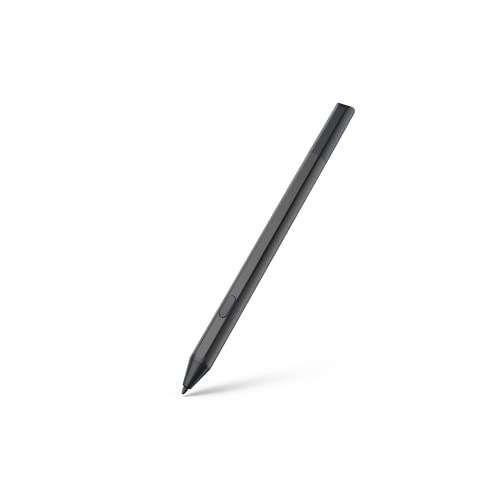
For the two named Fire generations, this is the only option here with USI 2.0 certification and listed pressure sensitivity. The pen supports tilt up to ±45 degrees and includes a AAAA battery, tip puller, and replacement tip. Amazon says its battery can last up to 6 months, and the pen attaches magnetically to the tablet. It is intended for drawing, notes, and PDF markup as well as ordinary writing. Its fit is limited to Fire Max 11 (2023) and Fire HD 10 (13th generation, 2023), so owners of other Fire models should confirm compatibility before choosing it.
Bottom line: Choose this if you have one of its two supported Fire models and want pressure and tilt features.
Three-Pack Capacitive Stylus Pens

Three pens distinguish this set from the single-stylus options, and the maker names Kindle Fire HD among its compatible devices. Each pen is 5.3 inches long, has a soft rubber tip, and includes a steel clip; the set comes in pink, purple, and aqua blue. These are passive touchscreen pens, suited to basic tapping and navigation without a charging routine. The rubber tip is broader than a fine disc tip, which can make precise drawing or small handwriting harder to guide. Check that your tablet is a Fire HD model covered by its compatibility claim.
Bottom line: Pick this set if you want three basic capacitive pens and your tablet is a compatible Fire HD.
Bopomofo 2-in-1 Capacitive Stylus

The interchangeable-feeling choice here is a two-ended capacitive design: one end has a transparent disc tip and the other a rubber tip. The product includes five styluses, three disc tips, and six rubber tips, and names Kindle among compatible devices.
Bottom line: Choose this if you want disc and rubber tip options for basic touchscreen use.
RKItE 3-in-1 Tablet Stylus
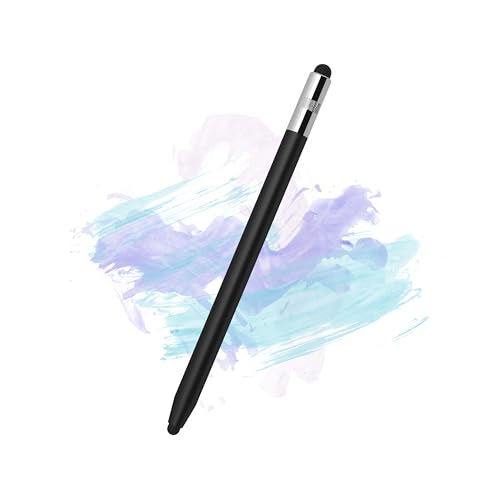
The magnetic-cap disc tip sets this multi-device pen apart from the rubber-tip options. Its name calls out Fire Max 11 and Fire HD 10, while its features also claim compatibility with touchscreens including Apple devices; the package contains one stylus. Treat it as a fingertip-style touchscreen tool rather than assuming pressure or palm-rejection features. The broad compatibility makes it less specific than a pen built for named tablet generations.
Bottom line: Consider this if you want a disc-tip pen for several touchscreen devices.
Rechargeable Android Stylus, Pink

A built-in rechargeable battery and four LED charge indicators distinguish this pink pen from the passive styluses. The maker names Amazon Max 11 and HD 10 alongside Samsung and Lenovo tablets, and says no Bluetooth or app is needed.
Bottom line: Pick this if you prefer a rechargeable pen and have confirmed its fit with your Fire tablet.
How to choose a Kindle Fire stylus
Start with the exact tablet model, then choose between a passive capacitive pen and an active stylus. A passive pen acts like a fingertip on a capacitive screen: it needs no battery or pairing, but it does not provide pressure sensitivity or palm rejection. Active pens use a supported digital-pen system; features such as tilt and pressure depend on both the pen and tablet supporting the same system. For Fire Max 11 (2023) or Fire HD 10 (13th generation, 2023), the USI 2.0 pen is explicitly matched to those models. If your Fire model is different, use only a pen whose compatibility covers that exact model, rather than assuming every Fire tablet works alike.
Stylus tip types and what they do
Rubber tips and disc tips are passive options for capacitive screens, while an active pen can communicate additional input only when the tablet supports its protocol. A rubber tip is simple for tapping and scrolling, but its contact area can obscure small targets. A disc tip gives a more visible contact point, though the disc can feel less natural than rubber. The five-piece Bopomofo set offers both styles; the three-pack has rubber tips; and the RKItE option uses a disc tip. Compare the function you need rather than treating the word “stylus” as a guarantee of handwriting or drawing features.
| Need | Type to consider | Trade-off |
|---|---|---|
| Basic taps and scrolling | Passive rubber tip | No pressure sensitivity |
| Visible contact point | Passive disc tip | Still functions like a fingertip |
| Pressure or tilt input | Compatible active pen | Tablet must support its pen system |
How to check Fire tablet compatibility
Fire stylus fit is model-specific, so compare the tablet’s model name and generation with the pen’s compatibility wording before buying. The Made for Amazon pen names Fire Max 11 (2023) and Fire HD 10 (13th generation, 2023); those model references are narrower than a general claim for Kindle or capacitive touchscreens. If you own a different Fire tablet, confirm exact-model support before choosing an active pen, especially if you expect pressure or tilt features. A passive capacitive stylus may handle basic screen input, but broad touchscreen compatibility alone does not establish active-pen functions.
What to expect from battery and setup
Passive capacitive styluses need no battery, while active pens may use replaceable or rechargeable power. The Made for Amazon pen uses one AAAA battery and supports no-pairing setup; the rechargeable pink stylus has four charge indicators and likewise claims no Bluetooth requirement. Battery type alone does not tell you whether a stylus supports pressure or tilt: those functions depend on tablet compatibility. For routine touchscreen input, a passive pen avoids charging altogether. For an active pen, check that both the exact tablet model and the particular input features you want are supported.
Frequently Asked Questions
Will any stylus work with a Kindle Fire tablet?
No; compatibility depends on the stylus technology and the tablet model. Passive capacitive pens function like a fingertip, while active features require matching support from the tablet.
Which Fire models support the Made for Amazon pen?
The pen is identified for Fire Max 11 (2023) and Fire HD 10 (13th generation, 2023). Owners of other generations should confirm exact compatibility before relying on active-pen features.
Can a Kindle Fire stylus have pressure sensitivity?
Yes, when both the stylus and tablet support the same active-pen system. The Made for Amazon pen lists 4096 pressure sensitivity for its two named Fire models.
What does a disc tip do on a touchscreen pen?
A disc tip is a passive capacitive contact point, so it works like a fingertip rather than sending pressure data. It can provide a more visible point of contact than a soft rubber tip.