
14-Inch Laptop Sleeves: 5 Cases Compared by Fit

Laptop Sleeve Case 14-inch suits most people looking for a 14-inch laptop sleeve because its 13.7-by-9.5-by-0.8-inch interior and broad brand compatibility give a clear fit target. Choose MOSISO Polyester Sleeve 14-inch or ProCase Sleeve 14-inch instead if a front accessory pocket matters more, or Lenovo Urban Sleeve 14-inch if you want a carrying handle.
A laptop sleeve is a fitted, padded cover designed to protect a computer while carried on its own or inside another bag; compare the sleeve’s interior with your laptop’s actual dimensions before choosing.
We earn a commission if you buy through links on this page. As an Amazon Associate I earn from qualifying purchases. Products are compared on manufacturer specifications, not hands-on testing.
- Best overall: Laptop Sleeve Case 14-inch – Its interior measures 13.7 by 9.5 by 0.8 inches and it lists compatibility with several laptop brands.
- Best for slim carry: MOSISO Polyester Sleeve 14-inch – The polyester sleeve is 0.79 inches deep and has a front pocket for small accessories.
- Best with handle: Lenovo Urban Sleeve 14-inch – The water-resistant polyester sleeve has a carrying handle and a 14.5-by-9.8-by-1.1-inch interior.
- Best for accessory storage: ProCase Sleeve 14-inch – Its large front pocket is intended for items such as a charger, mouse and cables.
| Product | Best for | Interior dimensions | Material | Carry or storage feature | Shop |
|---|---|---|---|---|---|
| Laptop Sleeve Case 14-inch | Broad brand fit | 13.7 × 9.5 × 0.8 in | Memory foam | Accessory pocket | Check Price on Amazon |
| MOSISO Polyester Sleeve 14-inch | Slim daily carry | 14.17 × 10.14 × 0.79 in | Polyester | Front vertical pocket | Check Price on Amazon |
| Lenovo Urban Sleeve 14-inch | Handle and weather | 14.5 × 9.8 × 1.1 in | Water-resistant polyester | Carrying handle | Check Price on Amazon |
| tomtoc 360 Protective Sleeve 14-inch | Padded protection | 13.27 × 9.72 × 1.26 in | Recycled fabric | CornerArmor protection | Check Price on Amazon |
| ProCase Sleeve 14-inch | Large front pocket | 12.8 × 9.05 × 0.9 in | Soft lining and padding | Large front pocket | Check Price on Amazon |
14-inch laptop sleeves
Compare the interior measurements first, then choose the carry and storage features that match how you transport your laptop.
Laptop Sleeve Case 14-inch

Laptop Sleeve Case 14-inch pairs a memory-foam interior with compatibility across several laptop brands, including MacBook, HP, Dell and Lenovo. Its interior measures 13.7 by 9.5 by 0.8 inches, so compare all three measurements with your laptop rather than relying on the 14-inch label alone. The slim, double-way-zipper design is intended for carrying inside a backpack or suitcase, and the case includes an accessory pocket. It suits buyers who want a padded sleeve with broad compatibility. The 0.8-inch interior thickness is the limiting measurement for thicker laptops.
Bottom line: Choose this if your laptop fits within its interior measurements and you want a padded sleeve with broad brand compatibility.
MOSISO Polyester Sleeve 14-inch
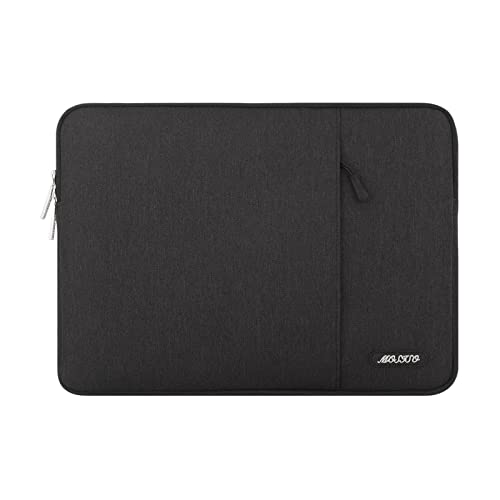
MOSISO Polyester Sleeve 14-inch stands out for its vertically oriented front pocket, measuring 10 by 9.84 inches, alongside a slim polyester sleeve. Its interior is 14.17 by 10.14 by 0.79 inches, while the outer dimensions are 14.76 by 10.73 by 0.79 inches. The pocket is meant for small items such as a mouse, earphones, pens and notepads, and the sleeve can slide into a larger bag. This suits someone who wants to keep a few accessories together with a laptop. The 0.79-inch interior depth is a tight fit for a device thicker than that.
Bottom line: Pick this for a slim polyester sleeve with a dedicated front pocket for small accessories.
Lenovo Urban Sleeve 14-inch
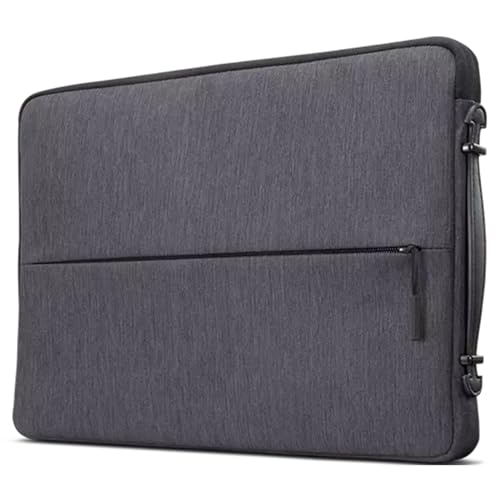
Lenovo Urban Sleeve 14-inch is the option here with a carrying handle, plus a water-resistant polyester exterior. The interior measures 14.5 by 9.8 by 1.1 inches, and the sleeve weighs 0.57 pounds. Its handle offers a way to carry the sleeve separately rather than placing it inside another bag; the slim profile is also designed to slide into a backpack or briefcase. This suits buyers who value a hand-carry option and water resistance. Water-resistant fabric is not the same as a waterproof enclosure, so it is not the choice for submersion or heavy exposure to water.
Bottom line: Choose this if you want a carrying handle and water-resistant fabric for ordinary travel conditions.
tomtoc 360 Protective Sleeve 14-inch
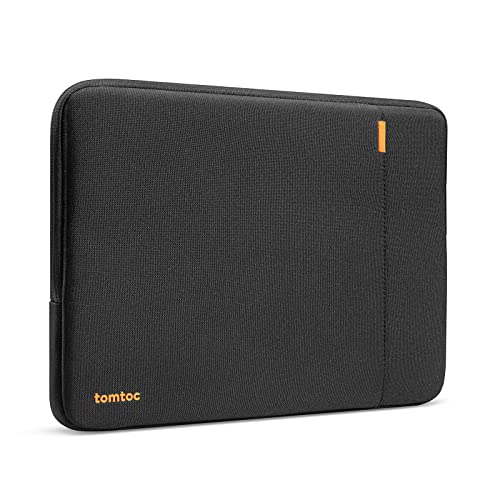
tomtoc 360 Protective Sleeve 14-inch emphasizes corner padding: its design includes CornerArmor Technology, high-resilience edges and soft padding, while its outer fabric is recycled and spill-resistant. The dimensions are 13.27 inches long, 9.72 inches high and 1.26 inches wide; check your laptop’s length, height and thickness against those measurements. The sleeve weighs 0.53 pounds and uses YKK zippers. The maker says it passed a Military-Standard-Drop-Test. This suits buyers who prioritize padded corners and spill-resistant fabric. Its model-specific compatibility wording means buyers with other 14-inch laptops should verify the fit before choosing it.
Bottom line: Pick this if corner padding is your priority and your laptop matches the dimensions.
ProCase Sleeve 14-inch

ProCase Sleeve 14-inch combines thick shock-absorbing padding and a plush lining with a large front pocket intended for a charger, power bank, cables, hub or mouse. Its interior measures 12.8 by 9.05 by 0.9 inches, notably smaller than several other sleeves here despite the 14-inch name. The compatibility includes some 14-inch laptop families, but the interior measurements are the practical fit test. This suits buyers whose laptop fits those dimensions and who want room for small tech accessories. The compact interior is a limitation for laptops wider or deeper than its measurements.
Bottom line: Choose this if your laptop fits its compact interior and you want a large accessory pocket.
How to choose a 14-inch laptop sleeve
Choose by the laptop’s measured width, depth and thickness, not by the sleeve’s diagonal-size label. Laptop screen size is measured diagonally, while case interiors are given as length, width and thickness; two computers with 14-inch screens can have different body dimensions. Measure the closed laptop at its widest and thickest points, including any fixed feet or protrusions. For a fit, each laptop measurement must be smaller than the corresponding interior measurement, with a little room to insert and remove it. A large gap can let the computer shift inside the sleeve. For example, if the laptop is thicker than 0.79 inches, the MOSISO sleeve’s interior depth is too small. Check the maker’s orientation for measurements before matching width to length.
What sleeve dimensions mean for fit
Interior dimensions determine whether a laptop fits; exterior dimensions describe the space the case takes up in a bag. A sleeve’s foam or padding occupies space, so its outside size cannot be substituted for its usable interior. Match the laptop’s longest side to the sleeve’s longest interior measurement, then compare the shorter side and thickness. The 14-inch sleeves span interior lengths from 12.8 to 14.5 inches, so the category label alone does not establish a shared fit. Use this table as a quick screening guide, not as a guarantee of compatibility; measure your actual laptop and confirm which dimension each number represents.
| Interior measurement | Check on your laptop | Fit rule |
|---|---|---|
| Length | Longest edge | Laptop edge must be shorter |
| Width | Shorter edge | Laptop edge must be shorter |
| Thickness | Closed laptop depth | Laptop must be thinner |
Padding, fabric and everyday protection
Padding and fabric address different risks: cushioning can soften bumps, while a water-resistant outer fabric can shed some incidental moisture. Neither property makes a sleeve waterproof or guarantees protection from a fall. Foam thickness, seam construction and closure affect how well a case surrounds the device, but a sleeve’s feature name alone does not establish a universal drop rating. When carrying a laptop inside a backpack, avoid packing hard objects against the screen side and keep liquids in a separate sealed compartment. If exposure to rain is a concern, place the sleeve inside a weather-resistant bag rather than relying on water-resistant fabric alone. Choose a dedicated handle when you often carry the sleeve by itself.
Common 14-inch sleeve sizing mistakes
The most common mistake is treating “14-inch” as a precise body-size measurement; it refers to screen class, not a uniform laptop footprint. Another is comparing only length and width while overlooking thickness, especially when a laptop has a bulky chassis or a protective shell. Remove any separate case before measuring unless you intend to store the laptop inside that case. For a laptop body measuring 13.8 inches on its longest side, a sleeve with a 13.7-inch interior is too short even if both are called 14-inch. Check pocket dimensions separately when you plan to carry a charger or mouse, since an accessory pocket’s capacity does not determine laptop fit.
Frequently Asked Questions
How do I measure a laptop for a sleeve?
Measure the closed laptop’s longest edge, shorter edge and thickness in inches. Compare each measurement with the sleeve’s corresponding interior dimension; a laptop measurement equal to or larger than an interior measurement may not fit.
Does a 14-inch sleeve fit every 14-inch laptop?
No, screen size does not set a uniform laptop body size. For example, sleeves here have interior lengths from 12.8 to 14.5 inches, so compare your computer’s dimensions with the case interior.
Should a laptop sleeve be larger than the laptop?
A small amount of clearance helps with insertion, but excessive space can let the laptop shift. Make sure all three laptop measurements are below the corresponding interior dimensions, especially thickness.
Are water-resistant laptop sleeves waterproof?
No, water-resistant fabric is not a guarantee against water entering through seams or the zipper. Keep the sleeve out of standing water and use a weather-resistant outer bag in sustained rain.
Can I carry a charger in a laptop sleeve pocket?
A front pocket can hold small accessories, but its dimensions and structure determine what fits. Compare the accessory’s size with the pocket measurements when those are provided, and avoid placing hard items where they can press against the laptop.