
Insignia 40-Inch LED TV: 5 Models Compared

The INSIGNIA 40-inch F40 Series is the direct match if you want a 40-inch LED smart TV with Full HD resolution and Fire TV. Choose a 43-inch model if 4K resolution matters more than matching the requested screen size, or consider the Roku alternatives if that platform is your priority.
We earn a commission if you buy through links on this page. As an Amazon Associate I earn from qualifying purchases. Products are compared on manufacturer specifications, not hands-on testing.
- Best overall: Insignia F40 Series 40-Inch – It matches the requested 40-inch size and combines 1080p resolution with Fire TV.
- Best for 4K: Insignia F50 Series 43-Inch – Its 43-inch screen has 4K UHD resolution and Fire TV.
- Best for Roku: Philips 40-Inch QLED Roku TV – It pairs a 40-inch Full HD screen with Roku.
| Product | Best for | Screen size | Resolution | Smart platform | Shop |
|---|---|---|---|---|---|
| Insignia F40 Series 40-Inch | 40-inch Fire TV | 40 in | 1080p Full HD | Fire TV | Check Price on Amazon |
| Insignia F50 Series 43-Inch | Insignia 4K | 43 in | 4K UHD | Fire TV | Check Price on Amazon |
| Philips 40-Inch QLED Roku TV | Roku and QLED | 40 in | 1080p Full HD | Roku | Check Price on Amazon |
| Samsung M70H Series 43-Inch | 4K Mini LED | 43 in | 4K | Smart TV | Check Price on Amazon |
| TCL 3-Series 40S355 | 40-inch Roku | 40 in | 1080p Full HD | Roku | Check Price on Amazon |
Insignia 40-Inch LED TV Options
Compare the direct 40-inch Insignia match with nearby screen-size and platform alternatives.
Insignia F40 Series 40-Inch

The 40-inch F40 Series is the direct match for a 40-inch Insignia LED smart TV, with 1080p Full HD resolution and Fire TV built in. Its Alexa Voice Remote supports voice searches, app control and input switching. This size suits a bedroom or other room where a 43-inch screen may feel too large. The trade-off is resolution: the screen is Full HD rather than 4K, so choose another model if 4K detail is the priority.
Bottom line: Pick this if the 40-inch size and Fire TV matter more than 4K resolution.
Insignia F50 Series 43-Inch

The F50 Series is the closest Insignia alternative for shoppers willing to move up from 40 inches to gain 4K UHD resolution. Its 43-inch panel has 2,160 vertical pixels, and the TV includes Fire TV and a voice remote with Alexa. The maker also describes HDR10 support and upscaling for current content. The larger screen is a mismatch for a strict 40-inch limit, so measure the available space before choosing it.
Bottom line: Choose this if 4K and Fire TV outweigh the request for a 40-inch screen.
Philips 40-Inch QLED Roku TV

The Philips keeps the 40-inch Full HD format but swaps Fire TV for Roku and adds quantum dot color. Roku streaming is built in, and the TV works with Siri, Alexa and Google Assistant; its VESA bracket pattern is 200 by 200 mm. That combination may suit a room where casting or voice-assistant compatibility matters. It is not an Insignia model, and the features identify its smart platform as Roku rather than Fire TV.
Bottom line: Pick this if a 40-inch screen and Roku matter more than the Insignia brand.
Samsung M70H Series 43-Inch

The Samsung M70H shifts both size and display type: it is a 43-inch 4K smart TV with Mini LED technology rather than a 40-inch Full HD Insignia. Its features emphasize HDR picture quality, color and free content. The 43-inch size may better suit a room where a larger screen is welcome, but it does not meet a strict 40-inch target. Consider it as a different display class, not a like-for-like Insignia replacement.
Bottom line: Choose this if a 43-inch 4K Mini LED TV is the real priority.
TCL 3-Series 40S355
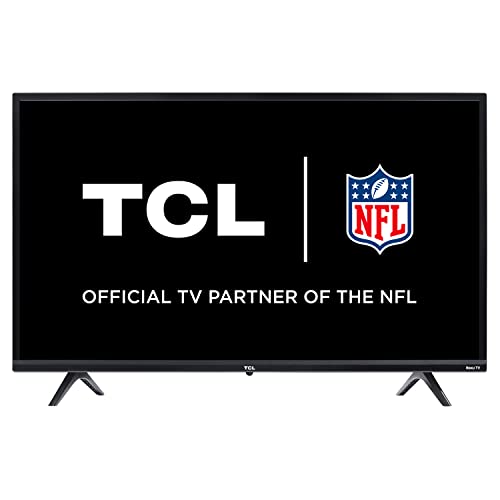
The TCL 40S355 is another 40-inch Full HD option, but it uses Roku rather than Fire TV and is not an Insignia. Its feature set includes a customizable Roku home screen and access to free live channels. A 16:9 aspect ratio suits standard widescreen video. The distinction matters if you already prefer Fire TV or want an Insignia set; choose this model only if matching the screen size and Roku platform takes precedence.
Bottom line: Pick this if you want a 40-inch Full HD Roku TV instead of Fire TV.
How to Choose a 40-Inch LED TV
Start with resolution and platform, then check the room space and viewing distance. Full HD means 1,920 by 1,080 pixels; 4K UHD means 3,840 by 2,160, or four times the total pixels. A 40-inch Full HD screen is a sensible match when you want the requested size and mainly watch streaming or broadcast content, while 4K is useful when you want more detail or sit closer. For a 40-inch screen, a viewing distance around 5 to 8 feet is a practical starting range; preference and eyesight change what feels comfortable. Choose Fire TV if you want its app interface and Alexa remote, or Roku if you prefer that platform.
40-Inch Versus 43-Inch TV Fit
A 43-inch screen is only 3 inches larger diagonally than a 40-inch screen, but width and stand clearance still matter in a tight space. A 16:9 screen’s approximate width is 0.87 times its diagonal: about 34.8 inches at 40 inches and 37.4 inches at 43 inches, before bezel or stand. Measure the furniture width and depth, and leave room for the stand and cable bend. For wall mounting, match the TV’s VESA pattern to the bracket and use a mount rated for the TV’s weight. The Philips lists a 200 by 200 mm pattern; don’t assume another TV shares it.
LED, QLED, and Mini LED Differences
LED describes a television that uses LEDs to illuminate an LCD panel; QLED adds a quantum-dot layer to broaden color, while Mini LED uses smaller backlight LEDs for more precise brightness control. These labels describe different parts of the picture system, not screen resolution: a QLED set can still be Full HD, as the Philips is here, and a Mini LED model can be 4K, as the Samsung is. HDR formats also require compatible content to show their intended range. When choosing, separate the questions: select resolution for detail, screen technology for picture characteristics, and platform for apps and navigation.
Before Setting Up a Smart TV
Check the connection and placement before setup: streaming apps need an internet connection, and a stable Wi-Fi signal is important for high-resolution video. At 4K, a wired or strong wireless connection can help avoid buffering, especially when other devices share the network. Leave ventilation space around the TV instead of enclosing it tightly in a cabinet, and keep power cords away from walkways. For a wall mount, locate studs or use a mounting system rated for the wall and TV load; drywall anchors alone are not a safe substitute for a properly supported mount. Confirm the stand footprint and cable route before assembling the furniture.
Frequently Asked Questions
Is a 40-inch TV big enough for a bedroom?
A 40-inch TV is often comfortable from roughly 5 to 8 feet away. Choose a shorter distance if you want a more immersive view, but check that the screen and stand fit the furniture.
What is the difference between Full HD and 4K?
Full HD is 1,920 by 1,080 pixels, while 4K UHD is 3,840 by 2,160 pixels. 4K has four times the total pixel count, though the benefit depends on screen size, viewing distance and source quality.
Will a 43-inch TV fit where a 40-inch TV was?
A 43-inch 16:9 screen is about 37.4 inches wide before its bezel, compared with about 34.8 inches for a 40-inch screen. Measure furniture width and depth, including the stand, rather than relying on diagonal size alone.
Does a smart TV need an internet connection?
Streaming apps and internet-based features need a network connection, while broadcast TV requires a suitable antenna and signal. A stable Wi-Fi connection matters more as video resolution rises, especially for 4K streaming.
Can I use the same wall mount for different TVs?
Only if the mount’s VESA pattern and weight rating match the TV. The Philips model here uses a 200 by 200 mm VESA pattern; check the mount and TV specifications before installation.