
AV Cables for PS3: 3 Composite Models Compared

For most PS3 setups with composite RCA inputs, PS2/PS3 RCA Composite Cable, 6 ft is a straightforward choice because it names PS3 compatibility and gives a 6-foot length. Choose PS1/PS2/PS3 RCA AV Cable, 8.2 ft if you need a longer cord, while TENINYU PS1/PS2/PS3 RCA AV Cable is another compatible option but its length claims conflict.
These cables carry analog composite video and stereo audio through yellow, red, and white RCA plugs; they are not HDMI cables.
We earn a commission if you buy through links on this page. As an Amazon Associate I earn from qualifying purchases. Products are compared on manufacturer specifications, not hands-on testing.
- Best overall: PS2/PS3 RCA Composite Cable, 6 ft – Names PS3 compatibility and specifies a 6-foot cable.
- Best for extra reach: PS1/PS2/PS3 RCA AV Cable, 8.2 ft – Specifies an 8.2-foot cable for more distance between console and TV.
- Best for a backup: TENINYU PS1/PS2/PS3 RCA AV Cable – A basic PS1/PS2/PS3-compatible composite cable, though its length claims conflict.
| Product | Best for | Cable length | Compatible consoles | Shop |
|---|---|---|---|---|
| PS2/PS3 RCA Composite Cable, 6 ft | Known cable length | 6 ft | PS1, PS2, PS2 Slim, PS3 | Check Price on Amazon |
| PS1/PS2/PS3 RCA AV Cable, 8.2 ft | More cable reach | 8.2 ft | PS1, PS2, PS3 | Check Price on Amazon |
| TENINYU PS1/PS2/PS3 RCA AV Cable | Simple replacement | — | PS1, PS2, PS2 Slim, PS3 | Check Price on Amazon |
AV cables for PS3
Compare the cable lengths, console compatibility, and whether a product includes anything beyond the AV cable.
PS2/PS3 RCA Composite Cable, 6 ft
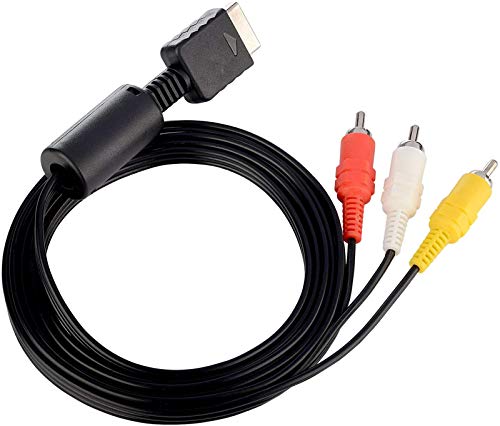
PS2/PS3 RCA Composite Cable, 6 ft is the clearest pick when a known cable length matters: it specifies 6 feet and names PS3 compatibility. The cord uses yellow composite video and red-and-white stereo audio RCA plugs, and its console end connects directly to a PlayStation. It suits a setup where the TV or monitor has matching composite inputs and the console is close enough for a 6-foot run. The limitation is reach: measure the route from console to display first, especially if the cable must run around furniture.
Bottom line: Choose this when a 6-foot run reaches your composite-input display.
PS1/PS2/PS3 RCA AV Cable, 8.2 ft
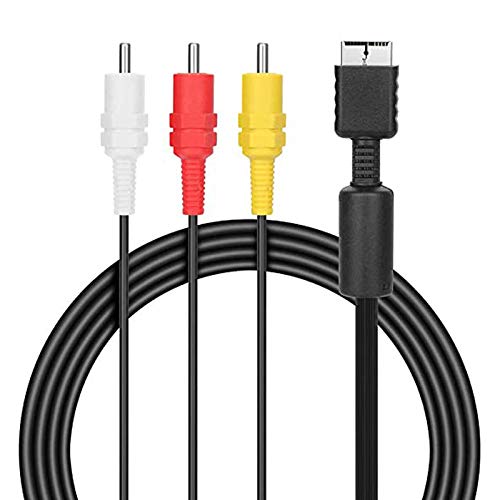
PS1/PS2/PS3 RCA AV Cable, 8.2 ft gives more reach than the specified 6-foot option, with an 8.2-foot cable and compatibility with PS3 as well as PS1 and PS2. Its yellow, red, and white RCA plugs carry composite video and stereo audio to a display with matching inputs. The maker says the cable has copper wire and flexible PVC housing. It is a fit when the console sits farther from the TV, but the longer run can leave extra cord to route and secure neatly.
Bottom line: Pick this when the console-to-TV route exceeds 6 feet.
TENINYU PS1/PS2/PS3 RCA AV Cable

TENINYU PS1/PS2/PS3 RCA AV Cable is a compatible replacement for PS3 and also names PS1, PS2, and PS2 Slim. It connects through the familiar yellow video and red-and-white audio RCA plugs, making it appropriate for a TV or monitor with composite inputs. The product name says 6 feet, while its maker gives a different length, so the actual reach is not clear from those claims. Choose it only if that discrepancy does not affect your setup, or confirm the length before ordering.
Bottom line: Consider it when compatibility matters more than a confirmed cable length.
How to choose an AV cable for PS3
Choose a composite AV cable only when the display has composite RCA inputs and you want standard-definition analog video. The yellow RCA plug carries video; red and white carry the right and left audio channels. First check the TV or monitor for all three matching inputs, then measure the cable path from the console to the display, including turns around furniture. A shorter cord is easier to route when the devices are close; pick a specified longer length when the measured path requires it. These cables do not provide HDMI output, so a display without RCA inputs needs a different connection approach.
| Setup need | Choice rule |
|---|---|
| Composite RCA inputs and short route | Choose a cable whose length covers the route |
| Composite RCA inputs and longer route | Choose the longer stated cable length |
| No composite RCA inputs | Do not choose a direct RCA cable for that display |
Leave some slack at each end rather than pulling an RCA connector taut.
What the three RCA plugs do
The three-plug composite connection separates one standard-definition video signal from two audio channels. Yellow is composite video, while red and white carry stereo audio; matching colors help prevent swapping the connections. Connect each plug to the same-colored input on the TV, then select that composite input on the display. Some displays group the composite inputs with component jacks, but the yellow plug still needs a compatible composite video input. Do not mistake a red, green, and blue component video set for the yellow composite connection: the connector colors and signal types differ.
Before connecting, check that the display accepts composite video rather than relying on the presence of RCA-shaped sockets alone. A cable can fit physically without the display supporting the signal type.
How cable length affects setup
Measure the complete route instead of estimating distance in a straight line: a cable routed behind a stand or around a cabinet needs extra length. The 6-foot option suits a shorter measured path, while an 8.2-foot option allows a longer route. Avoid stretching the cord between the PS3 and display; tension can pull connectors loose or stress the cable. Excess cable can be looped loosely and secured away from foot traffic. For a cable with conflicting length claims, confirm its actual length before ordering if the route is close to the available limit.
Place the console where its AV Multi Out connector is reachable without bending the cable sharply at the plug. Keeping the connection relaxed makes it easier to avoid accidental disconnection when moving equipment.
Why a PS3 picture may not appear
A black screen can come from selecting the wrong TV input or from a connection mismatch, so verify both before assuming the cable is defective. Confirm the yellow plug reaches a composite video input and the display is set to that input; red and white should connect to audio inputs. If the PS3 was previously configured for another output, its video settings may need to be reset for the current connection. A composite signal is standard definition, not HD, so a picture will not have HDMI-level resolution. If the display has no composite input, a direct three-RCA cable cannot solve that compatibility gap.
Frequently Asked Questions
Can a PS3 use a composite AV cable?
Yes, a PS3 can connect to a display with composite RCA inputs using its AV connection. The yellow plug carries video and the red and white plugs carry stereo audio.
Which TV inputs do PS3 AV cables need?
A direct composite cable needs a yellow video input plus red and white audio inputs. Check that the display supports composite video, not just similarly shaped component sockets.
Do PS3 RCA cables carry HD video?
No, yellow-plug composite is a standard-definition analog video connection. Use an HD-capable connection instead when high-definition output is needed.
How long should a PS3 AV cable be?
Measure the actual cable route, including detours around furniture, and choose a cable longer than that path. A 6-foot cord fits shorter runs; an 8.2-foot cord allows more reach.
Why is there no picture after connecting a PS3?
First select the TV’s composite input and verify that the yellow plug is in a compatible video input. If the console was configured for another output, its video settings may need resetting for the new connection.