
Quick Charge 3.0 Chargers: 5 Options Compared

For a single compatible phone, 18W QC 3.0 Wall Charger is the clearest fit because it offers up to 18W and calls for a fast-charge USB cable. Choose Hyper Charge Pro 4-Port Hub or Besgoods 4-Pack QC 3.0 Chargers instead if you need multiple ports or spare chargers; check your device’s charging standard and cable before choosing.
We earn a commission if you buy through links on this page. As an Amazon Associate I earn from qualifying purchases. Products are compared on manufacturer specifications, not hands-on testing.
- Best overall: 18W QC 3.0 Wall Charger – It combines an 18W maximum output with a fast-charge cable requirement.
- Best for multiple devices: Hyper Charge Pro 4-Port Hub – Its four ports allow simultaneous charging of up to four devices.
- Best for spares: Besgoods 4-Pack QC 3.0 Chargers – The package contains four chargers for compatible devices.
| Product | Best for | Ports | Output | Pack | Shop |
|---|---|---|---|---|---|
| 18W QC 3.0 Wall Charger | One compatible phone | 1 | Up to 18W; 3A | 1 charger | Check Price on Amazon |
| Hyper Charge Pro 4-Port Hub | Four-device charging | 4 | Quick Charge 3.0; wattage not given | 1 charger | Check Price on Amazon |
| 18W QC 3.0 Travel Adapter | Travel compatibility | 1 | 18W; 3.6–12V output | 1 charger | Check Price on Amazon |
| Besgoods 4-Pack QC 3.0 Chargers | Four spare adapters | 1 each | 5V, 3A | 4 chargers | Check Price on Amazon |
| QC 3.0 Compact Wall Charger | Compact single-device use | 1 | QC 3.0; wattage not given | 1 charger | Check Price on Amazon |
Quick Charge 3.0 chargers
Compare the number of ports, stated output, and pack size against your devices and charging needs.
18W QC 3.0 Wall Charger

For a single Samsung phone, this compact wall adapter pairs a 18W maximum output with a broad range of Galaxy model compatibility. The maker says compatible phones can reach 50% in 30 minutes and notes that fast charging requires a fast-charge USB cable. Its single-port format suits a one-device setup, not a household charging several devices at once. Confirm that your phone supports Quick Charge 3.0 and use a compatible cable to access the advertised fast-charge mode.
Bottom line: Pick it for one compatible phone when you have a fast-charge USB cable.
Hyper Charge Pro 4-Port Hub

Unlike the single-port adapters, this charger has four ports and is designed to charge up to four devices at once. The maker says its smart charging detects connected devices and supplies an optimal current, and describes compatibility with USB-powered phones and tablets. That makes the hub a practical match for a shared charging spot or travel bag with several devices. The features do not give a total wattage, so buyers who need a particular power level should verify it before choosing this hub.
Bottom line: Choose it when charging several USB devices from one adapter matters most.
18W QC 3.0 Travel Adapter
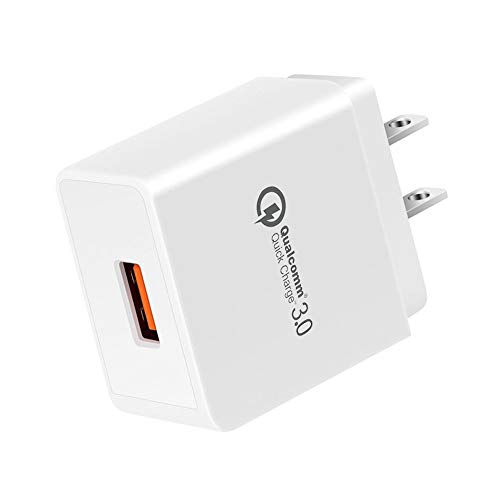
For travel, this adapter distinguishes itself with a 100–240V input and output ranges of 3.6–6V at 3A, 6–9V at 2A, and 9–12V at 1.5A. The maker says it supports QC 1.0 and 2.0 devices as well as QC 3.0, and includes short-circuit, over-current, over-heating, and over-voltage protection. Its single-port design is less suited to charging several devices together. Match your device to the supported charging standards rather than assuming every USB device will fast charge.
Bottom line: Pick it for travel when the 100–240V input and QC backward compatibility fit your needs.
Besgoods 4-Pack QC 3.0 Chargers
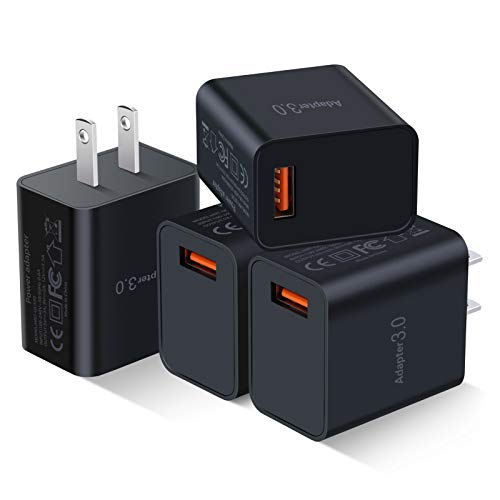
This is the only four-pack in the group, giving you four single-port adapters for separate rooms or compatible devices. Its output is 5V at 3A, and the maker says it can also charge non-fast-charge devices at 2.4A. The maker specifically says rapid charging is not supported for iPhone models, so this pack is a poor choice if fast iPhone charging is your goal. It may suit buyers who want several adapters for compatible devices, but its fixed 5V output differs from the variable-voltage QC 3.0 models.
Bottom line: Choose this pack for multiple locations, not for rapid iPhone charging.
QC 3.0 Compact Wall Charger
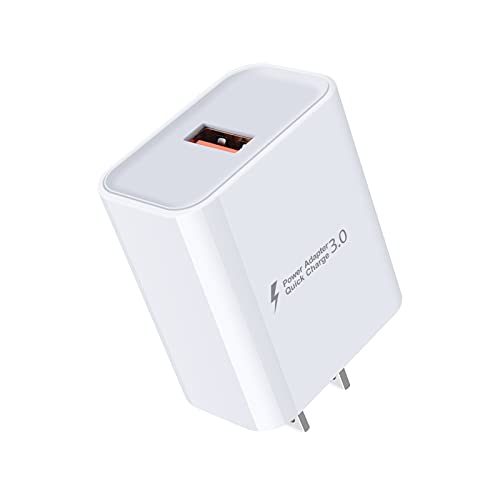
For a compact single-device setup, this charger emphasizes pocket-size construction and says its design will not block neighboring outlet ports. The maker says it can charge a compatible device to 50% in 30 minutes and includes over-current, over-voltage, and short-circuit protection. Fast charging requires a device that supports QC 3.0 or 2.0 and a fast-charge USB cable.
Bottom line: Pick it when a compact shape matters more than a specified wattage.
How to choose a Quick Charge 3.0 charger
Choose a charger by matching the device’s charging standard, the cable, and the number of devices you need to power. Quick Charge 3.0 can vary voltage from 3.6 to 12 volts; the charger and compatible device negotiate a suitable level rather than every device receiving the same output. A fast-charge cable is called for by some adapters, including 18W QC 3.0 Wall Charger and QC 3.0 Compact Wall Charger. For one phone, compare output and compatibility; for a shared station, count ports first. A multi-port unit’s total available power matters too, so verify that figure when charging several high-demand devices at once. A USB plug alone does not guarantee Quick Charge speeds.
Use this decision table to narrow the format before comparing a specific adapter.
| Need | What to match | Practical choice |
|---|---|---|
| One compatible phone | QC support and suitable cable | Single-port adapter |
| Several devices together | Port count and total output | Multi-port hub |
| Several locations | Number of adapters | Multi-pack |
Quick Charge 3.0 compatibility and cables
Quick Charge 3.0 speeds require support from both the charger and the device; a compatible phone connected to an ordinary USB charger will not use QC 3.0 negotiation. A fast-charge USB cable is also required where the adapter specifies one. QC 3.0 can operate across a 3.6–12V range, but a charger’s maximum wattage alone does not establish compatibility with every phone. Check the phone’s supported charging standard, then match the cable and adapter to it. Some chargers also mention backward compatibility with QC 1.0 or 2.0, but that does not mean every device supports QC 3.0.
Ports, wattage, and multi-device charging
Port count answers how many devices can connect, while wattage describes available power; neither figure substitutes for the other. A four-port charger can accommodate four connected devices, but simultaneous charging speed depends on the unit’s power allocation. For a single phone, compare its supported input with the adapter’s output rather than selecting by port count. For a shared charging area, look for a total output and how power is divided across ports. When those figures are central to your setup, confirm them before choosing. Avoid assuming a 3A label means the same wattage across chargers, since wattage depends on voltage.
Charging safety and realistic speed
Charging time depends on the phone’s charging support, battery level, cable, and adapter output, so a maker’s time estimate applies only under compatible conditions. A claim such as reaching 50% in 30 minutes is not a guarantee for every device. Use a charger and cable intended for the device, and stop using any adapter or cable that becomes damaged, unusually hot, or loose at the connection. Chargers may include protections such as over-current, over-voltage, or short-circuit protection, but those features do not make damaged equipment safe. For overnight charging, place equipment on a hard, uncovered surface rather than under bedding.
Frequently Asked Questions
Does Quick Charge 3.0 work with every phone?
No. The phone must support Quick Charge 3.0 to use that charging mode. Other USB devices may charge, but may not use QC 3.0 fast charging.
What cable do I need for Quick Charge 3.0?
Use a fast-charge USB cable when the charger requires one. A compatible charger and phone can still miss fast charging if the cable does not support the required connection.
Can a Quick Charge 3.0 charger charge several devices?
Only a multi-port charger can connect several devices at once; one four-port model is rated for up to four connected devices.
Why does my phone charge slowly with QC 3.0?
Slow charging can result when the phone lacks QC 3.0 support, the cable is not fast-charge capable, or the adapter output does not match the phone. Charging time also changes with battery level and device conditions.
Can I use a Quick Charge 3.0 charger while traveling?
Check the charger’s input range against the outlet supply before plugging it in. One adapter here specifies 100–240V input, a range commonly used for travel, but a plug adapter may still be needed for a different outlet shape.