
Best Low Cost 3D Scanner Options Compared by Fit

3DMakerpro Moose Lite Premium is the best low cost 3D scanner for most beginners because its maker highlights marker-free tracking and an anti-shake module. Choose another option if you need a larger stated object-size range or faster capture.
A 3D scanner captures an object’s shape as a digital model; the right fit depends on target size, movement, and how much precision the job needs.
We earn a commission if you buy through links on this page. As an Amazon Associate I earn from qualifying purchases. Products are compared on manufacturer specifications, not hands-on testing.
- Best overall: 3DMakerpro Moose Lite Premium – Marker-free tracking and an anti-shake module are aimed at easier handheld scanning.
- Best for broad object sizes: Creality Raptor Pro + Scan Bridge – The scan range covers objects from 5 mm to 2,000 mm.
- Best for fast capture: Revopoint POP 4 Premium – Its maker claims up to 105 fps in multi-line laser mode.
| Product | Best for | Accuracy | Frame rate | Object size | Shop |
|---|---|---|---|---|---|
| 3DMakerpro Moose Lite Premium | Beginner handheld scans | 0.05 mm | 10 fps | — | Check Price on Amazon |
| Creality Raptor Pro + Scan Bridge | Wide size range | 0.02 mm | 60 fps | 5–2,000 mm | Check Price on Amazon |
| Revopoint POP 4 Premium | Fast laser scanning | 0.03 mm single-frame | Up to 105 fps | Small to medium | Check Price on Amazon |
| Revopoint MIRACO Plus | Large-object metrology | 0.04 mm single-point | — | Small to large | Check Price on Amazon |
| 3DMakerpro Fox Series | Entry-level capture | 0.07 mm | 10 fps | Medium format | Check Price on Amazon |
Low Cost 3D Scanners Compared
Match the scanner’s supported object scale and capture mode to the models you need to make.
3DMakerpro Moose Lite Premium
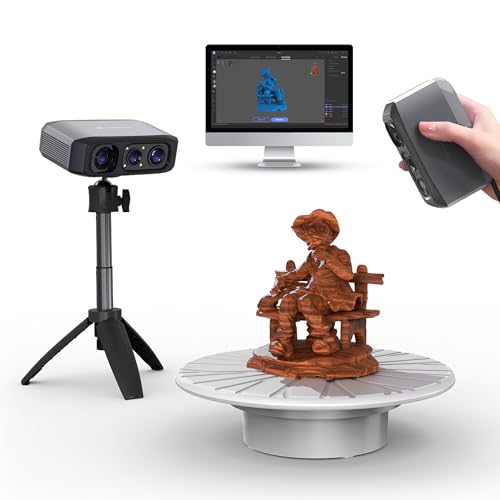
Marker-free scanning and an optical anti-shake module distinguish this handheld scanner for users who want less setup around small-to-medium objects. Its maker also describes AI visual tracking and an option to resume a scan after interruption. JMStudio software is included, with lifetime OTA upgrades described by the maker. The maker does not give an object-size range, so this is a weaker fit when a project requires a confirmed minimum or maximum scan size. Consider it when ease of handheld capture matters more than a published size range or high frame rate.
Bottom line: Choose it for marker-free handheld scanning and anti-shake assistance.
Creality Raptor Pro + Scan Bridge

The 5 mm to 2,000 mm object range makes this option the clearest match for work spanning tiny parts through large objects. The maker claims 0.02 mm accuracy under laboratory conditions, up to 60 fps, and a rate of 660,000 points per second. A single capture range is 270 by 170 mm at 300 mm distance; color mapping and marker-based alignment are also supported. The Scan Bridge accessory enables wireless scanning, but this is a more specification-heavy choice than a simple marker-free workflow. Check whether the wireless accessory setup suits your scanning space.
Bottom line: Pick it when the broad stated object-size range is the deciding factor.
Revopoint POP 4 Premium
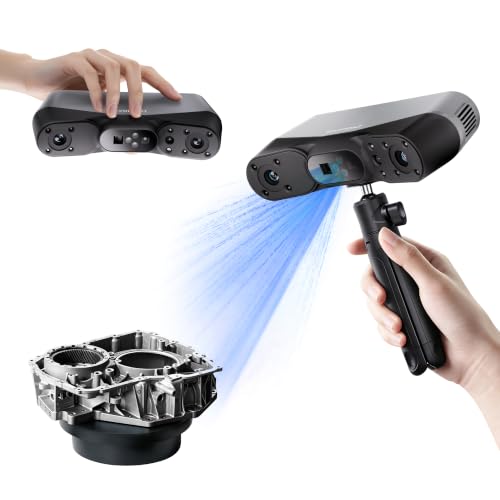
Fast multi-line laser capture separates this scanner, with its maker claiming up to 105 fps when using NVIDIA GPU acceleration. It also lists single-frame accuracy up to 0.03 mm and volumetric accuracy of 0.03 mm + 0.05 mm × L(m). Other modes include full-field structured light and VCSEL, with different accuracy figures depending on mode and distance. This makes the scanner a fit for users choosing among capture modes, not just one headline number. The size class is small to medium, so it is less suitable when very large objects are central to the job.
Bottom line: Choose it for a small-to-medium workflow that can use high-frame-rate laser capture.
Revopoint MIRACO Plus

Integrated photogrammetric metrology sets this all-in-one scanner apart for measuring large objects while retaining small-detail capture. Its maker claims photogrammetric length accuracy of 0.02 mm + 0.05 mm × L(m) with the included kit, and single-point cloud accuracy of 0.04 mm. The quad depth camera system is designed for different object sizes and complexity. The 32 GB RAM model includes carbon-fiber scale bars and coded targets for photogrammetry work. Those measurement accessories make it a more specialized fit than a straightforward handheld scanner; choose it when large-object measurement is part of the workflow.
Bottom line: Pick it for photogrammetric measurement across small and large objects.
3DMakerpro Fox Series
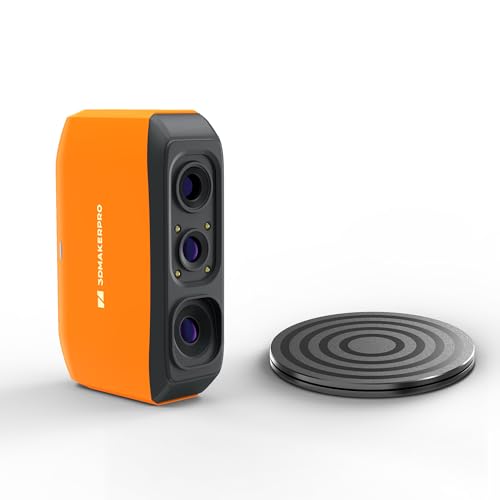
The medium-format focus makes the Fox Series a distinct choice for users working mainly on objects that fit that category. Its maker lists 0.07 mm accuracy, 10 fps scanning, AI visual tracking, and a handheld design. The product is positioned for applications such as product design, reverse engineering, art, and education. This scanner is best aligned with entry-level medium-format capture rather than a need for a wide object-size range.
Bottom line: Choose it for entry-level handheld scanning of medium-format objects.
How to choose a low cost 3D scanner
Start with the object’s size and the accuracy your finished model needs, not the largest precision figure in a specification. A scanner’s single-frame accuracy, point-cloud accuracy, volumetric accuracy, and length accuracy describe different measurements and are not interchangeable. For example, a volumetric figure that includes a term multiplied by object length grows with the measured span. Match the mode to the job: laser scanners can capture fine geometry, while structured-light modes may handle other surfaces or working distances differently. If you need to scan both a 10 mm component and a 1,500 mm part, favor a unit with an explicit range covering both. For a single medium-sized object, tracking and workflow simplicity may matter more.
Understanding scanner accuracy and scan scale
Accuracy numbers only make sense alongside the measurement method and target size. A figure such as 0.03 mm per frame does not automatically mean a full assembled scan stays within 0.03 mm; stitching frames across a long object can accumulate error, which is why volumetric and length-based terms matter. Keep a scan target within the scanner’s recommended working distance and consider its single-capture field of view before planning a path around the object. For large objects, photogrammetry uses targets or scale bars to anchor measurements across multiple views. A decision rule: if the object’s longest dimension exceeds the scanner’s range, select a different range or a workflow designed for large-format capture rather than relying on a fine single-frame figure.
3D scanner types and tracking methods
Handheld 3D scanners generally build a model by recording successive views and aligning them as the operator moves around an object. Marker-based systems use reference points on or around the target; marker-free tracking instead follows visual features, so plain or repetitive surfaces can be more challenging. Laser-line, full-field structured-light, and VCSEL modes differ in how they illuminate and capture a surface, and their accuracy can change with mode and distance. Photogrammetry supplements scans with measured targets or scale bars and can help preserve scale on large objects. Compare like with like: use the accuracy figure for the mode you expect to use, and check whether your object has enough visible texture or reference features for stable alignment.
Preparing objects and planning a scan
Glossy, transparent, or very dark surfaces can be difficult for optical scanners because they may reflect, transmit, or absorb projected light; a removable scanning spray can improve capture, but verify material compatibility before applying it to a finished part. Thin edges, deep cavities, and hidden undersides need multiple viewing angles because a scanner cannot capture geometry it cannot see. Plan overlaps between passes so software can align neighboring views, and keep the object from moving during capture. Avoid placing markers on delicate finishes unless removal is safe. For measurement-critical work, use scale references and validate the resulting dimensions against a known length rather than treating a printable mesh as a calibrated measuring instrument.
Frequently Asked Questions
Can a 3D scanner capture shiny or clear objects?
Shiny and transparent surfaces often confuse optical scanners because projected light reflects or passes through them. A removable matte scanning spray can help, but test it on a safe area and confirm it will not damage the finish.
Does 0.02 mm accuracy mean every scan is that precise?
No; 0.02 mm may refer to a particular mode or laboratory condition, not the whole stitched model. For larger objects, compare volumetric or length-based accuracy and validate dimensions against a known reference.
How large an object can a handheld scanner capture?
Scanner ranges differ substantially: some are aimed at medium-format objects, while the Raptor Pro’s span is 5 mm to 2,000 mm. Confirm the range and single-capture field of view cover the object’s longest dimension.
Do handheld 3D scanners need markers?
Some handheld scanners use markers as reference points, while marker-free systems track visible surface features. On plain or repeating surfaces, added visual features or markers can help maintain alignment.
Can a 3D scanner measure dimensions accurately?
It can produce dimensional data, but accuracy depends on calibration, scan mode, object scale, alignment, and surface quality. For measurement work, use scale bars or known references and check the length-based accuracy across the full object.